
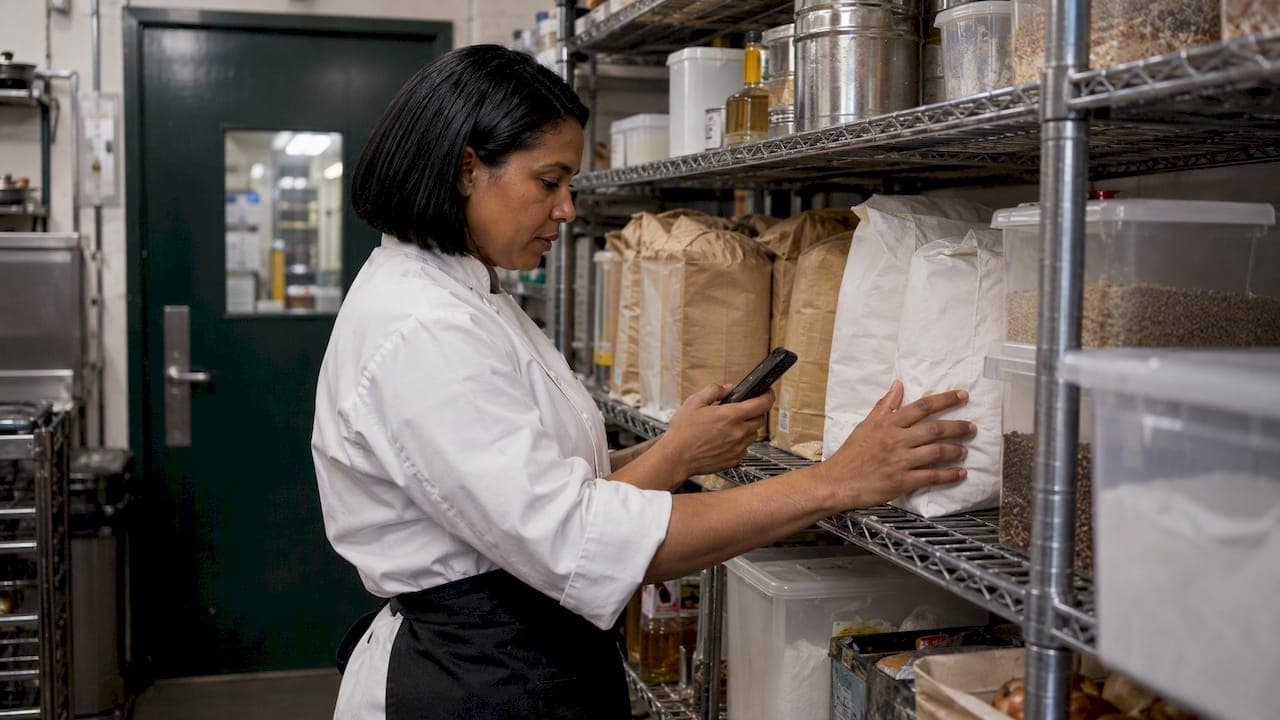
A low stock alert is a notification that fires when an ingredient or supply drops below a minimum level you set, so you can reorder before service is affected. In a kitchen, the alert is only as good as the number behind it. Set the threshold from real usage and supplier lead times, keep your counts current, and make sure someone owns the next step. This guide shows you how, with a worked example, a simple weekly routine and a look at where AI forecasting fits.
TL;DR
- A low stock alert triggers when an item falls below its reorder point, which is the smallest amount you want on hand before ordering more.
- Set each threshold from daily usage, supplier lead time and a safety buffer. Do not guess a round number.
- Alerts need accurate data. Software that updates stock automatically beats a spreadsheet that depends on someone remembering to count.
- AI alerts can adjust for trends, but they depend on clean sales, purchasing and supplier data, and you should still sense-check them.
- An alert never replaces date checks, stock rotation or temperature control. Pair them.
Table of Contents
- What low stock alerts do in a commercial kitchen
- Start with the reorder point
- Give your alerts accurate data to work from
- How AI low stock alerts work
- Turn alerts into supplier orders
- Pair alerts with food safety and stock rotation
- Our perspective: alerts should work for the chef, not add to the admin
- Try low stock alerts in your own venue
- Common mistakes with low stock alerts
- FAQ
- Sources
What low stock alerts do in a commercial kitchen
The idea is simple. You tell your system the minimum quantity of each item you are comfortable holding. When stock falls to that level, it flags the item to the right person. They order, and you avoid the 4 pm panic call to a supplier or the dish pulled from the menu mid-service.
In hospitality the stakes sit on both sides of the threshold. Run out and you lose sales, pay for emergency runs or disappoint a full dining room. Over-order to be safe and cash sits in the cool room until it spoils. End Food Waste Australia's 2024 catering action plan says the hospitality sector accounts for 16% of Australia's annual food waste, about 1.2 million tonnes. It names inaccurate forecasting, over-purchasing, poor stock rotation and disorganised storage as contributing causes. The same report says purchasing raw materials makes up 35% of an average catering business's monthly operating costs.
That is why a good alert is not just a nudge to buy more. It is a way to hold the right amount, no more and no less.

Start with the reorder point
According to business.gov.au, a reorder point is the smallest amount of an item you want in stock before you order more. Your low stock alert is that number, made visible.
A workable kitchen formula looks like this:
Reorder point = average daily usage × (supplier lead time in days + safety buffer in days)
Our guide to the reorder point formula for a kitchen goes deeper. Here is a quick worked example, using made-up numbers for illustration.
A café uses about 40 litres of milk a day. Its supplier delivers two days after an order, and the owner wants one day of buffer for a busy weekend.
- Average daily usage: 40 L
- Lead time plus buffer: 2 + 1 = 3 days
- Reorder point: 40 × 3 = 120 L
When milk falls to 120 L, the alert fires. If the order arrives in two days, there is still a day of milk in the fridge.
Adjust by item type
Not every item deserves the same treatment. Match the buffer to how painful a stockout is and how fast the item spoils.
| Item type | Example | Buffer approach | Why |
|---|---|---|---|
| Core, fast-moving fresh | Milk, bread, fish | Small buffer, frequent orders | Short shelf life, so over-ordering turns into waste |
| Core, long-life dry goods | Flour, rice, oil | Larger buffer, fewer orders | Cheap to hold, painful to run out |
| Hard-to-source or specialty | Imported cheese, specific sauces | Larger buffer, longer lead time | Replacement is slow or impossible same day |
| Packaging and consumables | Takeaway containers, napkins | Moderate buffer | Easy to forget, and takeaway stops without them |
| Bar stock | Kegs, spirits, mixers | Buffer based on event and weekend demand | Demand spikes with trade, not averages |
For a fish and chip shop, oil, batter mix and packaging belong on the critical list. For a pub or club, kegs and the weekend spike matter most.
Review thresholds every few weeks
Usage changes with seasons, menu changes, school holidays and events. A threshold set in January will be wrong by the footy finals. Put a short review in the diary: look at which alerts fired too early (you ordered too much) and which fired too late (you ran short), then nudge those numbers.
Give your alerts accurate data to work from
An alert is only as reliable as the stock count behind it. business.gov.au describes two approaches. A periodic system counts stock by hand and updates records manually on a spreadsheet or paper. A perpetual system uses software or a point of sale (POS) system that updates records automatically as stock is bought or sold.
With a periodic system, an alert can only be as fresh as your last count. If you count on Monday and run out on Thursday, nothing warned you. With a perpetual system, receiving a delivery or selling a dish adjusts the numbers as it happens, so the alert reflects what is on the shelf now.
Three habits keep the numbers honest:
- Receive deliveries into the system the same day. Check against the invoice, record short deliveries and substitutions.
- Record waste and staff meals. Unrecorded spoilage is the quiet reason a system says you have ten kilos when you have six.
- Do a quick spot count on your highest-cost items weekly. A few minutes on proteins, dairy and spirits catches drift early.
If your POS and inventory are connected, depletion by sales becomes automatic. Our checklist on POS inventory integration and GS1 2D readiness covers what to look for. Counting on a phone, in the cool room, also makes habit number three easier. See the benefits of mobile stock management for Australian venues.
How AI low stock alerts work
A standard alert uses a fixed number: tell me when milk hits 120 L. An AI-assisted alert tries to move that number for you. It looks at sales history, day-of-week patterns, seasonality and supplier timing, then flags an item when it expects you to run short, not just when you have crossed a line.
In practice, that can mean:
- Raising an alert earlier before a long weekend, because past sales show demand climbing.
- Staying quiet on an item that is low but not selling, such as a seasonal special that has dropped off.
- Spotting that an item's cost from your supplier has crept up. One Australian IT provider's 2026 write-up on hospitality AI says systems can compare POS sales data with supplier costs to identify margin erosion and alert managers.
What AI needs from you
AI does not fix messy inputs. The same source notes that for AI to work reliably, a venue first needs a unified, clean data layer connecting accounting, POS and procurement systems. In kitchen terms:
- Recipes that list correct quantities per portion
- Menu items mapped to the ingredients they use
- Supplier items, pack sizes and prices entered consistently
- Deliveries and waste recorded as they happen
If your recipes say a burger uses 150 g of mince and your cooks use 200 g, even a clever forecast will be wrong. Standardised recipes and pricing come first. They are also worth doing for food cost reasons alone.
Sense-check the recommendations
Treat an AI alert as a well-informed colleague, not an oracle. Before you order, ask three quick questions:
- Does this match what I know is coming? Private functions, a new menu, a closure for repairs.
- Is the stock count believable? If the alert looks odd, do a quick physical check.
- Is there a reason for this item to be on the list at all? Not every low item needs replacing.
If the alert is wrong twice in a row, look at the data underneath it before you blame the forecast.
Turn alerts into supplier orders
The alert is the start. What counts is what happens in the next ten minutes. A simple workflow keeps alerts from becoming noise:
- Route each alert to one owner. The chef gets food, the bar manager gets drinks, the manager gets packaging. An alert that goes to everyone gets actioned by no one.
- Group by supplier. Low items from the same supplier should become one order, not five phone calls. This also helps you hit minimum order values and delivery days.
- Order to a par level, not a guess. The alert says you are below the minimum. The par level says how much to top up to. Order the difference.
- Check what is already on order. Without this, two people can order the same thing on the same day.
- Receive and record. When the delivery lands, count it in. The alert clears and the cycle resets.
When alerts, par levels and supplier ordering live in one place, step 2 to step 5 stop being separate jobs. Our guide to inventory alerts in Australian kitchens walks through the manager's side of this routine. If you are weighing platforms, our overview of the best inventory software for restaurants in Australia lists what to compare.
A simple weekly rhythm
- Daily: clear alerts, place supplier orders, receive deliveries.
- Weekly: spot count high-cost items, record waste, check for items that keep tripping the alert.
- Monthly: review thresholds and par levels against actual usage and food cost.
That rhythm takes minutes a day once it is set. Skip it and alerts slowly lose credibility, which is the point at which staff start ignoring them.
Pair alerts with food safety and stock rotation
Low stock alerts protect continuity of supply. They do not protect food safety. Food Standards Australia New Zealand's Standard 3.2.2 guidance says stored food must be protected from contamination and adverse conditions. Potentially hazardous food must be temperature-controlled, generally at 5°C or below or 60°C or above. A perfectly stocked cool room that sits at the wrong temperature is still a problem.
The same guidance recommends regularly checking date markings, rotating stock and using older food first, including not selling food past its Use By date. Practical ways to combine this with alerts:
- Count by date as well as quantity on perishables. Four litres of cream that expires tomorrow is not four litres of cream.
- Order small and often on short-life items so alerts do not push you into overbuying.
- Store new deliveries behind existing stock. End Food Waste Australia's plan says first-in, first-out rotation can reduce spoilage, and that regularly inspecting storage helps spot short-dated items.
Our five-step FIFO vs FEFO rollout shows how to put rotation into daily practice. If you want to go a step further, see how to predict restaurant food waste so your orders match demand.
Our perspective: alerts should work for the chef, not add to the admin
We built PantryHub by the chef, for the chef, because we kept seeing the same pattern. Stock runs out on a Friday night, or a cool room is full of product nobody needs. Neither is a people problem. It is a visibility problem.
Our view is that a low stock alert should do three things. It should fire at a number based on how your kitchen actually runs. It should reach the right person on the phone in their pocket. And it should lead straight to the supplier order, so the alert is the start of the job and not another thing to remember.
That is how we have designed PantryHub: real-time stock tracking, AI-powered low-stock alerts, team access controls and supplier ordering in one platform, built for Australian venues with AUD pricing and GST-ready reporting. It works for a single café and for a group running several sites.
Our advice is to start with your top 20 items by cost. Set sensible thresholds, route the alerts to the right people and let the system handle the rest. You can widen the list as the habit sticks.
the author
Try low stock alerts in your own venue
If you would rather bin the spreadsheets and have alerts, par levels and supplier ordering in one place, PantryHub is built for exactly this. Our plans are Starter at $39 AUD per month, Regular at $69 AUD per month and Pro at $99 AUD per month, and you can see what each includes on the pricing page. You can also start a free trial and set up alerts on your own top items before you commit. To see how it fits your kitchen, take a look at our hospitality inventory software.
📦 Real-time stock tracking across one or multiple locations
🔔 Low-stock alerts sent to the right team member
🛒 Supplier ordering linked to your par levels
📊 Waste and cost reporting to protect your margin
Common mistakes with low stock alerts
Most alert problems come from setup, not software. Watch for these:
- One threshold for everything. A flat rule such as "alert at 5 units" is too late for fast movers and too early for slow ones.
- Alerting on too many items. If 80 items alert every morning, staff tune out. Start with high-cost and high-impact items.
- Ignoring lead time. A threshold that works for a next-day supplier fails for one that delivers weekly.
- Forgetting recipe changes. A new menu changes usage overnight, and old thresholds go stale.
- No owner. Alerts that nobody is responsible for are decoration.
Our article on common inventory mistakes restaurants make covers more of these and how to avoid them.
FAQ
What is a low stock alert?
It is a notification that tells you when an item has dropped below a minimum quantity you have set. The aim is to reorder before you run out. In a kitchen, the minimum is usually the reorder point, based on usage and supplier lead time.
How do I decide what level to set an alert at?
Multiply your average daily usage by the supplier's lead time plus a safety buffer in days. For a café using 40 L of milk a day with a two-day lead time and one buffer day, that is 120 L. Review it every few weeks as demand changes.
Are AI low stock alerts better than fixed alerts?
They can be more responsive, because they factor in sales patterns and timing instead of one fixed number. They rely on accurate recipes, sales and purchasing data, though. Check the recommendations against what you know about upcoming trade, and fix any data that keeps producing odd results.
Do low stock alerts help reduce food waste?
They can, when they stop you over-ordering as a safety measure. Alerts based on real usage help you hold the right amount. Combine them with first-in, first-out rotation and regular date checks so older stock is used first.
Can a café or pub use alerts without an inventory system?
You can set manual reminders on a spreadsheet, but they depend on regular counts. Software that updates stock as you receive and sell items keeps the alert current without someone having to remember. For multi-site operators, a shared system also gives everyone the same view.
Sources
- Manage your inventory, business.gov.au
- Catering Sector Action Plan Report 2024, End Food Waste Australia
- Standard 3.2.2 Food Safety Practices and General Requirements, FSANZ
- Agentic AI for Hospitality, All IT Services