
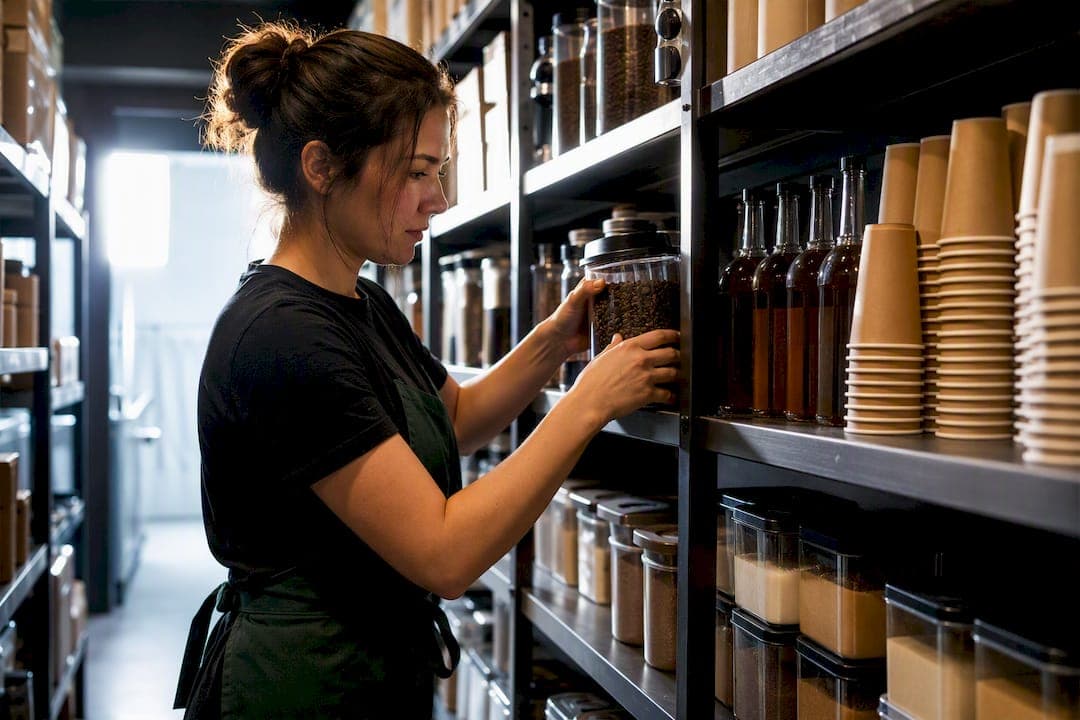
Good cafe inventory management gives you three things: accurate stock visibility, lower waste, and a food cost percentage you can predict instead of dread. The fastest path there isn't a full software rollout on day one. It's starting a weekly cycle count on your top 20 items and mapping one high-volume recipe, like your flat white, into a proper bill of materials. Tools like PantryHub exist to take that manual process off your plate once the habit is set.
TL;DR:
- Focusing on weekly cycle counts of your top 20 SKUs and building detailed recipes for your high-volume drinks improves accuracy and reduces waste.
- Integrating your POS system with inventory management automates stock deduction and minimizes manual errors, supporting real-time stock visibility.
- Grouping SKUs by supplier and delivery schedule, and adjusting order thresholds seasonally, prevent stockouts and cut last-minute emergency orders.
- Tracking ingredient-level usage and implementing simple par level formulas help refine reorder points and lower spoilage for perishables.
- Using automated alerts and dashboards for food cost and waste enables proactive management, ensuring healthier margins over time.
Table of Contents
- Why Cafe Inventory Is Different From Other Food Businesses
- What to Look for in a Cafe Stock Management System
- A Step-by-Step Cafe Inventory Workflow to Start This Week
- Supplier Ordering Workflows That Prevent Stockouts
- The Metrics That Prove Your Inventory System Is Working
- Common Cafe Inventory Mistakes and Fast Fixes
- How One Cafe Cut Waste With a Digital Inventory Workflow
- Balancing Tech, Process, and Team Habits
- Put This Workflow on Autopilot With PantryHub
- Sources
Why Cafe Inventory Is Different From Other Food Businesses
A cafe isn't a restaurant with a smaller menu. It's a different inventory problem entirely, built around a handful of ingredients sold in an enormous number of combinations.
Milk spoils in days, pastries go stale overnight, and a bag of beans has a flavor window measured in weeks, not months. That perishability alone makes ad-hoc "eyeball it" stock checks unreliable. You need frequent, small counts rather than infrequent, big ones.
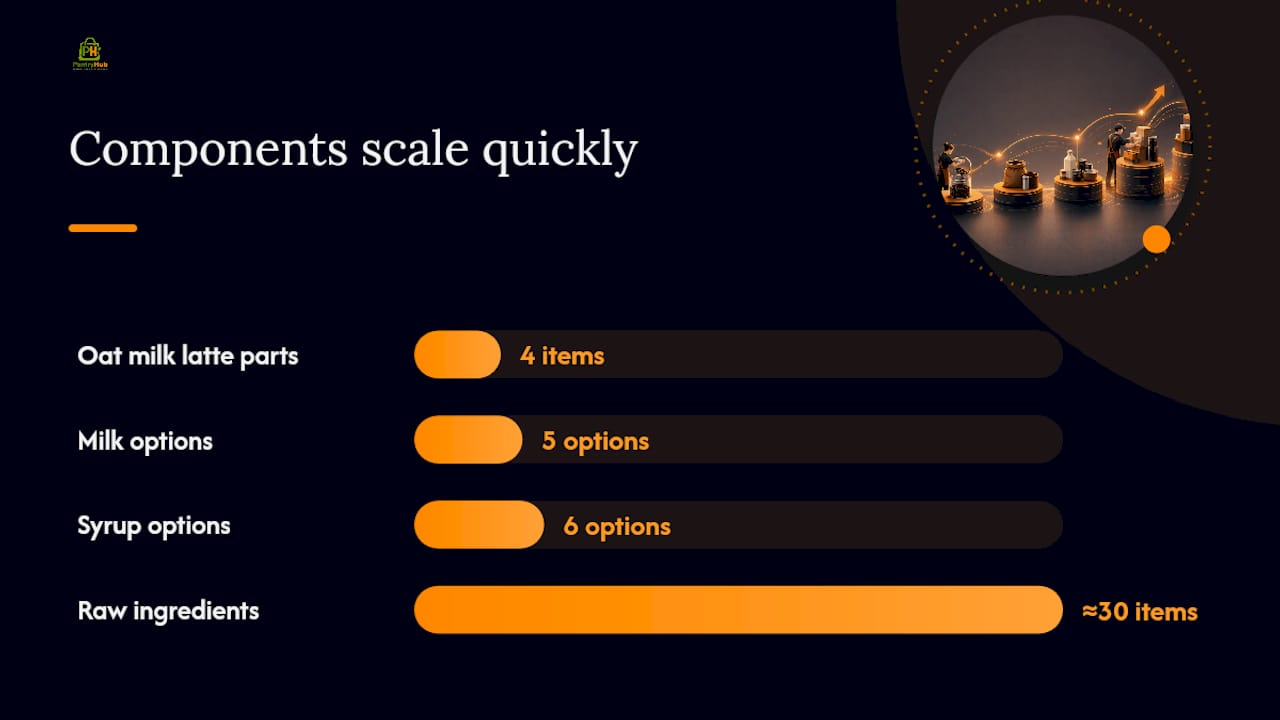
Then there's the modifier problem. A single oat milk latte with an extra shot touches four separate stock items: coffee, milk alternative, syrup, and cup size. Multiply that across a menu with five milk options and six syrups, and a cafe can generate hundreds of sellable combinations from maybe 30 raw ingredients. If your system doesn't track recipes at the component level, you're guessing at consumption instead of measuring it.
Add in the sheer transaction volume. A busy cafe might ring up hundreds of orders a day on razor-thin margins per cup, with dozens of low-cost SKUs like lids, sleeves, and stirrers that rarely get counted but still cost money every time one goes missing or gets over-portioned.
The blind spots that trip up most cafes:
- Counting finished drinks instead of the ingredients that make them
- Never updating recipes when a supplier swaps a syrup brand
- Treating cups, lids, and napkins as an afterthought instead of trackable stock
- Relying on memory for par levels instead of documented numbers
Pro Tip: If you only fix one blind spot this month, fix modifier tracking. Substitutions and add-ons materially affect ingredient consumption in ways a simple "cups sold" count will never catch.
What to Look for in a Cafe Stock Management System
Not every feature matters equally. Here's what actually reduces manual work and protects your margin, in rough order of impact.
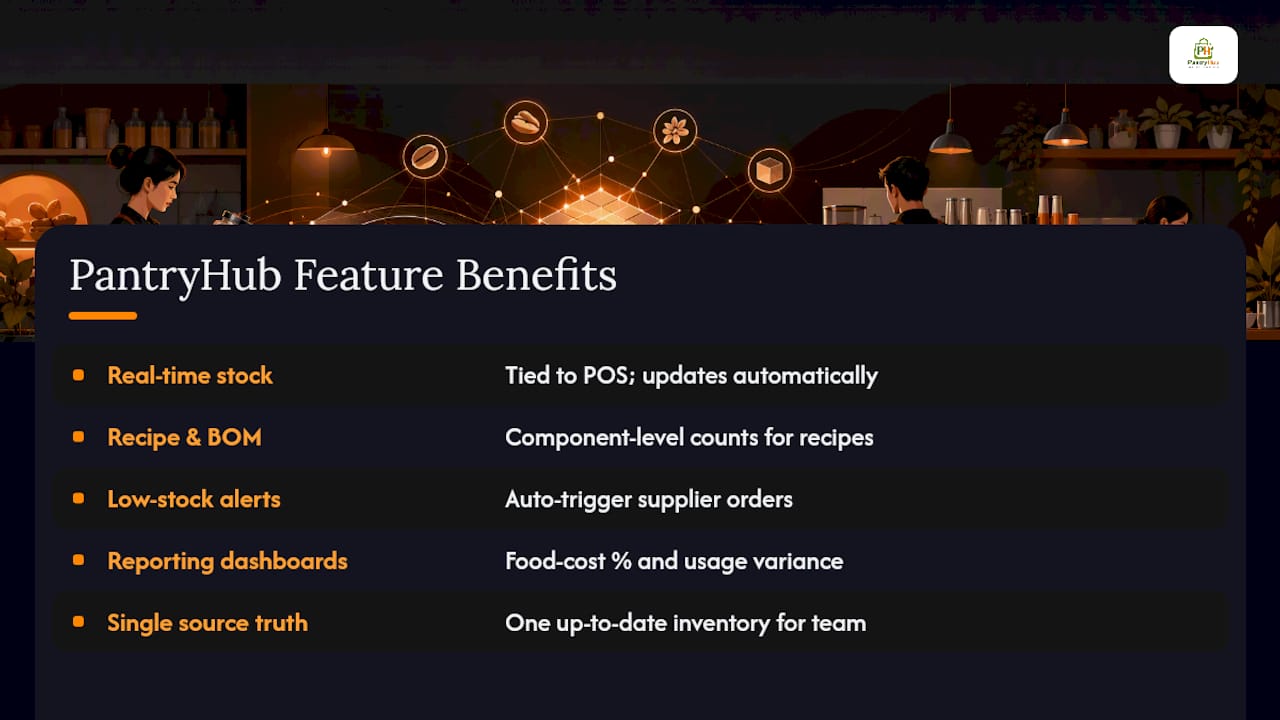
POS integration sits at the top. When your point-of-sale system talks to your inventory platform, every sale automatically deducts the ingredients behind it. That real-time syncing eliminates manual stock guessing and lets reorder triggers fire on their own instead of waiting for someone to notice the milk fridge is empty.
Recipes and bill-of-materials tracking come next. This is what makes modifier complexity manageable. Sell a large oat latte, and the system should deduct espresso, oat milk, and a large cup in one motion, not just log "one drink sold."
Cycle counts and mobile counting tools replace the clipboard-and-spreadsheet routine. Barcode scanning speeds up counts and removes the transcription errors that come from writing numbers on paper then retyping them later.
Automated low-stock alerts and suggested purchase orders turn reactive ordering into proactive ordering. Instead of a barista noticing you're out of vanilla syrup mid-shift, the system flags it days earlier and drafts the order.
Reporting dashboards close the loop. Food cost percentage, dead stock, and usage variance reports tell you whether the whole system is actually working, not just whether it's running.
Prioritize in this order:
- POS integration for sales-to-stock accuracy
- Recipe/BOM setup for your top sellers
- Mobile cycle counting to replace manual tallies
- Automated alerts and supplier ordering
- Variance and food cost reporting
A Step-by-Step Cafe Inventory Workflow to Start This Week
You don't need to overhaul everything at once. Build the system around your highest-impact items first, then expand.
- Catalog your top 20 SKUs. These are the items that drive most of your cost and menu availability, typically milk, coffee beans, cups, and your two or three best-selling pastries. Industry guidance consistently points to starting with the top sellers rather than trying to catalog everything at once.
- Build the recipe (BOM) for each menu item using those SKUs. Every drink and food item should list exact ingredient quantities, down to the milliliter of syrup.
- Set your counting cadence. Daily par checks on fast-moving items like milk, weekly cycle counts on the top 20 SKUs, and a full stocktake once a month.
- Run the cycle count. Assign one person, use a consistent time of day (before opening works best), and expect 15 to 30 minutes for a well-organized top-20 count.
- Reconcile against POS sales data. Compare what your recipes predicted you'd use against what you actually counted as gone. A gap here is your first sign of waste, theft, or an outdated recipe.
- Adjust par levels based on real consumption, not gut feeling.
For par levels, a simple template works better than a complex formula:
- Par level = average daily usage × lead time in days, plus a small buffer for weekend spikes
- Reorder point = par level minus current stock on hand
- Fast-moving items (milk, beans) get tighter buffers; slow-moving items (specialty syrups) get looser ones
Many cafes find that weekly cycle counts on top-selling SKUs catch problems long before a monthly stocktake would.
Supplier Ordering Workflows That Prevent Stockouts
Ordering chaos usually comes from treating every supplier relationship the same way instead of building a rhythm around each one.
Start by grouping SKUs by supplier and delivery day. If your dairy supplier delivers Tuesday and Friday, your par levels for milk should be sized around that four-day and three-day gap, not a generic weekly number. This single change removes most of the "emergency order" panic that eats into margin through rush fees or last-minute substitutions.
Min/max thresholds with automated purchase orders take the guesswork out entirely. When stock hits the minimum, the system drafts the order, and automating purchase orders while grouping SKUs by supplier reduces ordering time and cuts the risk of those costly emergency runs to the wholesaler.
Lead times deserve their own attention, especially around seasonal swings. A supplier that delivers in two days during winter might stretch to four during a holiday rush. Adjust your par levels ahead of known busy periods rather than reacting after you've already sold out of oat milk on a Saturday morning.
Finally, invoice matching against what actually arrived, checked by a single approver, catches pricing errors and short deliveries before they get buried in your books. A few habits worth locking in:
- Group orders by supplier and delivery schedule, not by convenience
- Set min/max thresholds so reordering happens automatically
- Review and adjust lead times seasonally, especially around holidays
- Assign one person to match invoices against deliveries before payment
The Metrics That Prove Your Inventory System Is Working
Numbers tell you whether the workflow is actually paying off, not just whether it looks tidy on a dashboard.
Food cost percentage is the headline metric. It's calculated as cost of goods sold divided by revenue, and most cafes target a range in the high 20s to low 30s depending on menu mix. When this number climbs, inventory data helps you pinpoint whether it's a pricing problem, a portioning problem, or a waste problem.
Waste and dead-stock reports show you what's expiring unused or sitting untouched on a shelf. A syrup flavor nobody orders is money frozen in a bottle.
Inventory turnover and days of stock on hand tell you whether you're carrying too much or too little. Cafes with fast-moving perishables generally want low days-on-hand for dairy and higher turnover overall.
Usage versus expected variance reports compare what your recipes say you should have used against what actually left the stockroom. A consistent gap here usually points to over-portioning, unrecorded waste, or a recipe that needs updating.
Track these monthly at minimum:
- Food cost percentage against your target range
- Waste logged in kilograms per week, by category
- Inventory turnover rate for perishables versus dry goods
- Variance percentage between expected and actual usage
Common Cafe Inventory Mistakes and Fast Fixes
Most inventory problems trace back to a handful of habits, and none of them require new software to fix.
- Skipping recipe entry before a menu launch. A new seasonal drink gets sold before anyone builds its BOM, so nothing gets deducted properly. Fix: make recipe entry mandatory before any item goes on the menu.
- Counting only finished goods. Tallying "12 muffins left" tells you nothing about flour, butter, or sugar on hand. Fix: count at the component level, not just the plated item.
- Unstandardized SKUs. One supplier calls it "whole milk 2L," another calls it "full cream 2L," and now you have duplicate stock lines. Fix: run a SKU clean-up and map every supplier code to one internal name.
- Overcomplicated par rules. Twelve different reorder thresholds are impossible for a busy team to follow. Fix: simplify to three bands, fast, medium, and slow movers, as simplified par rules increase adherence for small teams far more than granular formulas do.
Pro Tip: Documenting your process on paper first, even before you touch software, makes the eventual system rollout faster because your team already knows the routine.
How One Cafe Cut Waste With a Digital Inventory Workflow
A cafe started with three changes: building a digital catalog of its top ingredients, moving from monthly to weekly cycle counts, and turning on automated purchase order suggestions tied to supplier delivery days.
The operational shift showed up quickly. Staff spent less time on manual ordering because the system flagged low stock before a barista had to guess, and waste tracking surfaced a syrup flavor that had been quietly expiring unused for months. PantryHub's tracking and alert tools are built specifically around these cafe-scale workflows.
Your first move can mirror this exactly: catalog your top 20 items, switch to weekly counts, and turn on one automated reorder alert before you touch anything else.
Balancing Tech, Process, and Team Habits
The technology matters less than the habit you build around it. A cafe inventory system fails not because the software is weak, but because nobody retrains staff after the first two weeks of enthusiasm fade.
Pick one source of truth for stock numbers and never let anyone keep a side spreadsheet. Prioritize small automation wins first, one low-stock alert, one automated reorder, before chasing a full system overhaul. Barista buy-in comes from removing friction, not adding rules. If a cycle count takes 45 minutes because the sheet is disorganized, nobody will do it consistently. Shrink the count, not the commitment.
— Admin
Put This Workflow on Autopilot With PantryHub
A digital inventory platform is the practical next step once you've started the habits above, because it turns the manual parts of this workflow, recipe entry, cycle counts, and reorder math, into something that runs itself.

Such platforms map directly onto what this guide covers: real-time stock tracking tied to your POS, recipe and BOM setup for accurate component-level counts, low-stock alerts that trigger supplier orders automatically, and reporting dashboards for food cost percentage and usage variance. Instead of chasing spreadsheets between shifts, your team gets one source of truth that updates itself as drinks get sold.
If you're ready to move past manual counts, visit the hospitality inventory software page to see the features in action, or start a free trial to connect your first supplier and catalog your top 20 items this week.
Sources
For a deeper walkthrough of counting procedures, PantryHub's kitchen stocktake process guide covers templates managers can copy directly. If ordering chaos is your bigger problem, read how to automate cafe stock ordering. Cafes stocking bottled wine can also check this restaurant wine checklist for category-specific counting tips.
- How Three Coffee Shops Tackle Inventory Management
- Coffee Shop Inventory Management | Thrive by Shopventory