
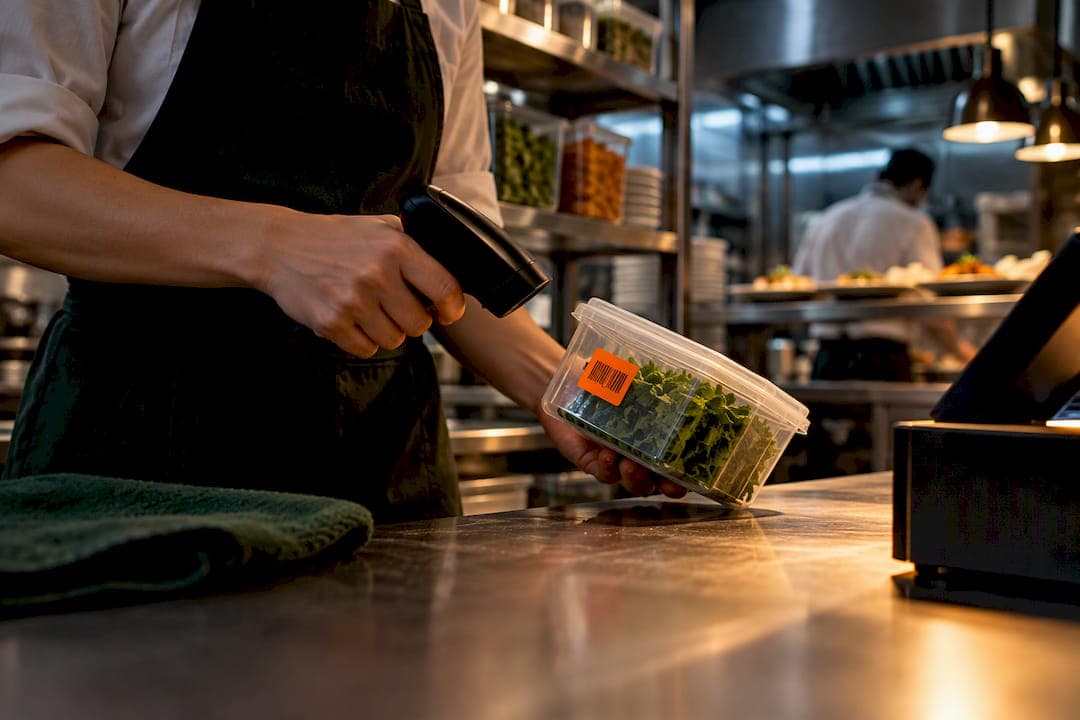
Yes: integrating your point-of-sale system with inventory management gives you real-time stock visibility, automates reordering, and fixes recipe costing errors before they eat into margins. Done properly, it cuts stockouts, reduces waste, and shrinks stocktake time from hours to minutes. This guide breaks down the mechanics, the benefits, and a step-by-step checklist, with PantryHub as one hospitality-focused example of how the pieces fit together.
TL;DR:
- Real-time stock updates depend on choosing the right architecture, with native or API integrations offering the fastest data sync within seconds of a transaction.
- Ingredient-level tracking with recipe and BOM support reduces waste, prevents stockouts, and improves recipe costing accuracy after integration.
- Hardware readiness, especially for GS1 2D barcodes, is critical; transitioning requires firmware checks, dual-marking products, and backend data model updates.
- A phased, thorough testing process that includes voids, returns, and split tenders helps prevent integration failures during actual service.
- The cost and timeline vary based on system complexity, with single-site setups taking weeks and multi-site rollouts extending to several months, emphasizing pilot testing first.
Table of Contents
- 1. What is POS inventory integration and what should you expect
- 2. How the data actually flows between POS and inventory
- 3. Tangible benefits you can measure after integration
- 4. A step-by-step checklist for integrating your systems
- 5. GS1 2D barcode readiness and why it matters now
- 6. Implementation timeline and what drives the cost
- 7. Comparing POS-inventory software and choosing the right vendor
- 8. Keeping your integration running smoothly after launch
- 9. Protecting data security and privacy across your systems
- Common pitfalls we see operators run into
- How PantryHub fits into your integration plan
- Sources
- FAQ
1. What is POS inventory integration and what should you expect
POS inventory integration is the two-way flow of data between your point-of-sale system and your stock records. Every sale, return, receipt, and manual stock adjustment updates your inventory count automatically, instead of relying on someone keying it in later. That bidirectional sync is the whole point: your POS tells inventory what left the building, and your inventory system tells your POS (and your staff) what's left on the shelf or in the walk-in.
For retail, this usually means SKU-level tracking: one sale of one product decrements one line item. Hospitality is more complex. A single dish might use ingredients from five different suppliers, so the system needs recipe or bill-of-materials (BOM) support that decrements multiple stock items per sale.
Core features worth expecting from any integration:
- Real-time sales updates that adjust stock counts the moment a transaction closes, not at end of day.
- SKU or ingredient-level mapping that ties menu items or products to the exact stock they consume.
- Recipe and BOM support for kitchens, so one burger sale correctly reduces bun, patty, and sauce inventory.
- Low-stock alerts that flag par-level breaches before you run out mid-service.
- Supplier ordering integration that turns low stock into a purchase order without manual re-entry.
- Reporting tools that show food cost, waste, and variance by location or item.
PantryHub, built specifically for restaurants, cafés, bars, and commercial kitchens, structures its inventory tracking around this ingredient-level logic rather than treating every business like a retail shelf.
2. How the data actually flows between POS and inventory
Once your POS and inventory systems are connected, several types of transaction data need to move in near-real time: sales, voids, returns, comps, split tenders, and manual stock adjustments from stocktakes. Most modern platforms aim for updates within seconds of a transaction closing, though scheduled batch syncs (hourly or nightly) are still common in older setups.
There are four common architecture choices:
- Native integration, built directly into the POS or inventory platform by the vendor, offering the tightest sync but the least flexibility if you want to swap either system later.
- API connector, a direct link between two independent systems using their published APIs, giving you real-time updates without vendor lock-in but requiring some technical setup.
- Middleware, a third-party layer that translates data between systems that don't talk to each other natively, useful when you're running older POS hardware alongside modern inventory software.
- Scheduled file sync, where data exports and imports on a timer rather than instantly, the simplest to set up but the slowest to reflect reality on the floor.
Hardware matters as much as software. Your scanners, terminals, and EFTPOS devices need to handle current barcode formats and be ready for GS1's 2D barcode transition, which we cover in detail further down. Whatever architecture you choose, you'll also need clear mapping and conflict-resolution rules: what happens when a stocktake and a live sale hit the same SKU at the same moment, or when a supplier delivery note doesn't match what was ordered. Building POS integration between offline and online sales channels follows the same logic: keep one source of truth and resolve conflicts by timestamp and transaction type, not by guesswork.
Pro Tip: Before going live, run a full week of edge-case testing: voids, comps, partial refunds, and split tenders. These are where integrations quietly break, and they're rarely caught until a customer complains or a stock count doesn't reconcile.

3. Tangible benefits you can measure after integration
The value of integration shows up in numbers you can track from month one. Inventory accuracy improves because counts update automatically instead of relying on end-of-shift tallies. Stockouts drop because low-stock alerts trigger reorders before shelves or fridges run empty. Waste falls because you can see exactly what's expiring or overstocked, and recipe costing becomes reliable because every ingredient is tied to an actual sale.
Metrics worth tracking after go-live:
- Stocktake time, which typically drops once counts are digital and continuous rather than a periodic manual exercise.
- Waste percentage, tracked weekly against a baseline set in your first month.
- Stockout frequency, measured as the number of times a menu item or SKU hits zero unexpectedly.
- Food cost variance, the gap between theoretical cost (from recipes) and actual cost (from purchases and sales).
- Labor hours spent on manual stock entry, which should shrink as automation takes over.
Rising supply and labor costs are pushing many operators to lean on existing technology and reasonably priced add-ons rather than large capital investment, according to the National Restaurant Association. That framing matters: integration isn't about buying more software, it's about getting more value out of the POS and inventory tools you likely already have.
4. A step-by-step checklist for integrating your systems
Treat integration as a project with clear phases, not a weekend task. Skipping steps here is where most rollouts stall or produce bad data.
Discovery
- Decide whether you need SKU-level tracking (retail) or ingredient-level tracking (hospitality), since this shapes every decision after it.
- Map your supplier ordering needs, including whether any suppliers require EDI or specific file formats.
- Check what transaction detail you need to preserve for GST and BAS reporting, since your integration must keep that data exportable and compliant.
Design
- Choose your architecture: native, API connector, middleware, or scheduled sync, based on what your current POS and inventory systems support.
- Map every data field between systems, including product names, units of measure, and tax categories, so nothing gets lost in translation.
- Decide your reconciliation rules for conflicting updates, such as a stocktake landing mid-service.
- Plan any hardware upgrades needed for scanners or terminals, particularly around barcode format support.
Testing
- Build a sandbox environment and run real transaction types through it: sales, voids, returns, comps, and split tenders.
- Reconcile transactions daily for a pilot period, ideally two to four weeks, comparing POS totals against inventory movement.
- Validate the supplier ordering flow end to end, from low-stock alert through to purchase order and delivery receipt.
Go-live and verification
Once testing checks out, roll out in stages rather than flipping everything at once.
- Train staff on any new workflows, particularly around stocktakes and handling exceptions like damaged stock.
- Set up monitoring dashboards so managers can spot discrepancies daily, not just at month-end.
- Configure alert thresholds for low stock that reflect real par levels, not arbitrary defaults.
- Define rollback triggers in advance, so if reconciliation fails badly in week one, you know exactly when to pause and revert.
This phased approach mirrors what smaller venues typically need when planning their own inventory software rollouts, where a phased pilot reduces the risk of a bad data migration disrupting service.
5. GS1 2D barcode readiness and why it matters now
Retailers and hospitality operators need to start planning for GS1's shift to 2D barcodes well before it becomes unavoidable.
Migrating to GS1 2D barcodes is a multi-year project requiring hardware, middleware, and backend changes to capture item-level attributes like batch and expiry.
GS1 2D Barcode Playbook for Retail POS Host and Backend Systems
The operational impact goes beyond swapping scanners. Backend inventory systems need to persist item-level data such as batch numbers, expiry dates, and serial numbers, and support first-expired-first-out (FEFO) stock rotation rather than simple FIFO. That same item-level detail also underpins traceability and recall processes, so if a supplier issues a recall, you can trace affected stock precisely instead of pulling entire categories.
GS1's implementation guidance recommends a transition approach worth following:
- Dual-mark products during the transition period, carrying both traditional and 2D barcodes, per the GS1 2D barcode implementation guideline.
- Check scanner firmware with your hardware vendor, since some scanners can decode 2D formats and translate them without a full host system upgrade.
- Confirm barcode placement rules with suppliers to avoid slowing down checkout throughput during scanning.
- Audit your backend data model to confirm it can store batch, expiry, and serial data, not just a product name and price.
None of this needs to happen overnight, but it does need to be on your integration roadmap. A POS or inventory system bought today without any path to 2D support is a system you'll likely need to replace within a few years.
6. Implementation timeline and what drives the cost
A single-site integration, retail or hospitality, typically takes a few weeks from discovery to go-live if you're using an off-the-shelf connector between established platforms. Multi-site rollouts stretch longer, often several months, because SKU or recipe data has to be standardized centrally before it can sync reliably across every location.
The main cost drivers are:
- Custom integrations, needed when your POS or inventory system lacks a pre-built connector to the other.
- Hardware upgrades, particularly scanners or terminals that can't handle current or upcoming barcode formats.
- Data cleanup, since messy or duplicate SKU and recipe data has to be fixed before migration, not after.
- Staff training time, which is often underestimated and delays go-live more than the technical setup itself.
- Consultancy or implementation support, if your team lacks the technical resources to manage the project internally.
The fastest way to control both cost and risk is to pilot with one site or one product category before rolling out everywhere, and to choose a pre-built connector over a custom build wherever one exists.
Pro Tip: If you're weighing a phased rollout, start with your highest-volume location. Problems surface faster there, and fixing them once means every other site benefits from a cleaner rollout.
7. Comparing POS-inventory software and choosing the right vendor
Most POS-inventory integration solutions fall into a few categories: retail-focused platforms built for SKU-based stock, hospitality-specific platforms built around recipes and ingredient tracking, and general-purpose middleware that connects almost anything to anything else.
When comparing options, weigh these criteria rather than just feature checklists:
- Does it support your granularity? Retail SKU tracking and hospitality ingredient-level tracking are genuinely different problems, and a platform built for one often handles the other poorly.
- How does it handle supplier ordering? Some platforms only track stock, leaving reordering as a manual step, while others automate purchase orders directly from low-stock alerts.
- What's the true integration path? Native, API, or middleware, and does that match the hardware and POS you already run.
- Does pricing scale with your business? Per-location pricing versus flat-rate licensing changes the math significantly for multi-site operators.
- Is local support available? Time zone and currency alignment matter more than most buyers expect once something breaks at 6 AM before service.
For hospitality specifically, platforms like PantryHub build recipe and BOM logic into the core product rather than bolting it on, which matters if ingredient-level accuracy is your priority. For a broader look at what's available, our overview of inventory software for restaurants compares workflows across different venue types.
8. Keeping your integration running smoothly after launch
Integration isn't a set-and-forget project. Data drift creeps in over time as new products get added without proper mapping, suppliers change SKUs, or staff bypass workflows under pressure during a busy service.
Build a maintenance routine around these habits:
- Run weekly reconciliation checks comparing POS sales data against inventory movement, catching small discrepancies before they become big ones.
- Review low-stock alert thresholds monthly, since par levels that made sense at launch often need adjusting as demand shifts seasonally.
- Audit new SKU or recipe entries regularly to confirm they're mapped correctly before they go live on the menu or shelf.
- Keep a troubleshooting log of common issues, like sync delays or duplicate entries, so new staff can resolve them without escalating every time.
When something breaks, the fastest fix is usually the boring one: check whether a recent menu change or new supplier SKU wasn't mapped correctly before assuming the integration itself has failed.
9. Protecting data security and privacy across your systems
Connecting your POS to inventory software means transaction and supplier data now moves between two or more systems, which raises the stakes on access control and data handling.
Focus on the basics that actually reduce risk:
- Limit staff access by role, so only managers can adjust stock levels or view full cost data, while frontline staff see only what they need for service.
- Confirm where data is stored, particularly whether your inventory platform stores information in line with the security expectations you'd apply to your own point-of-sale data.
- Check vendor data retention policies, since transaction detail tied to GST and BAS reporting needs to remain accessible and accurate for as long as compliance requires.
- Use secure, updated hardware, since older EFTPOS terminals and scanners can be a weak point if firmware isn't kept current.
None of this needs to slow down your rollout, but it should be part of your vendor selection criteria from the start rather than an afterthought once systems are live.
Common pitfalls we see operators run into
The mistakes that derail integrations are rarely about the technology itself. Incomplete SKU or ingredient mapping is the most common one: a handful of products get missed during setup, and stock counts drift silently for weeks before anyone notices. Ignoring supplier ordering workflows is another, where teams integrate sales data beautifully but leave reordering manual, missing half the benefit.
Skipping regression testing is the third big one. Teams test the happy path, a normal sale, but never check voids, comps, or split tenders until they break mid-service.
Start with a pilot, instrument your reconciliation process from day one, and prepare staff before go-live rather than after. For a closer look at how ingredient-level integration works with suppliers, our supplier integration guide walks through the BOM logic in more detail.
— Admin
How PantryHub fits into your integration plan
PantryHub was built by chefs for chefs, which shows in how it handles ingredient-level tracking, recipe costing, and supplier ordering across single or multiple venues. If you're running a café, restaurant, bar, or commercial kitchen and want inventory that updates in real time without manual re-entry, PantryHub gives you low-stock alerts, supplier ordering, and multi-location visibility in one platform.

Plans start with a free trial, and paid tiers run from the Starter plan at $39 AUD per month up to Pro at $99 AUD per month, depending on how many features and locations you need. If you'd rather talk through your setup first, you can request a demo and see how the ingredient-level mapping works with your own menu and suppliers.
Sources
For deeper technical detail, see the GS1 2D barcode playbook, ATO's GST reporting guidance, and BigCommerce's POS integration overview. For hospitality workflow examples, see The Flaming Bean Roastery's coffee inventory guide.
- 2D barcodes at retail POS implementation guideline (GS1)
- When and how to report and pay GST — Australian Taxation Office
FAQ
What is POS in inventory management?
POS, or point-of-sale, is the system that processes sales transactions at checkout or in the kitchen. In inventory management, POS data provides the sales activity that automatically adjusts stock counts when connected to an inventory system.
What is POS integration?
POS integration is the connection between your point-of-sale system and other business software, most commonly inventory management, so that sales data flows automatically instead of being entered manually. This keeps stock counts, supplier orders, and reporting accurate without duplicate data entry.
Can POS systems track inventory?
Some POS systems include basic inventory tracking built in, while others rely on integration with dedicated inventory software for features like ingredient-level tracking, low-stock alerts, and supplier ordering. For hospitality venues, a dedicated system like PantryHub typically offers more depth than a POS system's native stock tools.
What are 5 types of POS systems?
Common POS system types include traditional terminal-based systems, mobile or tablet POS, cloud-based POS, self-service kiosks, and multi-channel POS that combines in-store and online sales. The right choice depends on venue size, service style, and whether you need multi-location support.
How long does POS-inventory integration typically take?
A single-site integration using an existing connector usually takes a few weeks from discovery to go-live. Multi-site rollouts take longer, often several months, since SKU or recipe data needs to be standardized across every location first.