

Inventory alerts are automated or manual notifications triggered when stock levels drop below a set threshold or ingredients approach their expiry date. The role of inventory alerts in Australian kitchens is to shift stock management from reactive guesswork to proactive control, giving kitchen managers the data they need before a shortage disrupts service. Restaurants that implement structured inventory management with alerts typically reduce food costs by 3–8% annually. That figure represents real dollars recovered from waste, over-ordering, and spoilage. Platforms like Pantryhub are built specifically for Australian hospitality to deliver these alerts in real time, across single or multiple locations.
What is the role of inventory alerts in Australian kitchens?
Inventory alerts function as the early warning system for a commercial kitchen. Without them, kitchen managers rely on manual checks, memory, or supplier calls to know when stock is running low. That process fails under the pressure of a busy service.
The industry term for this function is "reorder point notification," though kitchen managers more commonly call it a low-stock alert or stock threshold alert. Both terms describe the same mechanism: a trigger set at a specific quantity that fires a notification before the kitchen runs out. The distinction matters because reorder points must account for lead time from suppliers, not just current stock on hand.

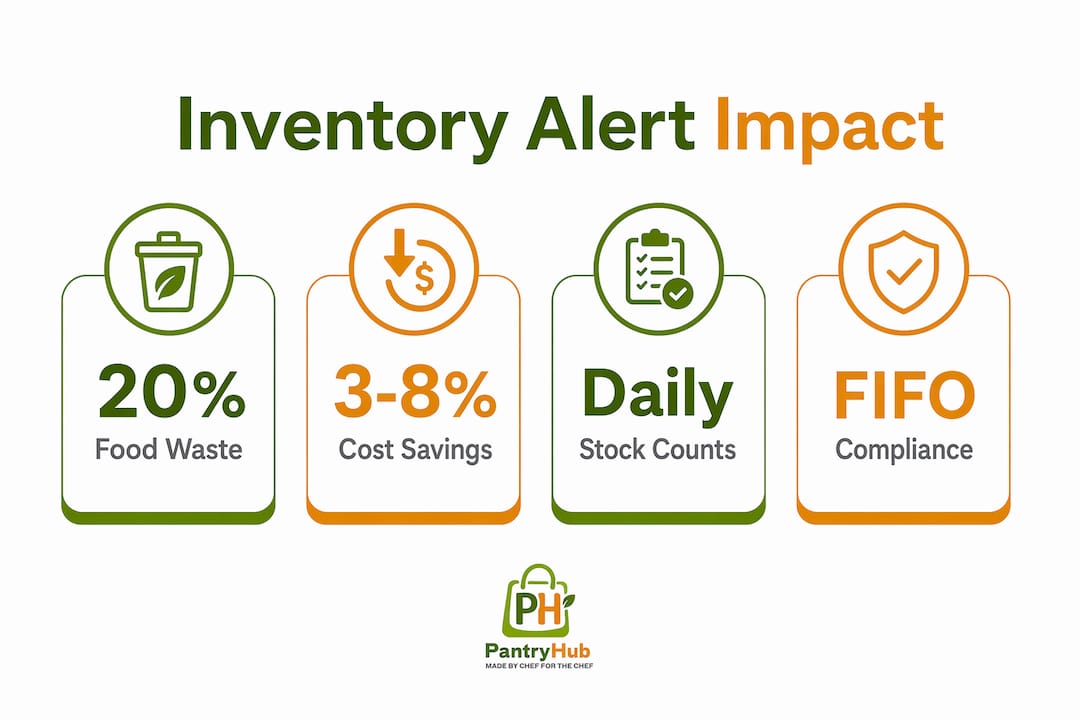
Commercial kitchens discard approximately 20% of purchased ingredients due to spoilage, over-ordering, and poor rotation. Alerts that flag expiry dates alongside low stock levels address both problems at once. A kitchen that acts on an expiry alert uses the ingredient before it becomes waste. A kitchen that ignores it pays twice: once for the ingredient and once for the disposal.
Pantryhub delivers low-stock and expiry alerts as core features, giving Australian kitchen teams visibility across every item in their inventory without manual spreadsheet checks.
How do inventory alerts reduce food costs and waste?
The direct financial impact of kitchen stock alerts is measurable. Kitchens that implement structured inventory control with automated alerts reduce food costs by 3–8%. For a kitchen turning over $50,000 in food purchases per month, that is $1,500–$4,000 recovered every month.
Alerts improve demand forecasting by creating a data trail. When a kitchen tracks how quickly each ingredient depletes, it builds a usage pattern. That pattern becomes the basis for smarter ordering, tighter par levels, and fewer emergency purchases at premium prices.
The specific ways alerts cut costs include:
- Preventing stockouts that force last-minute purchases from retail suppliers at higher prices
- Flagging slow-moving stock before it expires and becomes a total loss
- Reducing over-ordering by showing actual consumption rates against purchase quantities
- Triggering timely restocking so production never stops mid-service
Expiry alerts deserve special attention. A kitchen receiving fresh seafood three times per week needs to know, by day two, if yesterday's delivery is moving slower than expected. An alert on day two allows a menu adjustment. No alert means a write-off on day three.
Pro Tip: Set expiry alerts one to two days before the actual use-by date. That buffer gives your team time to feature the ingredient in a daily special or staff meal rather than discarding it.
What practices make inventory alerts more effective?
Alerts are only as accurate as the data behind them. A system showing 10 kilograms of chicken breast when the walk-in holds 4 kilograms will not fire an alert at the right time. Accuracy requires discipline in three areas: stock counts, FIFO protocols, and waste recording.
Consistent stock counts
Physical stock counts, done daily or weekly for high-value items, are the foundation of reliable alerts. A count reconciles what the system believes is on hand with what is actually in the kitchen. Without regular counts, discrepancies compound over time and alerts become unreliable.
High-value items like proteins, seafood, and premium spirits warrant daily counts. Dry goods and stable pantry items can be counted weekly. The types of stock audits a kitchen runs should match the risk profile of each ingredient category.
FIFO and data integrity
A clean stockroom following FIFO protocols is the physical counterpart to accurate digital alerts. First In, First Out ensures that older stock moves before newer deliveries. Without FIFO, a kitchen may show full stock on paper while the oldest items at the back of the shelf are already spoiled. That spoilage never gets recorded, and the alert system never learns from it.
Waste recording closes the loop. Every item discarded must be logged against the inventory record. Without waste logs, the system assumes the ingredient was used in production, which inflates apparent usage rates and distorts future alert thresholds.
Recipe yield adjustments
Accounting for recipe yield loss when setting alert thresholds prevents premature or late reorder triggers. A kilogram of whole fish does not yield a kilogram of portioned fillet. If the alert threshold is set against purchase weight rather than usable yield, the kitchen will either reorder too early or run short before the alert fires.
Pro Tip: Build yield percentages directly into your inventory system's recipe costing module. When your alert thresholds reflect actual usable quantities, your reorder timing becomes far more reliable.
What challenges do Australian kitchens face with inventory alerts?
The most common failure mode for kitchen alert systems is ghost stock. Ghost stock is inventory that exists in the system but not in the kitchen. It accumulates through unrecorded waste, theft, delivery discrepancies, and data entry errors.
Ghost stock issues arise from inaccurate data entry, and the fix is consistent physical counts combined with mandatory waste logging. A kitchen that counts weekly will catch ghost stock within days of it forming. A kitchen that counts monthly may operate on false data for weeks before an alert fails to fire during a critical service.
A second challenge is the unit conversion gap. Suppliers sell in bulk: cases, kilograms, liters. Kitchens use in portions: grams, milliliters, individual pieces. When the inventory system does not convert purchase units to usage units automatically, alert thresholds get set at the wrong level. The result is either constant false alerts or alerts that fire too late.
The third challenge is treating alerts as simple reorder triggers rather than diagnostic signals. Low-stock alerts can indicate underlying operational problems like unrecorded waste, theft, or inconsistent portioning. A kitchen that burns through chicken breast 30% faster than the recipe cost suggests has a portioning problem, not a supply problem. The alert is the symptom. The investigation reveals the cause.
Practical steps to improve alert reliability:
- Assign one team member per shift to log all waste before disposal
- Require delivery staff to verify received quantities against purchase orders before updating inventory
- Review alert history weekly to spot recurring discrepancies by ingredient
- Use alert data as a starting point for staff training conversations, not just purchasing decisions
Inventory alerts should be monitored regularly to identify patterns that point to training needs or procedural gaps. A well-run kitchen treats a recurring alert on the same ingredient as a question worth answering.
How can kitchen managers use alerts to improve purchasing and workflow?
Inventory alerts generate data that goes well beyond restocking. Kitchen managers who analyze alert trends over weeks and months gain a clear picture of demand patterns, seasonal shifts, and menu performance.
Adjusting par levels with alert data
Par levels are the minimum quantities a kitchen keeps on hand before reordering. Most kitchens set par levels once and rarely revisit them. Alert data changes that. If a low-stock alert for a specific ingredient fires every Tuesday before noon, the par level for that item is too low for Tuesday demand. Raising it by the right amount eliminates the alert and prevents a mid-service shortage.
Linking alerts to POS and recipe costing
Linking inventory alerts with POS sales data and recipe costing provides real-time visibility into food cost margins. When the system knows how many portions of a dish were sold and what each portion costs in ingredients, it can calculate theoretical versus actual usage. A gap between the two signals waste, theft, or portioning errors.
The table below shows how alert integration with POS data changes purchasing decisions:
| Alert trigger | Without POS integration | With POS integration |
|---|---|---|
| Low stock on salmon | Reorder based on gut feel | Reorder based on covers sold and yield data |
| Expiry alert on cream | Discard or ignore | Feature in a daily special to recover cost |
| High usage on beef mince | Assume demand is up | Cross-check against sales to detect over-portioning |
| Frequent alerts on one item | Increase order quantity | Investigate usage rate before changing order |
Menu engineering and purchasing alignment
Alert trends reveal which ingredients move fastest and which sit longest. That information feeds directly into menu engineering decisions. A kitchen manager who sees consistent low-stock alerts on a high-margin dish knows that dish drives revenue and deserves reliable supply. Conversely, an ingredient that rarely triggers an alert may be a candidate for removal from the menu.
Purchasing and kitchen teams that share alert data in real time tighten order quantities and reduce the cash tied up in excess stock. That coordination is one of the clearest operational benefits of a properly configured kitchen inventory system.
The case for treating alerts as a management tool, not a notification
Most kitchens install an alert system and then wait for it to tell them what to do. That passive approach misses the real value. A well-implemented inventory alert system becomes a cornerstone of kitchen accountability, team communication, and continuous cost improvement.
I have seen kitchens where a single recurring alert on one ingredient uncovered a portioning habit that had been costing the business hundreds of dollars per week. The chef assumed the alert meant the supplier was shorting them. A closer look at the data showed the kitchen was using 15% more of that ingredient per dish than the recipe specified. No one had noticed because the dish still looked right on the plate.
That is the real power of alerts used well. They are not just a reminder to order more stock. They are a mirror that shows you what is actually happening in your kitchen versus what you think is happening. The kitchens that get the most from their alert systems are the ones where managers review alert history in team meetings, ask why a specific item keeps triggering, and use the answer to improve training or adjust processes.
Software integration matters too. An alert system that lives in a spreadsheet or a standalone app disconnected from your POS and supplier ordering creates friction. The data exists but the action requires manual steps across multiple platforms. A fully integrated platform removes that friction and makes acting on an alert as fast as reading it.
— Admin
Pantryhub: inventory alerts built for Australian kitchens
Pantryhub is built specifically for Australian restaurants, cafés, bars, and commercial kitchens, with low-stock alerts, expiry notifications, and real-time inventory tracking at its core.

The platform connects inventory data with supplier ordering and recipe costing, so an alert does not just tell you what is low. It tells you what it costs and who to call. Pantryhub supports multi-location visibility, meaning a group operations manager can see stock alerts across every site from a single dashboard. For kitchens ready to move beyond spreadsheets, Pantryhub's hospitality inventory software is designed to make every alert count. You can also explore the stocktake process guide on the Pantryhub blog to build the stock count habits that make alerts reliable.
Key takeaways
Inventory alerts deliver their full value only when combined with accurate stock counts, FIFO discipline, and integration with POS and recipe costing data.
| Point | Details |
|---|---|
| Alerts reduce food costs | Structured inventory alerts help kitchens cut food costs by 3–8% annually. |
| Waste drops with expiry alerts | Flagging ingredients before expiry allows kitchens to use stock rather than discard it. |
| Accuracy depends on data discipline | Ghost stock and unit conversion errors make alerts unreliable without regular physical counts. |
| Alerts are diagnostic tools | Recurring alerts on the same item signal portioning, waste, or theft issues worth investigating. |
| POS integration multiplies value | Linking alerts to sales data and recipe costing turns notifications into margin management. |
FAQ
What are inventory alerts in a commercial kitchen?
Inventory alerts are automated notifications triggered when stock drops below a set threshold or approaches an expiry date. They give kitchen managers time to reorder or use ingredients before a shortage or waste event occurs.
How much can inventory alerts reduce food costs?
Kitchens with structured inventory management and alerts typically reduce food costs by 3–8% annually. That saving comes from fewer emergency purchases, less spoilage, and tighter ordering based on actual usage data.
What is ghost stock and how does it affect alerts?
Ghost stock is inventory recorded in the system that no longer exists in the kitchen, caused by unrecorded waste or data entry errors. It prevents alerts from firing at the right time, which is why weekly physical counts are essential.
How often should Australian kitchens count stock to keep alerts accurate?
High-value items like proteins and seafood should be counted daily. Dry goods and stable pantry items can be counted weekly. Consistent counts are the single most effective way to keep alert thresholds reliable.
Do inventory alerts work better when connected to a POS system?
Linking alerts to POS sales data and recipe costing gives kitchen managers real-time insight into food cost margins and actual versus theoretical usage, making purchasing decisions faster and more accurate.