

Automation is now essential for Melbourne hospitality operators because it directly addresses the three pressures most likely to shrink your margins this year: persistent labour shortages, rising food and supply costs, and unpredictable demand swings driven by Melbourne's event-heavy calendar. This is not about robots replacing your floor staff. It is about removing the manual, repetitive work that quietly drains hours and money every week.
The short version:
- Labour shortages mean your team's time is too valuable to spend on rostering spreadsheets and manual stock counts
- Food costs and waste are controllable with real-time inventory tracking and smarter ordering
- Demand volatility around events, weather, and tourism peaks creates stockouts and over-ordering without forecasting tools
- Guest expectations for speed and personalization are rising faster than headcount can keep up
- Revenue optimization through dynamic pricing and data-driven covers management is only possible with clean operational data
- Supplier and accounts payable admin consumes hours that could go toward service and menu development
The clearest first move: pilot back-office automation focused on inventory management and rostering. These two areas deliver the fastest, most measurable payback for most Melbourne venues.
Stat to note: More than 70% of hospitality executives are now turning to technology specifically to automate back-office operations and improve employee efficiency, according to PwC industry research.
Table of Contents
- Why Melbourne's operating conditions make automation urgent right now
- The concrete benefits automating hospitality services delivers for your venue
- What to automate first: high-impact use cases ranked for Melbourne venues
- Common pitfalls to avoid when adopting automation
- A practical rollout plan: pilot, measure, and scale
- How to estimate ROI and what to budget for automation
- The tech stack that actually solves these operational problems
- The research case for prioritizing back-office automation first
- Key Takeaways
- What actually works in Melbourne, and what operators get wrong
- Pantryhub gives Melbourne operators a practical starting point for inventory automation
- Useful sources and further reading
Why Melbourne's operating conditions make automation urgent right now
Melbourne's hospitality market has specific structural pressures that make the automation case stronger here than in many other cities. Understanding them helps you decide where to act first.
Labour is the most immediate pressure. The city's hospitality sector has faced persistent staffing shortages since 2022, and wage growth has continued to outpace revenue gains for many operators. When your head chef or floor manager spends three hours a week on rostering, that is three hours of high-cost labour on a task a scheduling tool can handle in under 45 minutes. Automation does not replace your people. It frees them for the work only they can do.
Food costs have not stabilized. Supply chain disruptions, energy price increases, and ongoing inflation in fresh produce categories mean that even a 2–3% improvement in food cost percentage can be the difference between a profitable quarter and a loss. Operators who rely on manual stock counts and gut-feel ordering are leaving that margin on the table.
Melbourne's event calendar adds a layer of complexity that most other cities do not face at the same intensity. A Formula 1 weekend, a major AFL final, or a large convention at the MCEC can double your covers with 72 hours' notice. Without data-driven demand forecasting that pulls in event schedules, local weather, and school holiday patterns alongside your POS history, you are either over-ordering and wasting stock or running out mid-service.
Pro Tip: The fastest way to identify your first automation priority is to track where your team loses the most time each week. If the answer is rostering, ordering, or stock counts, those are your pilots. If it is guest-facing admin like reservations and confirmations, start there instead.
Australian hospitality businesses using AI for operational management are consistently reporting that back-of-house automation delivers the most consistent, practical gains, particularly for multi-venue operators managing complexity across sites.
The concrete benefits automating hospitality services delivers for your venue
The benefits of automation in hospitality are most convincing when they are expressed as numbers your accountant will recognize, not as technology promises.
Reduced admin hours are the most immediate win. Manual stock counts, purchase order creation, and supplier communications can consume 8–12 hours per week across a typical café or casual dining venue. Automating these tasks returns that time to your team.

Lower food waste is the second major gain. Australian operators using POS-integrated forecasting tools have reported significant waste reductions and noticeable order increases from fewer stockouts. Those are not projections. They are outcomes from operators who connected their POS data to demand forecasting and adjusted ordering accordingly.
Improved stock turns and fewer emergency orders follow naturally from better forecasting. Emergency orders from secondary suppliers typically cost 15–25% more than planned orders. Cutting even two or three of those per month has a direct impact on your food cost percentage.
Faster invoicing and better supplier terms come from automating accounts payable. When your purchase orders, delivery confirmations, and invoices are matched automatically, you catch discrepancies faster and pay on time, which gives you leverage to negotiate better terms.
For hotels specifically, automating front desk and reservation workflows can reduce manual front desk work by up to 80% and build guest databases that support personalized marketing, turning one-time visitors into repeat bookings.
The KPIs worth tracking from day one:
- Labour hours spent on admin tasks per week (target: reduce by 30–50%)
- Food cost as a percentage of revenue (track weekly, not monthly)
- Inventory variance between counted and system stock (target: under 2%)
- Number of emergency supplier orders per month (target: reduce to near zero)
- Supplier invoice processing time (target: under 24 hours)
Inventory and rostering automation consistently deliver the fastest payback, typically within the first 60–90 days of a well-run pilot. For a digital stock management approach, the gains compound over time as your data history improves forecast accuracy.
What to automate first: high-impact use cases ranked for Melbourne venues
Not every automation project delivers equal ROI. Here is a practical priority ranking for Melbourne operators, based on speed to value and applicability across venue types.
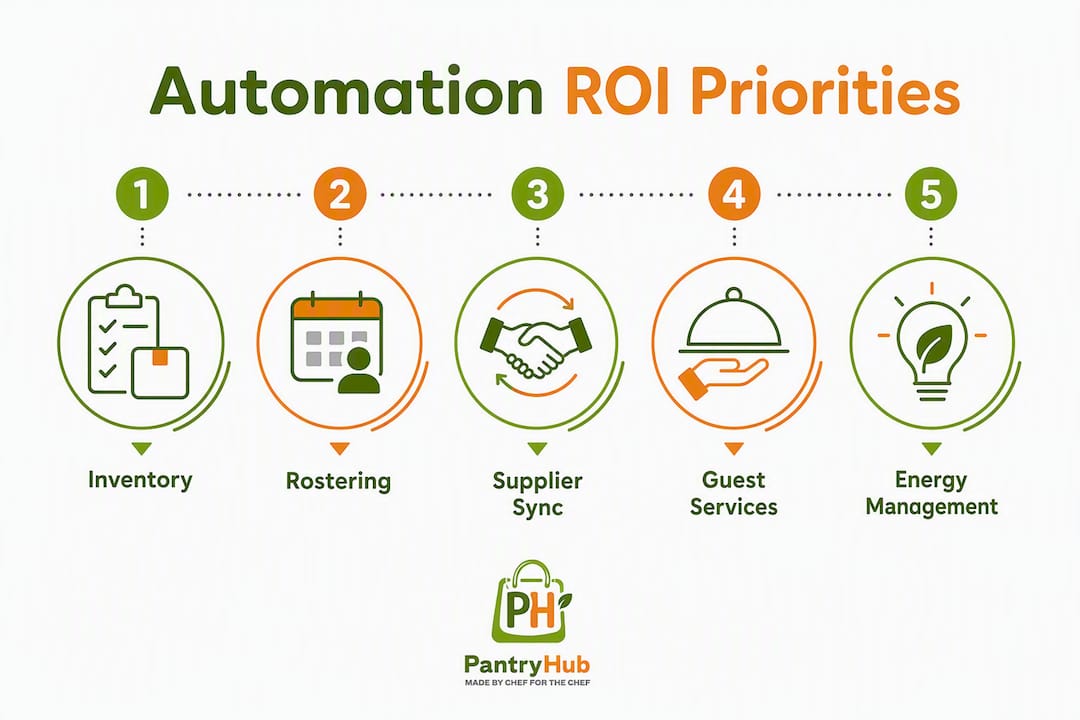
1. Inventory and ordering automation
This is the highest-priority pilot for most venues. Real-time stock tracking, automated low-stock alerts, and system-generated purchase orders eliminate the manual cycle of counting, calculating, and calling suppliers. A CBD café running a busy brunch service can set par levels for its top 30 ingredients and receive automatic reorder prompts before a stockout occurs, rather than discovering the problem mid-service.
For multi-venue operators, the value multiplies. Centralizing inventory visibility across three or four locations means your ops manager can spot variance, compare food cost percentages by site, and consolidate supplier orders from a single dashboard.
2. Demand forecasting and rostering
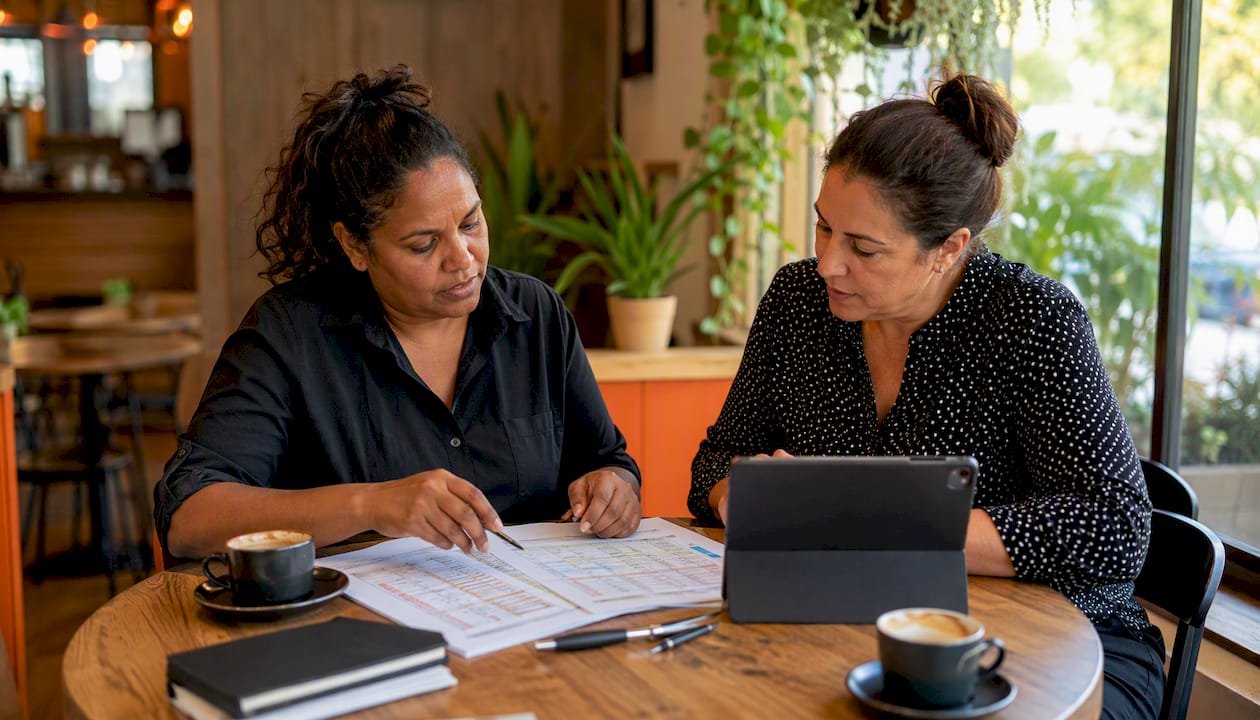
A Melbourne multi-venue restaurateur documented cutting rostering time from three hours to under 45 minutes per week after adopting AI-assisted scheduling tools, according to a published case study. The same operator reduced menu-costing time from a full day per venue to a few hours. Those are real hours returned to high-value work.
Forecasting tools that integrate your POS data with Melbourne's event calendar, weather forecasts, and school holiday schedules produce cover predictions accurate enough to roster the right number of staff and order the right volume of stock. Relying on historical sales data alone creates reactive, error-prone decisions, particularly around Melbourne's irregular event spikes.
3. Supplier communications and accounts payable automation
Automating purchase orders, delivery confirmations, and invoice matching removes one of the most time-consuming back-office tasks in any venue. For a 50-seat restaurant processing 15–20 supplier invoices per week, automated three-way matching (PO, delivery docket, invoice) can save two to three hours of admin per week and reduce payment errors.
4. Guest-facing automation: reservations, check-in, and loyalty
For hotels and larger venues, automating reservations and check-in workflows reduces front desk load and improves the guest experience when done well. The key word is "when done well." Guest-facing automation works best as a convenience layer on top of human service, not a replacement for it.
Cafés and independent restaurants can benefit from digital loyalty programs that automate customer engagement and repeat-visit incentives without requiring manual tracking or paper stamp cards.
5. Energy and maintenance scheduling
Hotels and larger venues with significant energy costs can use IoT-connected systems to automate HVAC scheduling, lighting, and equipment maintenance alerts. The ROI here is slower to materialize than inventory or rostering automation, but it compounds over a 12–24-month period.
Common pitfalls to avoid when adopting automation
Most automation projects that underdeliver do so for predictable reasons. Knowing them in advance saves you time and money.
Insufficient data history is the most common early obstacle. Forecasting tools need at least 8–12 weeks of clean POS data to produce reliable predictions. If your POS data is inconsistent or incomplete, fix that first before investing in forecasting software.
Poor POS integration is the second most common failure point. An inventory tool that does not connect to your POS system forces double entry and produces inaccurate depletion data. Always confirm that any tool you evaluate has a working, tested integration with your specific POS before signing a contract.
Staff resistance is real and underestimated. Australian industry analysis consistently notes that automation creates new roles and requires genuine upskilling, not just a brief onboarding session. Involve your head chef, floor manager, and ops team in the selection process. People who help choose a tool are far more likely to use it properly.
Over-automating guest-facing touchpoints is a specific risk for Melbourne venues where hospitality culture values human warmth. Replacing a knowledgeable floor team member with a kiosk in a fine-dining context damages the experience. Keep guest-facing automation as a convenience option, not a default.
Due diligence checklist before buying any automation tool:
- Does it integrate with your current POS and accounting software?
- Does the vendor have local Australian supplier connections or an open API?
- Is pricing transparent, with no hidden implementation fees?
- Can you run a time-limited trial before committing to a subscription?
- Does the vendor offer local support, or is it offshore-only?
- Is your data stored in Australia, or does the vendor have clear data residency policies?
A practical rollout plan: pilot, measure, and scale
A structured pilot removes most of the risk from adopting new automation tools. Here is a step-by-step approach that works for single-site and multi-venue operators alike.
- Select one use case. Start with inventory management or rostering. Do not try to automate everything at once.
- Define your pilot KPIs before you start. Agree on three to five measurable outcomes (see table below) so you have a clear basis for the go/no-go decision at the end of the pilot.
- Confirm integrations. Before go-live, verify that the tool connects to your POS and accounting software. Test the data flow with real transactions.
- Train the team. Run a two-hour hands-on session with everyone who will use the tool. Assign one internal champion (typically your head chef or ops manager) to own the rollout.
- Run a 6–8 week pilot. Six weeks is enough to see meaningful data on waste, ordering, and time savings. Eight weeks gives you a second cycle to confirm the trend.
- Review results against KPIs. Present findings to your GM, accountant, or ownership group with the KPI data. A clear before/after comparison makes the scale decision straightforward.
- Scale to additional use cases or locations. Once the first pilot is validated, apply the same process to the next priority use case or roll out to additional venues.
Pilot KPI tracking table:
| KPI | Baseline (pre-pilot) | Target improvement | How to measure |
|---|---|---|---|
| Weekly admin hours (ordering + stock) | Record current hours | Reduce by 30–50% | Time-log before and during pilot |
| Food cost % of revenue | Record current % | Reduce by 1–3 percentage points | Weekly P&L comparison |
| Inventory variance | Count vs. system stock | Under 2% variance | Weekly stock count vs. system |
| Emergency supplier orders per month | Count current frequency | Reduce to near zero | Purchase order log |
| Rostering time per week | Record current hours | Reduce by 50%+ | Time-log before and during pilot |
Timeline guidance:
- Weeks 1–2: Integration setup, data import, team training
- Weeks 3–6: Live pilot, weekly KPI check-ins
- Week 7–8: Data review, stakeholder presentation
- Month 3 onward: Scale to second use case or additional locations
Involve your head chef, GM, and accountant from the start. The chef owns the inventory and recipe data. The GM owns the rostering and labour cost view. The accountant validates the financial outcomes. All three perspectives are needed to make the scale decision confidently.
For a practical guide to mobile stock management during your pilot, the workflows translate directly to the KPIs above.
How to estimate ROI and what to budget for automation
Automation tools are a business investment, and the financial case needs to be defensible before you commit.
Typical cost components:
- SaaS subscription: Most inventory and ordering platforms start from around A$39–$150 per month per location, depending on features and venue count
- Implementation and integration: One-time setup costs vary; simpler POS integrations are often included in onboarding, while complex multi-system setups may carry a one-time fee
- Staff training: Budget two to four hours of paid staff time for initial onboarding
- Hardware (if needed): Barcode scanners or label printers for stock management typically cost A$100–$300 per unit
Example ROI calculation for a 50-seat restaurant:
Assume your kitchen team currently spends eight hours per week on manual stock counts, ordering, and supplier communications. At an average wage of A$28 per hour, that is A$224 per week in labour cost on admin tasks. Automating those tasks to two hours per week saves six hours, or A$168 per week, roughly A$720 per month.
Add a conservative 1.5% reduction in food cost on A$15,000 monthly food spend: that is A$225 per month in recovered margin. Combined, you are looking at roughly A$945 per month in measurable savings against a subscription cost that typically starts well under A$200 per month. Payback on implementation is typically within the first 60–90 days.
KPIs to validate ROI on an ongoing basis:
- Labour hours saved on admin per week
- Food cost percentage (weekly, not monthly)
- Inventory variance percentage
- Order frequency and emergency order count
- Supplier invoice processing time
For a detailed breakdown of supplier ordering automation ROI, the numbers above are conservative. Operators with higher food spend or more complex multi-supplier relationships typically see faster payback.
The tech stack that actually solves these operational problems
You do not need an enterprise-grade system to get meaningful results. Here is how the practical stack layers together for most Melbourne venues.
Layer 1: POS system (the data foundation) Everything else depends on clean POS data. Your POS captures sales, covers, and item-level depletion. Without a working POS integration, forecasting and inventory tools are operating blind.
Layer 2: Inventory and procurement platform This is where real-time stock tracking, par levels, low-stock alerts, and automated purchase orders live. For most cafés and restaurants, this is the highest-value layer to get right first. Look for Australian restaurant software integrations that connect your POS to your inventory platform without manual data entry.
Layer 3: Rostering and workforce management Scheduling tools that pull forecast data from your POS and inventory platform allow you to roster based on predicted covers rather than last week's gut feel. For hotels, this layer also connects to housekeeping schedules and event-driven staffing.
Layer 4: Accounting and supplier sync Automated invoice matching and accounting sync (Xero, MYOB) closes the loop between ordering, receiving, and payment. This layer is often underestimated but delivers significant time savings in accounts payable.
Layer 5: Forecasting and BI (for operators ready to go deeper) Once layers 1–4 are working, adding a forecasting or business intelligence layer that incorporates external variables (Melbourne events, weather, school holidays) produces the predictive insights that drive genuine competitive advantage.
Vendor selection checklist:
- POS integration: confirmed working with your specific system
- Local supplier network or open API for supplier connections
- Australian data residency or clear data storage policy
- Transparent pricing with no lock-in contracts
- Local or Australian-based support team
- Free trial or pilot option before full commitment
For single-site operators, "good enough" integration means your POS feeds your inventory tool and your inventory tool generates purchase orders. For multi-venue operators, you additionally need centralized reporting across locations and role-based access controls so each site manager sees only their data.
The research case for prioritizing back-office automation first
Back-office automation (inventory, rostering, procurement) delivers the most consistent ROI for Melbourne operators, and the evidence supports starting there before investing in guest-facing technology.
PwC's hospitality technology research shows that more than 70% of hospitality executives are prioritizing digital investment specifically to automate back-office workflows and improve analytics capability. The driver is not a technology trend. It is labour scarcity and margin pressure, the same conditions Melbourne operators are navigating right now.
Australian hospitality businesses using AI for operational management are consistently finding that the competitive advantage goes to venues using automation for unglamorous operational tasks, freeing staff for high-value guest interactions rather than replacing the human element of service. The Melbourne multi-venue case study cited earlier (rostering time cut from three hours to 45 minutes, menu costing from a full day to a few hours) is a representative outcome, not an outlier.
The practical recommendation: run a 6–8 week inventory or rostering pilot and measure the KPIs listed in the pilot table above. That is enough time to generate a defensible before/after comparison and make a confident scale decision.
What the research supports:
- Back-office automation delivers faster, more measurable ROI than guest-facing robotics for most venue types
- POS-integrated forecasting that incorporates external variables (events, weather) outperforms historical-data-only approaches
- Staff training and change management are as important as the technology choice
- Multi-venue operators gain disproportionately from centralized inventory and reporting tools
Key Takeaways
Melbourne hospitality operators who automate back-office tasks first, specifically inventory, rostering, and supplier ordering, consistently achieve faster ROI and stronger margin recovery than those who start with guest-facing technology.
| Point | Details |
|---|---|
| Start with back-office automation | Inventory and rostering pilots deliver measurable ROI within 60–90 days for most Melbourne venues. |
| POS integration is non-negotiable | Any automation tool that does not connect to your POS produces unreliable data and doubles your admin work. |
| Track five core KPIs | Labour hours saved, food cost %, inventory variance, emergency orders, and invoice processing time validate your pilot results. |
| Staff buy-in determines success | Involve your chef, GM, and ops manager in tool selection; people who choose the tool use it properly. |
| Pantryhub supports the pilot | Pantryhub's real-time inventory tracking, low-stock alerts, and supplier ordering tools map directly to the highest-priority automation use cases for Melbourne operators. |
What actually works in Melbourne, and what operators get wrong
The pattern that consistently produces results in Melbourne hospitality is not the most technically ambitious one. It is the most disciplined one: pick one back-office problem, integrate it properly with your POS, measure it rigorously for six to eight weeks, and then scale.
What operators get wrong is trying to automate too many things at once, or investing in guest-facing technology before the back-of-house data foundation is solid. A self-ordering kiosk built on top of inaccurate inventory data does not improve your operation. It just moves the problem to a different part of the guest experience.
The other common mistake is treating automation as a one-time project rather than an ongoing operational discipline. The venues getting the most value from forecasting and inventory tools are the ones reviewing their data weekly, adjusting par levels as seasons change, and using the reporting to have better conversations with their suppliers. The tool is only as good as the habits built around it.
Melbourne's hospitality culture is genuinely world-class, and the human warmth of a great service experience is not something any software replaces. The goal is to protect that by removing the operational friction that exhausts your team and erodes your margins before a single guest walks through the door.
Pantryhub gives Melbourne operators a practical starting point for inventory automation
Running a manual stock system while your food costs climb and your team burns time on ordering admin is a problem with a direct solution. Pantryhub is built specifically for restaurants, cafés, bars, and commercial kitchens that need real-time stock control, automated low-stock alerts, and supplier ordering without the complexity of an enterprise platform.
For Melbourne operators ready to run the kind of pilot described in this article, Pantryhub's hospitality inventory software gives you the tools to track the five core KPIs from week one: labour hours saved, food cost percentage, inventory variance, emergency order frequency, and invoice processing time. The platform connects to your existing suppliers, supports multi-location visibility, and starts from A$39 per month, making it a low-risk starting point for a 30-day inventory pilot at a single location.
Check your week-2 food cost and inventory variance data. By week 4, you will have enough to see whether ordering patterns are improving. By week 8, you have a defensible ROI case to present to your ownership group or board. Book a demo or start your free trial at pantryhub.com.au/restaurant-inventory-software/melbourne.
Useful sources and further reading
The sources below were used in this article and are worth bookmarking for further research on hospitality automation and Melbourne-specific operational trends.
- Understanding Automation in the Hospitality Industry — Les Roches primer on automation types across reservations, check-in, and inventory; useful for distinguishing operational from guest-facing automation.
- How Australian Hospitality Businesses Are Using AI in 2026 — Enterprise Monkey analysis of Australian operator outcomes; includes waste reduction figures and the Melbourne multi-venue case study.
- Hospitality Tech Investment Pays Off: PwC — PwC research on executive priorities; the source for the 70%+ back-office automation investment figure.
- Melbourne Multi-Venue Restaurant AI Case Study — Detailed case study showing rostering and menu-costing time savings across three Melbourne venues.
- The Impact of AI and Automation in Australian Hospitality Jobs — ChefHire analysis of upskilling requirements and new roles created by automation; essential reading before planning staff training.
- Hospitality Software for Australians: What You Need to Know — Pantryhub guide to hospitality software basics for Australian venues; good starting point for operators new to digital tools.
- Australian Restaurant Software Integrations: 2026 Guide — Pantryhub's practical guide to POS and supplier integrations; directly relevant to the technology stack section above.
- Online Loyalty Program for Coffee Shops 2026 Guide — Loyalty Leads guide to digital loyalty for cafés; useful for operators looking to automate customer engagement alongside back-office operations.