

Supplier catalog management means keeping one clean, current list of every product you buy, with the same names, pack sizes, units and prices that your suppliers actually invoice. For a café, pub or restaurant, that list drives your orders, your stock counts and your food cost. Get it right and ordering gets faster and invoices stop surprising you. This guide shows how to build it, audit it and keep it accurate.
TL;DR
- A supplier catalog is one master list of what you buy: item, supplier code, pack size, unit, price, GST treatment and effective date.
- Standardize first: one name per item, one base unit, and pack prices converted to a cost per unit you can compare.
- Audit prices on a schedule. Compare each supplier's new price list against your current catalog and record the date a change takes effect.
- Keep GST details with every price and keep the records for five years.
- PantryHub gives Australian venues a place to run this process across suppliers and locations. Start your free trial.
Table of Contents
- What supplier catalog management means for a venue
- What each catalog item should contain
- How to standardize catalogs from different suppliers
- Five checks for good catalog data
- How to audit supplier catalog prices
- GST and record keeping in your catalog
- Keep the catalog accurate as things change
- Why a clean catalog improves ordering and stock control
- Our perspective
- Run your catalog in PantryHub
- A one-week plan to get started
- FAQ
- Sources
What supplier catalog management means for a venue
In big procurement teams the term covers organizing, validating and governing product and supplier data across internal catalogs, supplier-hosted catalogs and punch-out shops. In a kitchen, the idea is the same but smaller and more practical. You have a handful of suppliers: produce, butcher, seafood, dry goods, dairy, beverages, packaging, cleaning. Each one sends price lists, emails or order guides in a different format. Your catalog is the single place where all of that becomes one comparable list.
A good catalog answers four questions fast:
- What exactly are we buying, and from whom?
- What does one usable unit cost (a kilo, a litre, a portion)?
- Did the price change, and from when?
- Is GST included in that price?
If your team answers those from memory, texts and a spreadsheet nobody trusts, costs leak. This is the quiet kind of margin erosion that shows up weeks later in a food cost percentage that looks wrong and cannot be explained.
What each catalog item should contain
Start with the fields. Government and industry catalogs are strict about this for a reason. The National Product Catalogue run by GS1 Australia shares details such as the product number (GTIN), brand name, product description, net content and unit of measure, and product category. You do not need to match a national standard, but the logic transfers directly.
A practical venue catalog line looks like this:
| Field | Example | Why it matters |
|---|---|---|
| Internal item name | Tomato, Roma, fresh | One name your whole team uses |
| Supplier and supplier code | Produce supplier A, code 1042 | Lets you match invoices and price files |
| Pack description | 6 kg tray | What you actually order |
| Base unit | kg | The unit you cost recipes in |
| Pack price | $24.00 ex GST | What the supplier charges |
| Cost per base unit | $4.00 per kg | The figure you compare across suppliers |
| GST status | GST-free or taxable | Keeps reporting clean |
| Category | Produce | Drives reports and stocktake groups |
| Effective date | Date the price starts | Stops confusion on price changes |
The split between item details and price is worth copying. The GS1 guide separates item master data from pricing master data: item details such as description and dimensions stay relatively static, while price is dynamic and specific to each trading relationship. In your venue, that means a product's name and pack size rarely change, but its price will. Keep them in separate columns so you can update one without disturbing the other.
How to standardize catalogs from different suppliers
Standardizing is where most of the value sits. Three suppliers can sell the same item under three names, in three pack sizes, priced per carton, per kilo and per each. Until those line up, you cannot compare them.
1. Pick one name per item
Write a naming rule and stick to it. A simple pattern is item, variety, form: "Cheese, mozzarella, shredded". Do not let supplier shorthand into your master list. Keep the supplier's own description in a separate column so you can still match it to invoices.
2. Choose a base unit for every item
Pick the unit you cost recipes in: kilograms for most produce and meat, litres for liquids, each for things like burger buns. Then convert every pack to that unit. A 10 kg bag at $38.00 is $3.80 per kg. A 2.5 kg pack at $11.25 is $4.50 per kg. The cheaper bag was not obvious until the maths was done.
3. Record pack size and conversion factor
Write down exactly what is in each pack: 12 x 1 L, 6 x 2 kg, 1 carton of 200. A conversion factor is the number that turns a pack price into a base unit price. Store it once and the cost per unit updates itself whenever the pack price changes. Errors here are common. A figure can look like a valid price and still be wrong because it is per box when the item is measured per kilo.
4. Sort items into categories you actually report on
Keep categories short and tied to how you count stock and read reports: produce, meat, seafood, dairy, dry goods, beverages, packaging, cleaning. Too many categories make stocktake slow and reports hard to read.
5. Remove duplicates
One product, one line per supplier. If the same item appears twice with slightly different names, you will order it twice and count it twice. A quick sort by name and a scan for near-matches finds most of them.
Five checks for good catalog data
Use this short checklist every time you add or update a supplier list. It follows the same properties that procurement specialists use for catalog quality: complete, unique, consistent, current and mappable to your systems.
- Complete: name, supplier code, price, unit and category filled for every item.
- Unique: each item appears once per supplier.
- Consistent: units, categories and spelling follow your rules.
- Current: prices match what the supplier last confirmed.
- Usable: units line up with how your recipes, stocktake and ordering work.
When data is incomplete or out of date, people stop trusting it and order off-list or by phone. Then someone spends Monday fixing the list instead of running the kitchen.
How to audit supplier catalog prices
A catalog price audit is a regular comparison between what your catalog says and what suppliers actually charge. It is the single best way to catch creeping costs.
Step by step
- Collect the latest price file or invoice from each supplier.
- Match each line to your catalog item using the supplier code, not the description. If a code does not match, set it aside and ask the supplier. Do not guess.
- Convert to your base unit using the stored conversion factor.
- List old price and new price side by side with the change in dollars and percent.
- Record the effective date. A price update process that keeps the effective date attached to the change lets you publish a file now and have it take effect later, with earlier changes still visible in the record.
- Approve by threshold. Small movements inside an agreed range can be accepted by whoever maintains the list. Anything bigger goes to the owner or head chef first.
- Sample against a paper invoice. A price can be formatted correctly and still be the wrong commercial price, so compare a handful of lines with the actual supplier document.
Worked example
Your seafood supplier sends a new list. Barramundi fillets move from $32.00 to $34.50 per kg. That is a $2.50 rise, or 7.8 percent. If the dish uses 180 g per serve, the ingredient cost rises by about 45 cents a plate. At 60 plates a week that is roughly $27 a week, or about $1,400 a year, from one item. Multiply that across fifty lines and you see why the audit matters. Dish pricing can then be reviewed on facts, not a feeling that margins are thinner.

Our guide to price change alerts for restaurants and cafés goes deeper on catching these movements as they happen.
How often to audit
A light check on your top 20 items by spend every week, and a full catalog review every month or quarter, suits most venues. Record supplier arrangements in one place too: agreed pricing, pack sizes, terms, review dates and negotiation history. Structured supplier agreement records reduce reliance on memory and informal handshakes.
GST and record keeping in your catalog
Prices in a supplier file may be inclusive or exclusive of GST, and some food is GST-free. Mixing them in one column is a classic way to distort food cost. Store every price ex GST, and flag each item's GST status. When you import a supplier file, confirm which basis it uses before anything else.
For your records, the ATO sets the rules:
- A tax invoice for a taxable sale under $1,000 must show seven details, including the seller's ABN, the date, a brief description with quantity and price, and the GST amount.
- You must keep GST records for five years, counted from when the records were prepared or obtained, or when the related transaction was completed, whichever is later.
The practical takeaway: a catalog line that carries its supplier, price, GST status and date makes it much easier to reconcile an invoice and to produce records when your accountant asks. If you also buy imported beverages, it helps to understand how tax applies before the goods arrive. This guide on bringing wine into Australia covers GST and WET points that affect what you record against those items. Your accountant or the ATO can confirm how rules apply to your own business.
Keep the catalog accurate as things change
A catalog is not a one-off project. Products are discontinued, pack sizes shrink, prices move and stock runs out. The fix is a routine, not a bigger spreadsheet.
A hospitality purchasing control framework built for Australian venues uses six control points: supplier, ordering, receiving, invoice, payment and a weekly review. It includes tools such as an approved supplier register, a product master and price tracker, order guides and a receiving log. You can borrow the structure whatever tools you use.
A simple routine that works:
| When | What | Who |
|---|---|---|
| At receiving | Check delivered price and pack against the catalog, note differences | Whoever receives the delivery |
| Weekly | Review price changes on top-spend items | Head chef or manager |
| Monthly | Remove dead items, merge duplicates, confirm pack sizes | Manager |
| Each supplier update | Run the audit steps above and record the effective date | Owner or approver |
Order guides are the next layer. Once the catalog is clean, build the short list your team actually orders from. Our post on building supplier order guides shows how, and purchase order approvals explains how to stop double entry between ordering and approval.
Why a clean catalog improves ordering and stock control
A standard catalog is the foundation for reliable ordering. The National Product Catalogue is designed to reduce ordering errors, invoice reconciliation and credit claim costs, margin loss from incorrect pricing, and delivery rejections caused by price discrepancies. Those are big-business terms for problems every kitchen knows: the wrong pack arrives, the invoice does not match the order, and someone chases a credit.
For a venue, a clean catalog means:
- Orders go out with the right item, pack and quantity.
- Stocktake counts use the same units as ordering.
- Recipe costs update when supplier prices change.
- Par levels make sense because they sit on consistent units.
- Multi-site groups compare like with like across locations. See how this works in central kitchen purchasing and hotel food and beverage inventory.
Our perspective
We built PantryHub by the chef for the chef, and the pattern we see is simple. Venues rarely lose money on one big mistake. They lose it on hundreds of small ones: a pack size that changed, a price that crept up, an item counted in cartons and ordered in each.
That is why we treat the supplier catalog as the heart of the kitchen, not an admin task. Our platform is designed so that supplier ordering, stock levels, recipes and cost reporting sit on the same item list. When the list is right, the rest follows.
We also built for Australian venues. That means AUD pricing, GST-ready reporting, local support and a mobile-first design, so a chef can check a price or place an order from the pass, not just from the office. It works for a single café and for a group running several sites.
Our advice: stop maintaining five different lists. Keep one catalog, standardize it once, and let your software carry the effort from there.
the author
Run your catalog in PantryHub
PantryHub is an inventory and ordering platform for restaurants, cafés, bars, pubs, clubs and commercial kitchens. It helps you track stock in real time, order from suppliers, standardize recipes and pricing, and report on waste and cost across one or many locations.
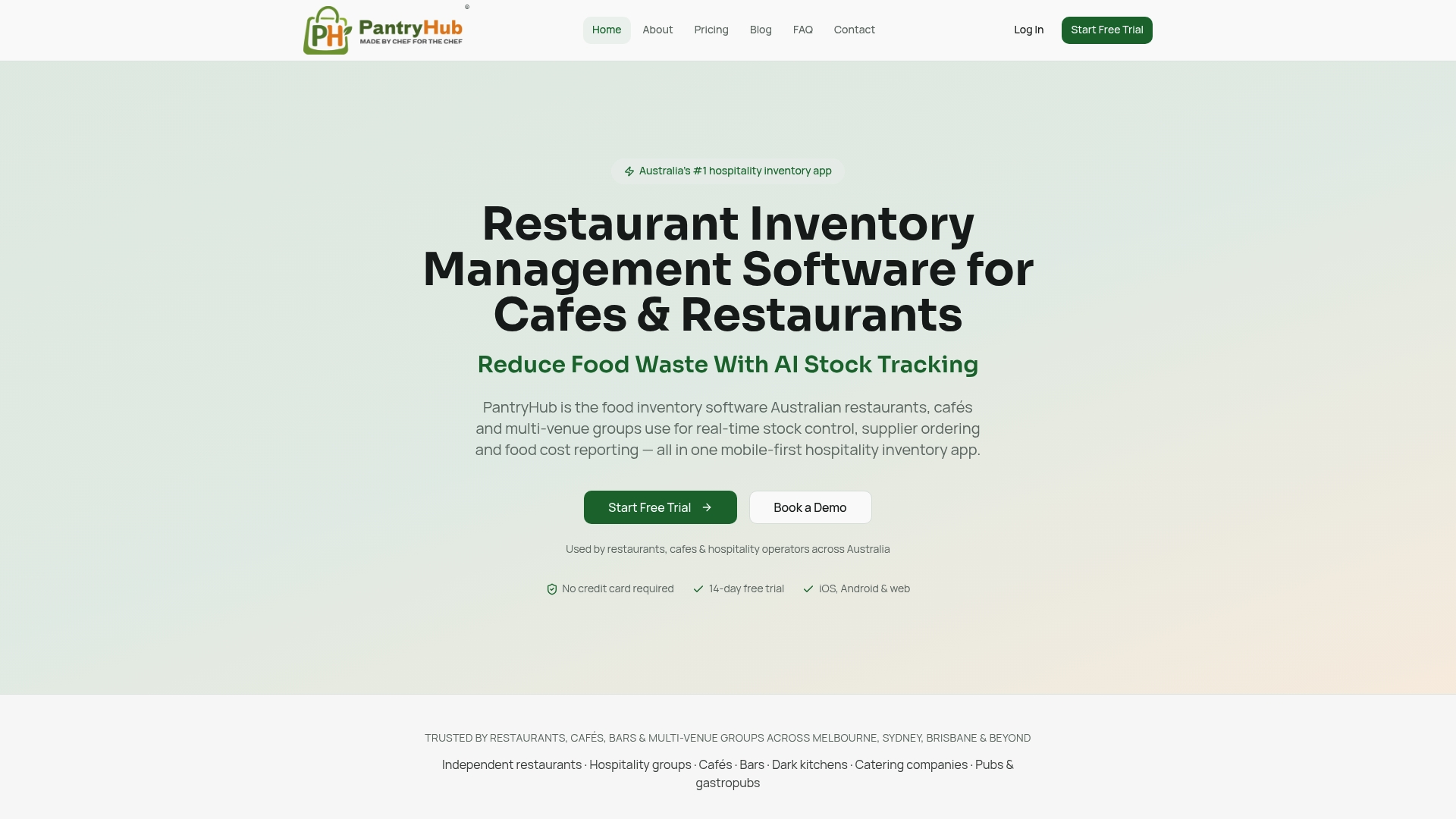
Plans start at A$39 a month for Starter, A$69 for Regular and A$99 for Pro, with a free trial to begin. Compare them on the pricing page, or start your free trial and load your first supplier. If you run a bar, see bar inventory software for pour cost and stocktake. You can also browse our hospitality inventory software overview, or the pages for Sydney, Perth and Adelaide.
A one-week plan to get started
- Day 1: Export or gather price lists and recent invoices from your top three suppliers by spend.
- Day 2: Write your naming rule and pick base units for your top 50 items.
- Day 3: Enter pack sizes, conversion factors and GST status.
- Day 4: Remove duplicates and set categories.
- Day 5: Run your first price audit against the latest invoices and record effective dates.
- Weekend: Build an order guide from the cleaned list and use it for the next order.
You do not need every item on day one. Start with the 20 percent of items that make up most of your spend and expand from there.
FAQ
What is supplier catalog management?
It is the process of organizing, standardizing and updating the product and price information from your suppliers in one central list. The goal is that anyone on your team can search, compare and order from the same trusted data.
How do I standardize supplier catalogs?
Use one naming rule, one base unit per item, a stored pack size and conversion factor, and a short category list. Then match every supplier line to your master item by supplier code, so the same product never appears twice.
How often should I audit catalog prices?
Check your highest-spend items weekly and review the whole catalog monthly or quarterly, and whenever a supplier sends a new price list. Record the date each new price takes effect so your costs and dish pricing line up with what you are actually charged.
Should catalog prices include GST?
Store prices ex GST and flag each item's GST status so reports stay consistent. Confirm the basis of every supplier file when you load it, and keep your GST records for five years. Ask your accountant about your specific situation.
Sources
- Catalog Management: Improve search and control buying
- GS1 National Product Catalogue terms and conditions (1 July 2024)
- National Product Catalogue Complete User Guide
- Catalog data quality in procurement
- Supplier price updates
- Purchasing Protocols for Hospitality Businesses
- Purchasing Control System for Hospitality Businesses
- Tax invoices, Australian Taxation Office
- GST records for business, Australian Taxation Office