

The fastest way Sydney cafés cut ordering time, reduce waste, and eliminate invoice errors is to consolidate suppliers, set documented par levels, and run everything through a single digital ordering and inventory system. Cafés that structure their procurement before choosing software often see measurable cost-of-goods improvement within 4–6 weeks. Here is the five-step checklist to validate where you stand right now:
- Consolidate suppliers — reduce your active supplier count to a manageable core with A/B backups for critical SKUs
- Adopt a single digital ordering system — one platform, multi-supplier checkout, automated invoices
- Set par levels and write ordering SOPs — document daily usage, lead times, and safety stock for your top 20 SKUs
- Schedule consolidated deliveries — fixed delivery windows reduce receiving time and shrinkage
- Track KPIs weekly — ordering time, stockouts, invoice errors, and food waste percentage
If you can check all five, your ordering rhythm is already ahead of most Sydney cafés. If two or three are missing, the sections below give you a practical path to fix each one.
Table of Contents
- Why consolidating suppliers is the first move worth making
- What to look for in a digital ordering and inventory system
- How to set par levels and write ordering SOPs your team will actually use
- How to schedule deliveries and reduce receiving time
- Questions to ask before you sign with a new supplier
- KPIs that tell you whether your ordering system is working
- Your 30/60/90-day rollout plan
- Key Takeaways
- The part most guides skip: getting your team to actually change
- Pantryhub makes the 30/60/90 plan easier to run
- Useful sources for further reading
Why consolidating suppliers is the first move worth making
Fragmented supplier lists are one of the quietest drains on a café's week. Ten suppliers means ten separate order windows, ten invoice formats, ten phone numbers to chase when something goes missing. The mental load alone costs time that should go toward service.

The operational case for consolidation is straightforward: fewer suppliers means fewer invoices to reconcile, fewer delivery windows to manage, and a single place to check outstanding orders. Digitizing invoices reduces lost paperwork, speeds reconciliation, and lowers disputes over unpaid bills — a pattern seen repeatedly in Sydney venues that moved away from handwritten records.
How to evaluate which suppliers to keep
Score each current supplier across four dimensions before cutting anyone:
| Dimension | What to assess |
|---|---|
| Cost | Delivered price vs. market rate for the same spec |
| Delivery reliability | On-time rate, correct quantities, substitution frequency |
| Product spec | Consistency of quality, pack size, and labeling |
| Geographic coverage | Can they reach your Sydney suburb on your preferred days? |
Suppliers who score poorly on reliability or spec are consolidation candidates even if their price looks attractive. A missed delivery on a Friday morning costs more than a few cents per unit.
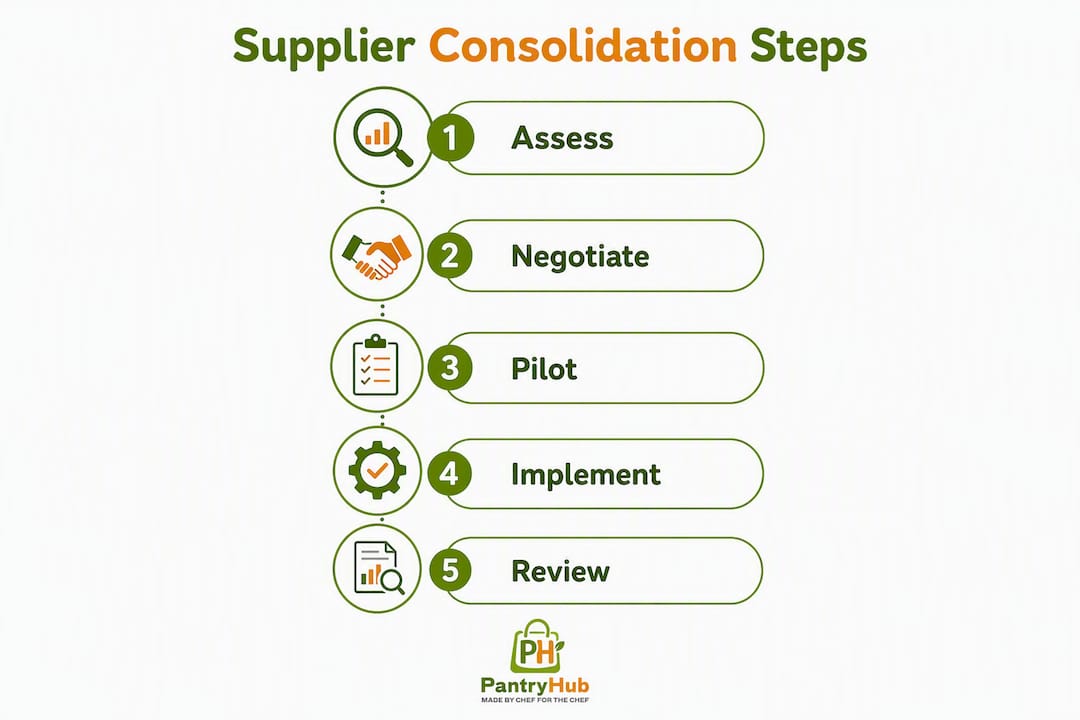
Tactical consolidation steps
- Map every current supplier against your top product categories: dairy, bread, dry goods, produce, proteins, and beverages.
- Identify which categories have two or more suppliers doing the same job.
- Pick one primary and one backup supplier per category.
- Run a 2–4 week trial with the consolidated list before canceling secondary accounts.
- Maintain A/B backups for critical SKUs like milk and coffee beans where a single-supplier failure would shut down service.
Pro Tip: Before consolidating accounts, ask each supplier whether they are available on a digital ordering platform. Onboarding them to a marketplace at the same time as consolidating saves a second round of admin later.
What to look for in a digital ordering and inventory system
Choosing software before fixing your processes is one of the most common rollout mistakes. Operators who digitize flawed processes just make those processes faster — the errors still happen, they just happen more efficiently. Get your par levels and SOPs documented first, then pick the platform.
Once you are ready, the must-have features for a Sydney café are:
- Supplier integrations or marketplace access — the ability to connect your existing suppliers directly
- One-click multi-supplier checkout — placing a single order that automatically sends separate invoices to each supplier cuts admin significantly in multi-supplier operations
- Automated invoice generation — no manual data entry after each order
- Low-stock alerts — triggered at par level, not when you physically notice the shelf is empty
- Recipe-level usage tracking — so you can see which menu items are driving consumption
- Mobile ordering — so the opening manager can place orders from the floor, not a back-office desktop
Platforms that catalogue supplier availability also reduce the risk of ordering unavailable items by suggesting alternatives automatically when a product is out of stock.
Running a low-risk pilot

| Step | Action | Timeline |
|---|---|---|
| 1 | Pick 5–8 high-frequency SKUs (milk, coffee, bread, eggs) | Week 1 |
| 2 | Invite 2–3 suppliers to integrate with the platform | Week 1–2 |
| 3 | Set up payment method (card or account) | Week 2 |
| 4 | Run parallel ordering (old method + new) | Weeks 2–3 |
| 5 | Compare time spent and invoice reconciliation accuracy | Week 4 |
Running parallel ordering for two weeks feels redundant, but it catches gaps before you are fully dependent on the new system. Limit the pilot scope deliberately. A centralized ordering system that handles your five most-ordered SKUs cleanly is more valuable than one that theoretically covers everything but confuses the team.
Pro Tip: Set standing or recurring orders for absolute staples like full-cream milk and your house coffee blend during the pilot period. This lets you test predictive reorder logic on lower-stakes items without risking a service gap.
How to set par levels and write ordering SOPs your team will actually use
Par levels are the foundation of predictable ordering. Without them, whoever is on shift makes a judgment call, and judgment calls produce both stockouts and over-ordering.
The formula is simple:
For a café using 12 liters of full-cream milk per day with a one-day lead time and a one-day safety buffer, the par level is 24 liters. When stock drops to 24 liters, an order goes in.
Sample par-level table
| SKU | Daily usage | Lead time (days) | Safety stock | Par level |
|---|---|---|---|---|
| Full-cream milk | 12 L | 1 | 12 L | 24 L |
| House coffee blend | 1 kg | 2 | 1 kg | 3 kg |
| Sourdough loaves | 4 | 1 | 2 | 6 |
| Free-range eggs | 2 dozen | 1 | 1 dozen | 5 dozen |
| Oat milk | 6 L | 1 | 6 L | 12 L |
Recheck pars after two full order cycles and adjust for menu changes or seasonal demand shifts. A summer menu with more cold brew will change your coffee bean consumption rate noticeably.
What your ordering SOP needs to cover
- Order days and cut-off times — e.g., dairy orders by 2 PM Tuesday and Thursday
- Who approves emergency orders — name a specific role, not just "a manager"
- How to log substitutions — if a supplier sends a different pack size, where does that get recorded?
- Invoice reconciliation steps — who checks the invoice against the delivery docket, and by when?
- Escalation path — what happens when an order is wrong or late?
A one-page SOP posted in the cool room and the ordering station removes ambiguity. The Cafe Coach procurement framework recommends vendor scorecards, par levels, and delivery scheduling as foundational steps before any software selection, and the evidence supports that sequence.
How to schedule deliveries and reduce receiving time
Fixed delivery windows are one of the most underused efficiency tools in Sydney café operations. When deliveries arrive at random times, receiving pulls staff away from service unpredictably. Consolidating deliveries onto fixed days can reduce receiving labor significantly for small venues because staff can batch receiving tasks and match invoices in fewer operations.
Building a delivery calendar
- List every supplier and their available delivery days.
- Group deliveries into two or three fixed windows per week (e.g., Tuesday and Friday mornings before 8 AM).
- Align order cut-offs to those windows: if delivery is Tuesday, the order goes in by Sunday.
- Share the calendar with your team so receiving is always staffed correctly.
When negotiating with suppliers, ask specifically for:
- Minimum delivery days — can they commit to Tuesday/Friday only?
- Consolidated invoicing — one invoice per delivery run, not one per product line
- Pallet or crate consolidation — fewer drops means less receiving time
Receiving best practices
- Use a printed or digital receipt checklist for every delivery
- Photograph any damaged or incorrect items immediately
- Log delivery exceptions (shorts, substitutions, wrong specs) in a shared record the same day
- Clearer ordering rhythms reduce last-minute emergency buys that commonly produce excess packaging waste and rushed receiving
Pro Tip: Assign one team member as the "receiving lead" for each delivery window. Rotating this role without a handover checklist is where delivery discrepancies get missed.
Questions to ask before you sign with a new supplier
Qualifying a supplier before onboarding saves weeks of pain later. Use this checklist on every initial call or email.
Core questions to ask
- What suburbs or postcodes do you deliver to, and on which days?
- What are your lead times for your top 10 SKUs?
- What are your invoice terms — net 7, net 14, or COD?
- Do you have a minimum order value, and does it apply per delivery or per week?
- What is your substitution policy when a product is unavailable?
- Are you available on a digital ordering platform or marketplace?
- What is your process for resolving delivery errors or short shipments?
Quick supplier scorecard
Score each supplier 1–5 on these four dimensions, then total the score:
- Price competitiveness — delivered cost vs. your current benchmark
- Delivery reliability — on-time and complete delivery rate
- Product quality — spec consistency and freshness on arrival
- Responsiveness — speed and clarity of communication when issues arise
A supplier scoring below 12 out of 20 on a first assessment warrants a trial period before full onboarding. Supply-chain bottlenecks most commonly occur at the distributor and wholesaler handoff, so reliability and communication scores carry extra weight for perishable categories.
Pro Tip: When requesting platform integration, send a short email: "We're moving our ordering to [platform name]. Can you confirm whether you're already listed, or who I should contact to get you set up?" Most suppliers have a dedicated onboarding contact for this.
KPIs that tell you whether your ordering system is working
Measuring the right things weekly takes less than 15 minutes and tells you whether the changes you made are actually holding. Here are the five metrics worth tracking:
| KPI | How to measure | Review cadence | Target range |
|---|---|---|---|
| Ordering time per week | Log time from first order placed to last confirmation received | Weekly | Under 2 hours total |
| Invoice reconciliation time | Time to match all invoices to delivery dockets | Weekly | Under 30 minutes |
| Stockouts per month | Count of items that hit zero before reorder | Monthly | — |
| Food waste percentage | Waste value ÷ total food purchases × 100 | Weekly | Under 4% |
| Purchase price variance | Actual cost vs. expected cost per SKU | Monthly | Within 3–5% |
Tracking ordering time is the quickest win to demonstrate. Most cafés that move from phone and email ordering to a automated reorder system report a noticeable drop in weekly admin hours within the first month. Purchase price variance catches supplier price creep before it silently eats into margins over a quarter.
Your 30/60/90-day rollout plan
This timeline moves a café from manual or fragmented ordering to a consolidated digital rhythm without disrupting service.
Days 1–30: Foundation
- Audit every current supplier — list name, category, delivery days, invoice terms, and monthly spend.
- Calculate par levels for your top 20 SKUs using the formula above.
- Write a one-page ordering SOP covering order days, cut-offs, approvals, and invoice reconciliation.
- Choose a digital ordering platform and define pilot scope (5–8 SKUs, 2–3 suppliers).
- Train two staff members as platform champions before go-live.
Checkpoint: Par levels documented, SOP posted, pilot platform selected.
Days 31–60: Pilot and measure
- Onboard 4–6 suppliers to the platform.
- Switch recurring orders (milk, coffee, bread) to the platform.
- Run parallel ordering for two weeks, then cut over fully.
- Consolidate invoices and measure reconciliation time vs. the baseline.
- Track stockouts and ordering time weekly.
Checkpoint: At least 4 suppliers live on platform, invoice reconciliation time measured and improving.
Days 61–90: Scale and lock in
- Roll out to the full supplier list and full menu.
- Use the first 60 days of order volume data to negotiate better terms or minimum delivery commitments.
- Formalize the delivery calendar and share it with all suppliers.
- Lock in the SOP and KPI review cadence as a standing weekly task.
- Review par levels against actual usage and adjust for any seasonal menu changes.
Checkpoint: All suppliers on platform, KPI dashboard active, SOPs signed off by owner or head chef.
Pro Tip: Keep the old ordering method available as a fallback for the first 2–4 weeks of the full rollout. Staff who know there is a safety net are less resistant to the change. Once the new system runs cleanly for three consecutive weeks, retire the fallback formally.
Cafe ordering workflow best practices consistently show that the largest implementation barrier is behavioral, not technical. Naming staff champions early and celebrating small wins (first week with zero stockouts, first invoice reconciled in under 10 minutes) builds momentum faster than any training session alone.
Key Takeaways
Sydney cafés that consolidate suppliers, set documented par levels, and run ordering through a single digital platform cut admin time, reduce stockouts, and gain the invoice visibility needed to protect margins.
| Point | Details |
|---|---|
| Structure before software | Document par levels and SOPs before selecting a platform — cafés often see COGS improvement within 4–6 weeks of structured procurement. |
| Consolidate suppliers first | Map current suppliers, score them on price, reliability, quality, and responsiveness, then reduce to a primary plus backup per category. |
| Pilot with 5–8 SKUs | Start small: onboard 2–3 suppliers, run parallel ordering for two weeks, and measure time saved before full rollout. |
| Track five KPIs weekly | Monitor ordering time, invoice reconciliation time, stockouts, food waste percentage, and purchase price variance. |
| Pantryhub supports the full plan | Pantryhub provides consolidated supplier access, low-stock alerts, automated invoices, and KPI reporting to support every stage of the 30/60/90 rollout. |
The part most guides skip: getting your team to actually change
The most common reason a new ordering system fails in a Sydney café has nothing to do with the software. It is the person who has been calling the same dairy rep every Tuesday morning for three years and sees no reason to stop.
Resistance to change in small hospitality teams is almost always behavioral rather than technical. The team is not incapable of using a new platform. They are attached to a habit that feels reliable, even when it is objectively slower. Acknowledging that openly, rather than just mandating a switch, changes the dynamic.
The practical steps that actually work: name two staff members as platform champions before launch, not after. Give them a one-page cheat sheet covering the three most common tasks (placing an order, logging a substitution, flagging a delivery error). Run micro-trainings of 10–15 minutes during low-service hours, not during a pre-shift briefing when everyone is distracted. Keep the old process available as a documented fallback for the first 2–4 weeks, and set a specific date to retire it. When the first week runs without a stockout or a lost invoice, say so out loud.
The owner or manager sign-off checklist matters here too. If the person running the café is not visibly using the new system, the team will not take it seriously. Your engagement with the platform in the first two weeks sets the tone for everyone else.
Pantryhub makes the 30/60/90 plan easier to run
Running a Sydney café's supplier ordering through Pantryhub means your consolidated supplier access, standing orders, low-stock alerts, and invoice reconciliation all live in one place. Instead of chasing seven different order confirmations across email and text, you place orders through a single platform that automatically sends each supplier their own invoice and logs every transaction for your records.

The platform is built specifically for hospitality operators. Low-stock alerts fire before you hit zero, not after. Recipe-level usage tracking shows you exactly which menu items are driving consumption so your par levels stay accurate as the menu evolves. And when it comes time to review your KPIs, the reporting is already there, not something you have to build manually in a spreadsheet.
Pantryhub supports the full rollout timeline described in this article, from setting up your first par levels to scaling across a multi-location group. Whether you are at day one or day 60 of your implementation, the platform meets you where you are.
Start your free trial or book a demo to see how Pantryhub fits your Sydney café's ordering workflow.
Useful sources for further reading
The sources below are grouped by topic so you can go deeper on whichever part of the ordering workflow needs the most attention.
| Source | Why it is useful |
|---|---|
| Procurement & Supplier Sourcing for Café Owners — Cafe Coach | Practical framework for par levels, vendor scorecards, and delivery scheduling before software selection |
| Every Click Counts — BeanScene | Explains one-click multi-supplier ordering and marketplace features in the Australian café context |
| Waste Management for Cafes — Coffee Bags Direct | Links ordering rhythms to waste reduction and packaging decisions |
| Coffee Supply Chain Challenges — Unleashed Software | Background on where supply-chain bottlenecks occur between growers, distributors, and venues |
| Cafe Ordering Workflow Best Practices — Pantryhub | SOPs, training steps, and operational best practices for café ordering workflows |
| How to Automate Cafe Stock Ordering and Cut Waste — Pantryhub | Step-by-step guide to automating reorders and reducing food waste with real usage data |
| Why Automate Supplier Ordering in Your Restaurant — Pantryhub | ROI case for automation, useful when building the business case for a platform investment |
| Restaurant Inventory Software Sydney — Pantryhub | Local landing page covering Pantryhub features and Sydney-specific support options |