

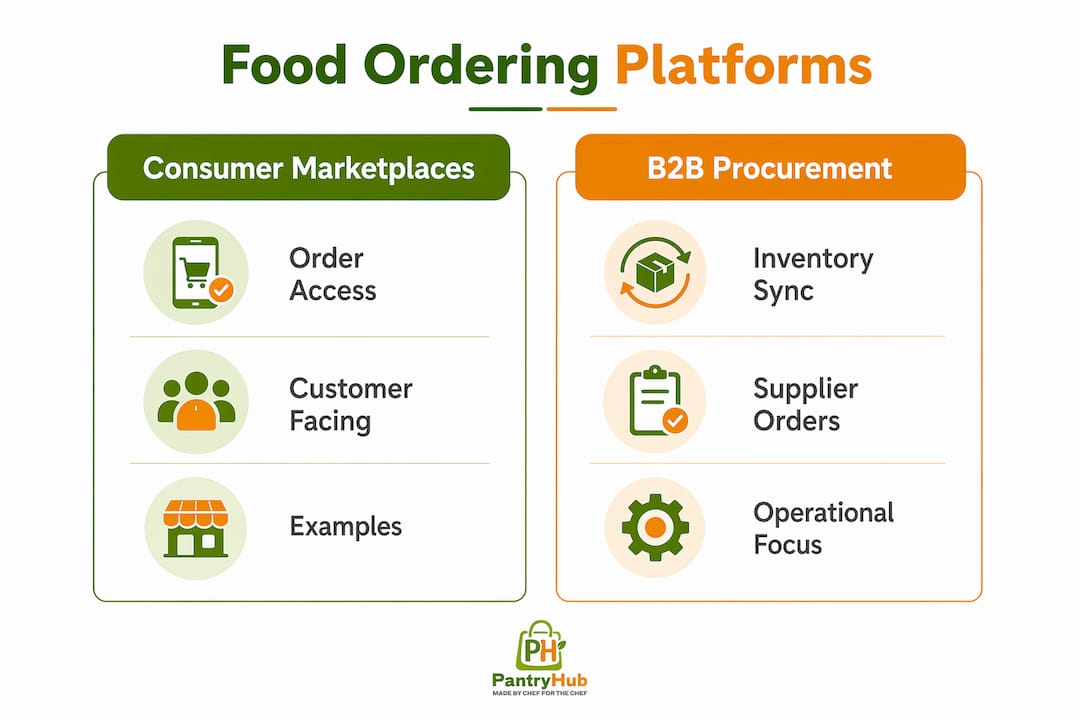
A food ordering platform is software that automates how food moves from order to fulfillment — either connecting consumers to restaurants for on-demand delivery, or connecting kitchens to suppliers for procurement and inventory management. If you run a restaurant, café, or commercial kitchen, the category that directly affects your stock accuracy and purchasing workflow is the B2B procurement platform, not the consumer delivery app. Pantryhub is built precisely for that job: real-time inventory tracking, low-stock alerts, and supplier ordering in one place.
Online food delivery usage doubled between 2018 and 2020, and that growth permanently changed how kitchens forecast demand. If you're still managing supplier orders on spreadsheets, you're already behind.
TL;DR:
- Consumer platforms (Uber Eats, DoorDash, Grubhub) drive customer orders but do not manage your inventory.
- B2B procurement platforms (Pantryhub, BlueCart, MarketMan) automate supplier POs, track stock, and reduce waste. Evaluate these first.
Table of Contents
- What is a food ordering platform, and which type do you actually need?
- How these platforms change your kitchen operations
- What features should you insist on in a B2B platform?
- What does implementation actually look like?
- How do you evaluate vendors without getting burned?
- Key Takeaways
- The case for starting with one supplier, not the whole system
- Pantryhub gives you inventory control and supplier ordering in one place
- Useful sources
What is a food ordering platform, and which type do you actually need?
The term covers three distinct categories. Knowing which one you're dealing with changes every decision downstream.
1. Consumer-facing delivery marketplaces These connect diners to restaurants. Uber Eats, DoorDash, and Grubhub all operate this model. The customer pays through the app; the platform takes a merchant commission that can be substantial. Your kitchen receives the order and prepares it. These platforms generate revenue and demand spikes, but they don't touch your supplier relationships or stock counts.

2. B2B procurement and inventory-ordering platforms These are built for back-of-house operations. Pantryhub, BlueCart, and MarketMan sit in this category. They connect your kitchen to suppliers, automate purchase orders, track par levels, and give you real-time stock visibility. This is the category that directly reduces food waste and emergency purchasing.
3. Subscription and meal-kit services HelloFresh is the clearest example. Meal-kit services deliver pre-portioned ingredients for home cooking on a subscription schedule. Prepared-meal services deliver ready-to-eat meals. Neither model typically requires supplier PO automation on the operator side.
| Criteria | Consumer Marketplace | B2B Procurement Platform | Meal-Kit / Subscription |
|---|---|---|---|
| Order origin | Customer via app | Kitchen to supplier | Consumer subscription |
| Delivery responsibility | Platform / gig courier | Supplier to kitchen | Platform to consumer |
| Inventory impact | Indirect (demand spikes) | Direct (stock sync) | Minimal for operators |
| Supplier integration | None | Core feature | Not applicable |
| Billing model | Commission per order | Subscription or per-location fee | Consumer subscription fee |
How these platforms change your kitchen operations
Platform-driven demand is a separate forecasting input from your dine-in traffic, and treating it the same way is where most kitchens lose money. Research confirms that visual marketing features like "Most Popular" badges and item images concentrate demand on a small subset of menu items. When those items spike, your par levels for their ingredients need to spike too.
Here's what actually changes operationally when you go live on a consumer marketplace:
- Order velocity spikes arrive in tight windows (typically 20–45 minutes delivery expectation), compressing prep time and increasing the risk of stockouts on high-demand items.
- Menu-item demand clusters around promoted dishes, making broad inventory buffers inefficient and targeted par-level adjustments necessary.
- Packaging and portioning requirements change: delivery orders often need different container sizes and portion standards than dine-in.
- Supplier lead times shrink because you need to reorder faster to keep up with unpredictable volume.
- Receiving and reconciliation labor increases when order frequency rises without a system to automate PO matching.
Pro Tip: Map your top five delivery menu items to their ingredient components before you go live on any consumer platform. Set a dedicated par level for each ingredient based on your peak delivery window, not your average daily usage. This single step prevents most same-day stockouts.
What features should you insist on in a B2B platform?
Answer first: if a platform can't sync inventory in real time and automate a purchase order to your primary supplier, it's not solving your core problem. Here are the eight features that matter most.
- Real-time inventory sync — stock counts update automatically as orders are placed or received, no manual entry required.
- Supplier integration and PO creation — the platform connects directly to your suppliers and generates purchase orders from low-stock triggers.
- Low-stock alerts — configurable thresholds that notify you before you run out, not after.
- Costed recipes and usage tracking — links ingredient consumption to menu items so you can see actual food cost per dish.
- POS and accounting integrations — connects to your point-of-sale and accounting software to close the loop on sales, cost, and cash flow. See restaurant software integrations for common connector examples.
- Multi-location support — manages stock and ordering across multiple sites from one dashboard.
- Reporting and audit trails — gives you a full history of orders, deliveries, and variances for cost control and compliance.
- Cloud-based access — lets you check stock and approve orders from anywhere, not just the back office.
Pro Tip: During vendor demos, ask the sales rep to map one of your actual suppliers live in the system. If they can't do it in under ten minutes, supplier onboarding will be painful at scale.
What does implementation actually look like?
Typical rollouts run from a two-to-four-week pilot for a single location to eight to twelve weeks for a full multi-location deployment with supplier integrations. The timeline depends almost entirely on how many suppliers need onboarding and whether your POS system has a pre-built connector.
| Stage | Duration | Who Leads |
|---|---|---|
| Pilot setup and data import | Weeks 1–2 | Vendor + in-house ops |
| Supplier onboarding | Weeks 2–4 | Vendor + supplier contacts |
| Staff training | Weeks 3–4 | In-house ops manager |
| Go-live and monitoring | Weeks 4–6 | In-house ops |
| Iteration and reporting setup | Weeks 6–8 | Both |
Common pricing shapes include per-location subscriptions, per-seat fees, and transaction-percentage models. Consumer marketplaces like Uber Eats and DoorDash charge commission per transaction; B2B platforms like Pantryhub and MarketMan typically charge a monthly subscription. Budget for these hidden costs beyond the headline fee:
- Supplier onboarding fees (some platforms charge per supplier connected)
- Custom API integrations with legacy POS systems
- Data cleanup and historical inventory migration
- Staff time during training and parallel-run periods
For scalable multi-location operators, the per-location subscription model usually offers the clearest cost visibility as you grow.
How do you evaluate vendors without getting burned?
Start with your single biggest pain point. If it's stock accuracy, lead every vendor conversation with: "Show me how your system handles a variance between a received delivery and a purchase order." If it's PO automation, ask for a live demo of a supplier order being triggered by a low-stock alert.
Questions to ask every vendor:
- What POS and accounting systems do you integrate with natively?
- What's your average supplier onboarding time?
- Who owns the data if we cancel? How do we export it?
- Do you offer a sandbox or test environment before go-live?
- Can you provide references from operators with a similar venue count and cuisine type?
Red flags:
- No API or open integration layer
- Vague onboarding timelines ("it depends")
- Fees that only appear after contract signing
- No references from hospitality operators (only retail or grocery clients)
Green flags:
- Product built specifically for hospitality (chef-built claims backed by feature depth)
- Sandbox access before you commit
- Transparent per-location pricing
- Active supplier network in your region
Pro Tip: Ask the vendor to run a one-week demand forecast using your actual sales data during the demo. A platform that can ingest your POS history and produce a credible par-level recommendation on the spot is genuinely ready for your kitchen.
Key Takeaways
A B2B procurement platform that syncs inventory and automates supplier POs delivers the most direct operational value for restaurants, cafés, and commercial kitchens.
| Point | Details |
|---|---|
| Know your platform type | Consumer marketplaces drive demand; B2B procurement platforms control inventory and supplier orders. |
| Demand concentration is real | Promoted items on delivery apps spike ingredient usage — adjust par levels before going live. |
| Eight features matter most | Insist on real-time inventory sync, PO automation, low-stock alerts, and POS integration at minimum. |
| Rollout takes 2–8 weeks | Timeline depends on supplier count and POS integrations; budget for hidden onboarding costs. |
| Pantryhub is built for this | Pantryhub covers inventory sync, supplier ordering, low-stock alerts, and multi-location reporting in one platform. |
The case for starting with one supplier, not the whole system
Most operators stall on platform adoption because they try to migrate everything at once. That's the wrong move. The operators who get the fastest return pick their highest-volume supplier, map that supplier's catalog into the platform, and measure one KPI — purchase order processing time or stock variance — for thirty days. The result either justifies a full rollout or tells you exactly what needs fixing before you scale.
The "built by chefs" claim matters more than it sounds. Platforms designed by people who've worked a service know that a low-stock alert at 11 PM is useless if it can't trigger a next-morning order automatically. That's the difference between a feature list and a workflow that actually fits a kitchen.
If you're evaluating options now, start the pilot. Map one supplier. Measure one number. The data will tell you the rest.
Pantryhub gives you inventory control and supplier ordering in one place
Running inventory on spreadsheets while managing supplier orders by phone is the fastest way to let food costs silently eat into your margins. Pantryhub is purpose-built for hospitality operators who need real-time stock control, automated purchase orders, and multi-location visibility without stitching together three separate tools.

The platform covers every feature on the checklist above: inventory sync, low-stock alerts, PO creation direct to suppliers, costed recipes, POS integrations, and reporting that gives you a clear picture of food cost by location. It's built by people who understand a commercial kitchen, which means the workflows match how your team actually operates, not how a software developer imagined they might.
Ready to see it in action? Start a free trial or book a demo to map your first supplier in under ten minutes.
Useful sources
- PMC — Hunger for Home Delivery (2021): Cross-sectional analysis of menu nutritional quality on delivery platforms; useful for understanding demand concentration and how promoted items affect ingredient forecasting.
- IBISWorld — Online Food Ordering & Delivery Platforms in Australia (2025): Industry-level data on platform revenue models, commission structures, and market scope; useful for benchmarking fee expectations.
- CHOICE — Best Home Meal Kit or Food Box Delivery Service: Distinguishes meal-kit from prepared-meal services; useful for operators deciding which subscription model fits their supply chain.
- facil.guide — How to Order Food Delivery on Your Phone: Consumer-side walkthrough of the ordering flow; useful for understanding the short delivery windows that drive kitchen prep pressure.