
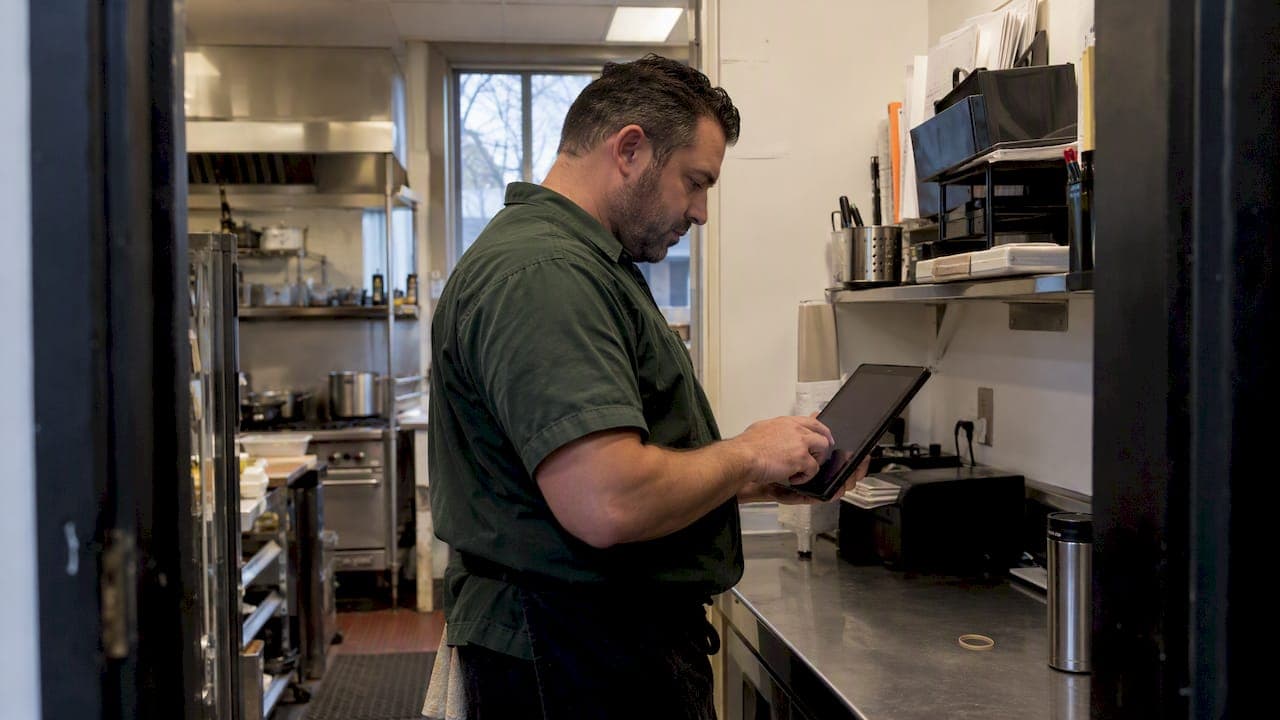
We recommend one weekly ordering event, owned by a single person such as the operations manager or senior chef, where critical items get counted, sales get forecast, purchase orders get generated, and exceptions get approved in one sitting. This single cadence, backed by a short daily receiving check, cuts emergency orders, trims waste, and gives you a clean weekly read on your food cost.
TL;DR:
- Schedule the weekly count around the slowest supplier’s cutoff, and include open orders, forecasts, par calculations, price checks, approvals, and receiving variances.
- Prioritize the top 20 items by cost or usage, short shelf life perishables, and items that triggered emergency orders; reset pars for sales and bookings.
- Reject and document chilled potentially hazardous food above 5°C and hot food below 60°C, unless a validated alternative control applies.
- Track weekly purchases by category, price movement, emergency buy count and cost, substitutions, and unusually large orders; use findings to adjust pars and assess suppliers.
- Pilot automation on the top 20 items first, using inventory tied to POS sales, low stock alerts, and purchase order generation before wider staff rollout.
Table of Contents
- Weekly ordering rhythm: a step-by-step cadence to run each week
- Set pars and prioritize which items to count weekly
- Tools and automation that make a weekly cadence reliable
- Receiving, inspection and food-safety checks tied to the weekly cycle
- Weekly purchasing review and dashboard: metrics to watch
- Why consistency beats over-optimization
- How PantryHub supports a reliable weekly ordering cadence
- FAQ
- Sources
Weekly ordering rhythm: a step-by-step cadence to run each week
Daily housekeeping (quick visual checks, spoilage pulls, fridge temperature logs) is not the same job as the weekly ordering event. Mixing the two is where most kitchens lose control of their purchasing.
We suggest running the full cadence as nine steps, in this order:
- Count critical items first, the ones that drive most of your spend or cause the most stockouts.
- Review your sales forecast and any upcoming events or bookings that will spike demand.
- Check open purchase orders so you are not double-ordering stock already in transit.
- Calculate required quantities against your par levels.
- Check current prices and confirm you are still ordering from the right supplier for each item.
- Create the purchase order.
- Route any exceptions, unusual quantities or new suppliers, to whoever approves spend.
- Send the orders before each supplier's cutoff time.
- Receive against the PO and close out variances once stock arrives.
This sequence, including cutoff timing and the approval step, follows the weekly rhythm Restaurant Operator Lab recommends for keeping ordering ahead of food cost problems rather than reacting to them.
Pick your weekday and time window around your suppliers, not your own convenience. If your main produce supplier cuts off orders Thursday at noon for Friday delivery, your count and forecast need to be done Thursday morning, with enough buffer to catch a slow POS sync or a missing invoice.
Pro Tip: Lock your ordering window to your slowest supplier's cutoff, then work backward for every other order you place that day.
Set pars and prioritize which items to count weekly

Par levels are the stock quantity you want on hand before the next delivery. They are not a number you set once and forget. Menu changes, seasonal shifts, and a run of big bookings all push pars out of date fast, and a stale par level is how you end up either overstocked or scrambling for a same-day delivery.
You do not need to count everything with the same rigor every week. Focus on:
- Your top 20 items by cost or usage volume, since these drive most of your spend.
- Perishables with short shelf lives, where a miscount turns into waste within days.
- Any item that has triggered an emergency order in the past month.
Update pars using last week's actual sales plus anything you know is coming, a function, a public holiday, a menu swap. A weekly top-20 counting routine keeps this fast without losing accuracy on the items that matter most to your margin.
Tools and automation that make a weekly cadence reliable
A weekly cadence only stays reliable if the counting and ordering steps do not depend on someone remembering to check a spreadsheet. The National Restaurant Association's feature checklist for inventory and ordering systems points to a short list of capabilities that do the heavy lifting:
- POS integration that ties actual sales to stock depletion automatically.
- Automated purchase order generation once counts are in.
- Low-stock alerts that flag items before they become emergencies.
- Supplier EDI links so orders go out without manual re-entry.
- Sheet-to-shelf templates that match your physical storage layout.
- Mobile counting so staff can count on the floor instead of at a desk.
Rolling this out works best in stages: map your storage slots first using kitchen workflow optimization, build count sheets that mirror those slots, pilot the system on your top 20 items, then train the rest of the team once the routine is proven. This sheet-to-shelf approach, organizing and labeling storage slots before building count sheets, is the same structure the National Restaurant Association points to for making weekly counts faster and catching unexpected losses from waste or theft.
Pro Tip: Pilot automation on your top 20 items before rolling it out kitchen-wide. You will see where the gaps are without disrupting your whole ordering cycle.
Done well, this setup means fewer emergency orders, less double-entry between your POS and your supplier portal, and a much clearer view of price creep on your highest-volume items. For a deeper look at automating the ordering side specifically, our guide on automating cafe stock ordering walks through the setup in more detail.
Receiving, inspection and food-safety checks tied to the weekly cycle
Your weekly ordering cadence is only as good as what happens when the delivery truck arrives. Food Standards Australia New Zealand's Standard 3.2.2 requires potentially hazardous chilled food to be received at 5°C or colder, and hot food at 60°C or hotter, unless you have a validated alternative control in place. Deliveries also need to come from known suppliers, get inspected on arrival, and get documented.
Build a short checklist into every delivery:
- Check temperature on chilled and hot items before anything goes into storage.
- Confirm the supplier name matches what you ordered from.
- Inspect packaging for damage, leaks, or tampering.
- Check use-by dates against your rotation schedule.
- Reject and document anything that fails any of the above.
When something fails, log it against the supplier and raise it at your next weekly review rather than chasing it mid-shift. A documented pattern of late deliveries or temperature failures gives you real leverage in a supplier conversation, and it keeps the receiving check itself quick enough not to disrupt your daily rhythm.
Weekly purchasing review and dashboard: metrics to watch
A short weekly review is where small ordering problems get caught before they turn into a persistent food cost leak. Restaurant Operator Lab's purchasing analysis recommends keeping this review compact: review totals by category, flag any price changes, check emergency purchases, and review supplier substitutions, all in one sitting.
Track a small set of numbers each week:
- Total purchases, broken down by category.
- Weighted price movement on your critical items.
- Number and cost of emergency buys.
- Supplier substitutions and why they happened.
- Any unusually large order quantities.
Use what you find to adjust pars for the following week and to flag suppliers whose pricing or reliability is slipping. This is the same discipline that drives the step-by-step ordering rhythm covered earlier: a short, repeatable loop that keeps surprises out of your P&L.
Why consistency beats over-optimization
The temptation is always to build a more complex system. In practice, a short weekly discipline, one count, one order, one review, beats a sophisticated process that only runs when someone remembers. We have seen event-driven ordering built around a focused weekly cadence produce visible results within two weeks of consistent use. Start small, run it every week, and adjust from what you actually see.
— Admin
How PantryHub supports a reliable weekly ordering cadence
Running this cadence by hand works, but it takes discipline every single week. We built PantryHub to carry the repetitive parts of that routine so your team can focus on the judgment calls, the exceptions, the supplier conversations, the par adjustments that actually need a person.

Inside PantryHub, smart inventory tracking and low-stock alerts flag the items that need counting before you even open the app. Supplier integration and sheet-to-shelf PO templates turn a finished count straight into a purchase order, and multi-location visibility means a group with several sites runs the same weekly rhythm from one dashboard instead of juggling spreadsheets per venue.
- Smart inventory tracking that updates as stock moves.
- Low-stock alerts tied to your actual par levels.
- Sheet-to-shelf PO templates that match your physical storage.
- Supplier integration for faster, cleaner ordering.
- Multi-location visibility for groups running more than one site.
A good way to start is a two-week pilot on your top 20 items: run the cadence, track your emergency orders before and after, and see the difference for yourself. You can start with a free trial or check plan details on our pricing page for the latest information on plans and pricing.
FAQ
What is the best weekly ordering cadence for a small restaurant?
One weekly ordering event, run by a single owner such as a manager or senior chef, works best for most independent restaurants. It keeps counting, forecasting, and approvals in one sitting instead of scattered throughout the week.
How often should par levels be updated?
Par levels should be checked weekly alongside your ordering cycle and recalculated whenever your menu, season, or booking volume changes. A monthly audit on top of the weekly count catches drift that a quick weekly glance might miss.
What temperature should deliveries be received at?
Under FSANZ Standard 3.2.2, chilled potentially hazardous food must arrive at 5°C or colder, and hot food at 60°C or hotter. Anything outside that range should be rejected and documented at the point of delivery.
How can restaurants reduce emergency orders?
Focusing weekly counts on your top 20 highest-cost items and known perishables typically catches most of the stock problems that lead to emergency buys. Pairing that with low-stock alerts and a single weekly ordering event, rather than ad-hoc reordering, closes most of the remaining gap.
What features should restaurant ordering software include?
Useful ordering software ties your POS to inventory, generates purchase orders automatically, and sends low-stock alerts before you run out, building these into one weekly workflow alongside sheet-to-shelf templates and supplier integration, so counts turn into orders without manual re-entry.
Sources
- Receiving food | Food Standards Australia New Zealand
- Restaurant Purchase Order System: How to Control Ordering Before Food Cost Gets Out of Hand - Restaurant Operator Lab