
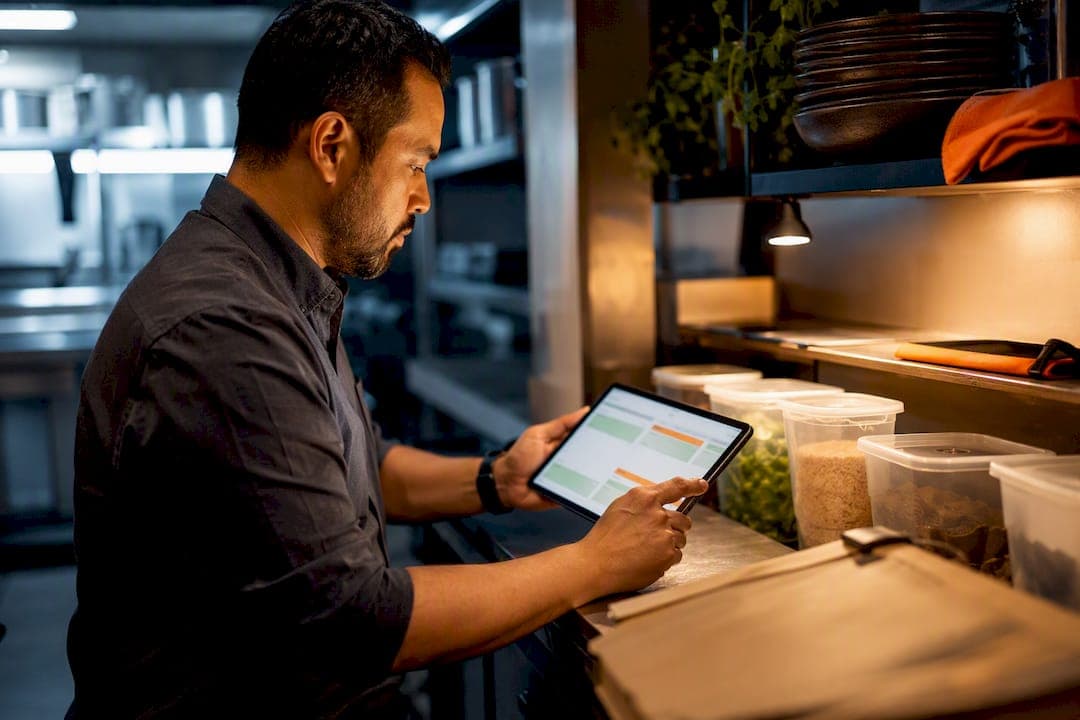
Event-driven ordering means your inventory platform watches stock levels and automatically drafts (or places) supplier orders when specific triggers hit, like a low-stock count or a perishable dropping below safety-stock days. For an operator, that translates into hours of manual ordering handed back every week, fewer panic calls to suppliers, and tighter control over food-cost creep. Some inventory platforms build this directly into daily kitchen workflows.
TL;DR:
- Automation can reduce ordering hours from over eight per week to less than one by streamlining stock counts, comparisons, and supplier communications.
- Setting precise trigger points like 1.5 days of supply and establishing safety stock levels help prioritize urgent perishables and weekend preparations efficiently.
- Vendor-specific formats and multiple delivery channels such as email, SMS, API, or EDI ensure seamless order transmission without disrupting existing supplier systems.
- Regular staff retraining on counting standards and role-based approval workflows maintain data accuracy and prevent overordering or stockouts.
- A typical pilot on limited SKUs for 30 to 60 days allows validation of time savings, emergency order reductions, and improved food-cost percentages before full deployment.
Table of Contents
- What Event-Driven Ordering Means in a Kitchen
- How the Ordering Workflow Runs From Count to Delivery
- What ROI Actually Looks Like After Automation
- Implementation Checklist and Trigger Recipes That Work
- Keeping the Data Honest: Governance and Human Oversight
- Choosing the Right Way to Send Orders to Suppliers
- Why I'd Prioritize This Now, Not Later
- See PantryHub's Event-Driven Ordering in Your Own Kitchen
- Sources
- FAQ
What Event-Driven Ordering Means in a Kitchen
Event-driven ordering, in the restaurant sense, has nothing to do with software engineering's "event-driven architecture." That term belongs to programmers building message queues for web apps. In hospitality, it means something much more concrete: your par levels and inventory counts generate the trigger, and the system responds with an order action.
The common triggers look like this:
- Stock count falls below the order point (the quantity that should prompt a reorder before you hit zero).
- Days-of-supply drops under a set threshold, which matters most for perishables that spoil fast.
- A scheduled event fires, like a Friday afternoon check ahead of a weekend rush.
- An invoice price change alert flags a supplier cost spike worth reviewing before the next order goes out.
The goals behind all of it are simple: prevent stockouts, cut down on emergency buying at retail prices, save managers the hours they'd otherwise spend on ordering, and reduce waste from over-ordering perishables that never sold.
How the Ordering Workflow Runs From Count to Delivery
A working event-driven system moves through a predictable pipeline, and understanding each stage helps you spot where automation actually saves time versus where a human still needs to be in the loop.
- Count submission. A staff member counts stock, usually on a mobile device or through a POS integration, and that number becomes the source of truth.
- Par comparison. The system checks the count against your par level and order point for that item.
- Draft PO creation. Anything under the order point becomes a draft purchase order automatically.
- Grouping by supplier. Draft POs across multiple SKUs get bundled by vendor so you're not sending five separate orders to one distributor.
- Transmission. The grouped PO goes out through whichever channel that supplier accepts.
- Confirmation. The system tracks whether the supplier acknowledged the order and flags it if they haven't.
- Delivery verification. Received quantities get checked against the PO.
- Invoice and price check. Final pricing gets compared to what was quoted, catching discrepancies before they eat into margin.
The difference between order point and par level trips people up. The order point is the trigger, the number that says "reorder now." The par level is the target you're restocking up to. A kitchen might set an order point of 10 units for a dry good with a par of 30, meaning you order enough to get back to 30 whenever the count dips below 10.
For multi-location groups, this same workflow follows a described pipeline that can run centralized, with orders consolidated across venues, or run independently per site with location-specific pars. Urgent items, like a walk-in freezer running low on protein two hours before dinner service, need a separate fast-track path that skips batching and transmits immediately.
What ROI Actually Looks Like After Automation
Ordering is one of the most disliked tasks on a manager's plate, and automating it frees up guest-facing time that pen-and-paper counts and phone-tag ordering never allowed. The time savings are the clearest number to point to. Manual ordering commonly eats up 8 or more hours a week across counting, comparing, calling suppliers, and chasing confirmations. Automated systems tied to POS and inventory data cut that same workload down to under an hour in many cases, and the same reporting links automated ordering to measurable improvements in food-cost percentage.
During a pilot, track four numbers specifically:
- Ordering hours per week — how much manager or chef time actually goes into the process before and after automation.
- Emergency orders per month — the retail-price, last-minute buys that automation is designed to eliminate.
- Food-cost percentage — the metric most sensitive to over-ordering and waste.
- Delivery discrepancy recovery — value clawed back when receiving checklists catch short deliveries or pricing errors before they hit your books.
Watch these numbers in the first 30 days for early signal, then again at 90 days once seasonal variance and staff habits settle in. Results vary by venue size and supplier mix, so treat published averages as a directional benchmark, not a guarantee.
Implementation Checklist and Trigger Recipes That Work
Getting event-driven ordering running well isn't a one-click setup. It's a short sequence of decisions that determine whether the automation actually fits how your kitchen operates.
- Map every SKU you order regularly into the platform, matched to supplier catalog codes.
- Set par and order points per item, starting conservative if you're unsure.
- Choose your count method, whether mobile scanning, POS-linked counts, or a hybrid.
- Configure supplier mappings so each vendor receives orders in a format they actually accept.
- Set auto-approve thresholds for low-value orders so tiny reorders don't sit waiting for manager sign-off.
- Pilot on a limited SKU set, then expand once the pattern proves reliable.
A few recipes cover most real-world cases. For perishables, combine a days-of-supply check with count-derived safety stock: when days-of-supply drops under 1.5, double the safety stock and escalate the PO through SMS or another high-priority channel instead of waiting for the next batch cycle. For weekends, apply a blanket safety-stock multiplier on Thursday so Friday deliveries account for two extra service days. For small, low-value items, set an auto-approve ceiling (say, orders under a fixed dollar amount) so urgent restocks don't get stuck behind a manager's inbox.
Pro Tip: Run your first 30 to 60 days with pars set slightly higher than you think you need. It's easier to tighten a par level down once you have real sell-through data than to explain a stockout to a chef mid-service.
Keeping the Data Honest: Governance and Human Oversight
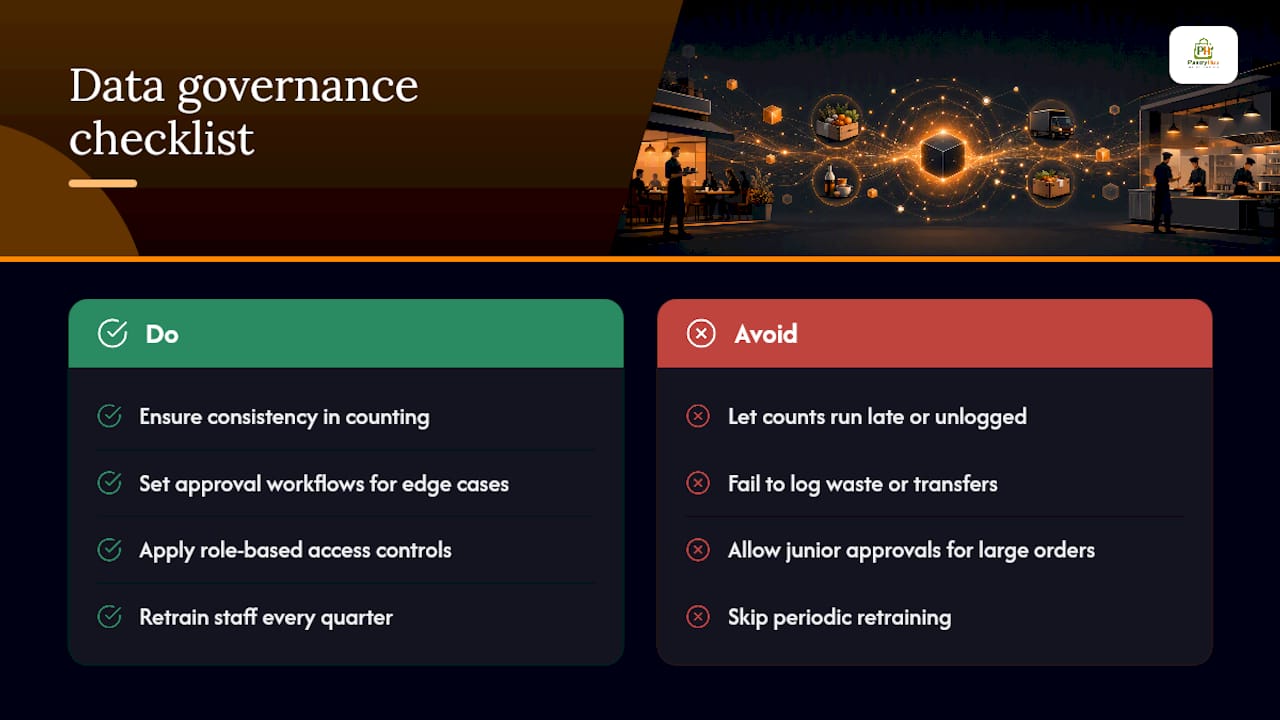
Automation is only as good as the numbers feeding it. If counts run late, waste doesn't get logged, or transfers between sites go unrecorded, the system will order against bad data and either overbuy or trigger stockouts anyway. Consistency in counting matters more than counting frequency.
Set clear approval workflows for the situations automation shouldn't handle alone: price spikes that exceed a set percentage, supplier substitutions, and vendors who go silent on a confirmation. Role-based access controls also matter here, since you don't want a junior staff member accidentally approving a large order meant for a manager's sign-off.
Pro Tip: Retrain staff on counting standards every quarter, not just at onboarding. Counting habits drift over time, and that drift is usually the first place automation accuracy breaks down.
Choosing the Right Way to Send Orders to Suppliers
Not every supplier wants orders the same way, and a system built for event-driven ordering needs to speak each vendor's language rather than force a single format on everyone.
- Email or PDF works for smaller, local suppliers without a digital ordering system.
- SMS suits urgent, small orders that need a fast human response.
- API integration fits larger distributors with automated order intake.
- EDI covers broadline suppliers running established electronic data exchange standards.
Platforms that build vendor-specific catalogs and formatting let each supplier keep their existing process while your kitchen still sends everything from one master order list. For beverage and cellar stock specifically, pairing this with a wine checklist workflow helps keep those SKUs from falling through the cracks between automated dry-goods triggers. Build in a fallback: if a supplier doesn't confirm within a few hours, the system should flag it so a human can call before the delivery window closes.
Why I'd Prioritize This Now, Not Later
Ordering is the task managers dread most, and it's also the task most likely to get skipped, rushed, or handled inconsistently when service gets busy. That's exactly why it's worth automating first, before inventory counts, before reporting dashboards. The gains show up fast: fewer 4 PM calls to a supplier begging for a same-day delivery, fewer dollars lost to over-ordering perishables that never made it onto a plate.
Start small. Pick one supplier, one category of perishables, and run it for two weeks before expanding. The pattern usually becomes obvious fast.
— Admin
See PantryHub's Event-Driven Ordering in Your Own Kitchen
An example platform is built by people who've worked a line to connect real-time stock counts to par levels, low-stock alerts, and supplier ordering so a manager isn't the single point of failure for keeping the walk-in stocked.

During a 30 to 60 day pilot, expect to track ordering hours per week, emergency order counts, and food-cost percentage against your baseline, the same metrics that matter most in any automation rollout. Most operators see the clearest shift in emergency orders first, usually within the first two weeks, followed by food-cost movement once par levels get tuned. If you're weighing PantryHub against another platform you're already using, the MarketMan alternative comparison breaks down where the switch tends to pay off. Ready to see it against your own numbers? Check pricing plans starting at A$39/month and start a trial with your actual supplier list.
FAQ
What Is Event-Driven Ordering in a Restaurant?
It's a system where inventory events, like a low-stock count or a perishable dropping below safety-stock days, automatically trigger a draft or confirmed supplier order rather than requiring a manager to remember to reorder.
How Long Does It Take to See ROI?
Time savings on ordering hours usually show up within the first two weeks of a pilot, while food-cost percentage improvements typically become visible over a 30 to 90 day window as par levels get tuned.
Do Suppliers Need to Change Their Systems to Accept Automated Orders?
No. Systems built around vendor-specific formatting can send orders by email, SMS, API, or EDI depending on what each supplier already accepts, so vendors don't need to adopt anything new.
Does Automation Remove the Need for Manager Approval?
No. Most setups auto-approve only low-value orders below a set threshold and route larger or unusual orders, like price spikes or substitutions, to a manager for sign-off.
How Does Event-Driven Ordering Handle Perishables Differently?
Perishables typically use a dual trigger of days-of-supply plus count-derived safety stock, doubling safety stock and escalating to an urgent order when supply runs under roughly 1.5 days.
How Long Should a Pilot Run Before Rolling Out Wider?
A two-week pilot on a limited SKU set is usually enough to validate ordering hours, emergency order counts, and receiving variances before expanding to the full inventory.