
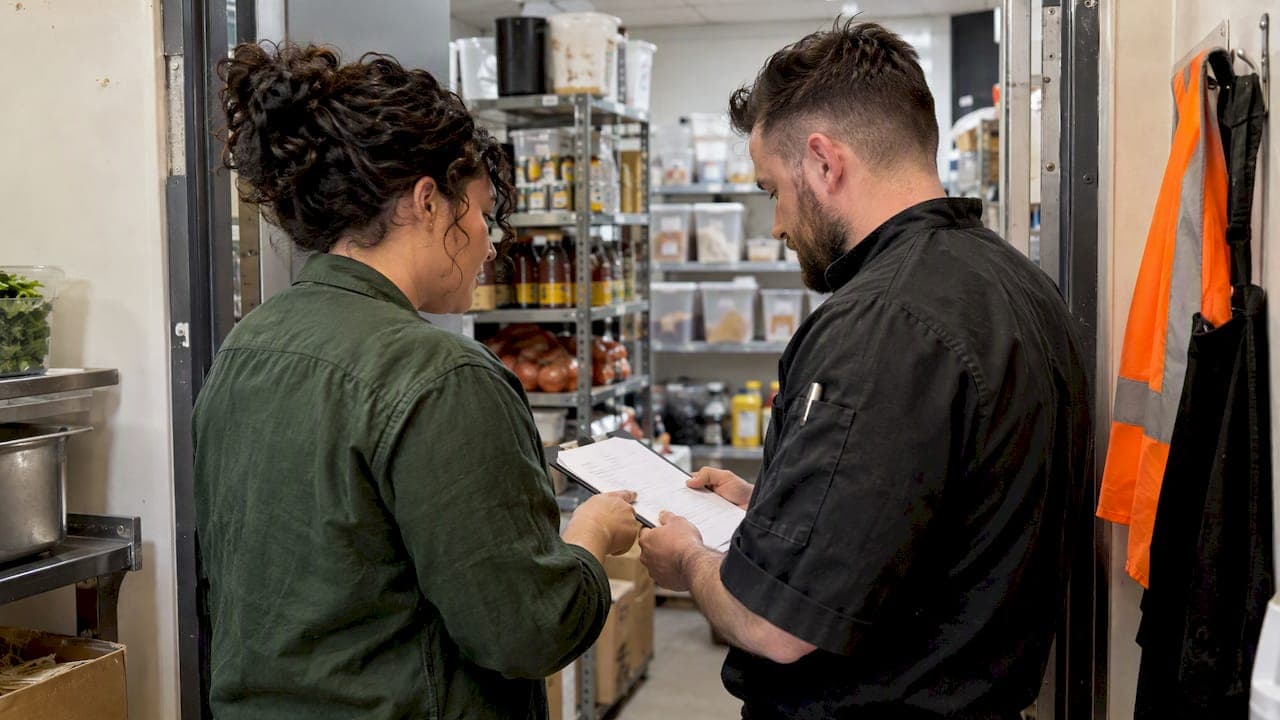
An order approval workflow enforces business rules and routes exceptions to the right person, so kitchen timing and supplier payments both stay on track. For online guest orders, that means quick, value and time based rules with a named on shift approver. For procurement, it means three-way matching between purchase order, receipt, and invoice before anyone pays a bill.
TL;DR:
- Orders above a set dollar amount or unverified payments require manual approval, while low-value settled card transactions auto-approve to save time.
- Guest orders need approval within seconds to minutes, but procurement approvals can take hours or an entire business day due to three-way matching and billing controls.
- A simple rule set with two to three thresholds and role-based routing is effective initially, with complexity added only after a week of data review.
- Using a phased rollout starting with online orders and key rules helps avoid service disruptions while testing approval efficiency.
- Integration methods like webhooks and role-based alerts are crucial to keep approval times within the required window, especially for aggregator-driven delivery platforms.
Table of Contents
- Online Orders vs. Procurement: Two Different Approval Jobs
- Approval Rules Worth Setting Up First
- Checklist: Design Criteria for a Restaurant Order Approval Workflow
- Rolling Out an Approval Workflow Without Disrupting Service
- Integration Choices That Affect Approval Speed
- Metrics That Tell You the Workflow Is Working
- A Pilot Worth Watching: Event-Driven Ordering
- Handling Exceptions and Overrides
- Security and Compliance in Approval Processes
- How Approval Workflows Shape the Kitchen and the Guest Experience
- Author Perspective: Practical Trade-Offs Operations Teams Should Accept
- Getting Your Approval Workflow Running With PantryHub
- FAQ
- Sources
Online Orders vs. Procurement: Two Different Approval Jobs
Guest facing orders and supplier purchase orders both need sign off, but the clock runs differently for each one.
Online orders that land in a "Needs Approval" queue sit between the guest and the kitchen. A staff member checks the order, confirms it is correct and payable, then sends it through. Toast's manual approval mode works exactly this way: new orders wait in a dedicated tab until someone opens and approves them, then they move to the kitchen. Delay here costs minutes a guest is actively waiting on, and a slow approver can mean a cold meal or a canceled order.
Procurement approvals run on a different timeline entirely:
- Guest orders need approval in seconds to a few minutes, tied to kitchen prep time.
- Procurement orders can tolerate hours or a business day, since the goods have not shipped yet.
- Guest order mistakes show up as refunds and unhappy customers; procurement mistakes show up as unauthorized spend or duplicate payments.
- Three way matching, comparing the purchase order, the goods received note, and the supplier invoice, catches billing errors before cash leaves the account, a standard control described by SAP Concur.
Treating both as the same workflow is a common mistake. The guest side needs speed; the procurement side needs a paper trail.
Approval Rules Worth Setting Up First
Most kitchens do not need a complicated rules engine on day one. A handful of clear rules covers most situations.
- Set a value threshold. Orders or purchase amounts under a set dollar figure auto approve; anything above routes to a manager.
- Build in payment-type logic. Settled card payments can often auto-advance, while cash orders or unverified payments usually need a human check, a pattern common across POS and ordering platforms per Toast's support documentation.
- Account for aggregator timing. Orders coming through a delivery marketplace often carry a strict accept or deny window, so rules need to fire fast enough to beat that clock.
- Route by role, not by person. Assign approval duty to whoever is on shift in a given role, not a named individual who might be off that day.
- Define an escalation path. If the primary approver does not act within a set window, the order or PO should bump up to a backup approver automatically.
These five rules handle the majority of daily volume. Exceptions are the minority case, and they deserve their own path rather than slowing down everything else.
Checklist: Design Criteria for a Restaurant Order Approval Workflow
Before picking or configuring a system, walk through what the workflow actually needs to do for your venue.
- Order types and service level agreements: define separate rules for guest orders (minutes) and procurement orders (hours to a day).
- Approver roles: name who approves at each tier, shift manager, kitchen lead, or owner, and what triggers each tier.
- Audit and logging needs: every approval, denial, and override should leave a timestamped record tied to a named user.
- Integration touchpoints: map where orders originate (POS, online ordering, aggregator, supplier portal) and how each one talks to your approval system.
- Business controls: set budget pools per location, and allow regional managers to override thresholds for seasonal or event-driven spend.
- Mobile notifications: approvers need a push alert and a one-tap approve or deny option, not a system they have to log into from a desktop.
Pro Tip: Start with just two rules, a value threshold and a payment-type rule, then add complexity only after watching a week of real approval data.
A workflow with ten rules on day one is harder to audit and harder to fix when something breaks. Fewer, clearer rules beat a long list nobody fully remembers.
Rolling Out an Approval Workflow Without Disrupting Service
A phased rollout limits the risk of approval delays turning into service failures.
- Pick a single pilot location and a single order channel, usually online guest orders, since the impact is visible fast and the rules are simpler to test.
- Set two or three starter rules: a value threshold, a payment-type rule, and a named backup approver for escalations.
- Run the pilot for two weeks while tracking approval time, rejection rate, and any guest complaints tied to delay.
- Review the data with the shift team and adjust thresholds based on what actually triggered manual review versus what could have auto-approved.
- Add procurement approvals next, starting with three way matching on your highest-volume supplier before expanding to every vendor.
- Update written SOPs so new hires know exactly what they are approving and why, not just how to tap a button.
- Train backup approvers before go-live, since an escalation path only works if the backup person actually knows the rules.
- Build a rollback plan: if approval delays start causing missed kitchen fire times or canceled orders, have a manual override that lets staff bypass the queue temporarily while the rules get fixed.
Rolling procurement and guest-order approvals out together tends to overload the team with two sets of new habits at once. Sequencing them, guest orders first, procurement second, keeps training manageable and gives you a working reference point before tackling the more complex matching process.
Integration Choices That Affect Approval Speed
How your systems talk to each other determines whether approvals happen in seconds or create a bottleneck.
- POS-based approval keeps everything in one interface, which is simpler but ties you to whatever approval features your POS vendor supports.
- Orders API and webhook integration lets a separate system listen for new orders and push them into an approval queue in near real time, as described in Uber's order integration guide for developers building against aggregator platforms.
- Aggregator accept and deny windows are strict. Some delivery platforms automatically cancel an order if it is not accepted within a short time, per Uber's developer documentation, so any manual approval step needs to fit comfortably inside that window.
- Supplier-side procurement integration needs to support sending a purchase order and later matching it against a receipt and invoice, rather than just tracking the order itself.
- What to log: every webhook received, every approval action, and every denial reason, tied to a timestamp and a user.
Surfacing pending approvals clearly to shift staff, through a visible queue or a notification, matters as much as the integration itself. A technically perfect webhook setup still fails if nobody on the floor sees the order waiting.
Metrics That Tell You the Workflow Is Working
Once a workflow is live, a small set of numbers shows whether it is helping or getting in the way.
| Metric | What it tells you | Review cadence |
|---|---|---|
| Median approval time | How fast orders move from pending to approved | Weekly during pilot, monthly after |
| Percent auto-approved | How much manual workload the rules are removing | Monthly |
| Order rejection rate | Whether thresholds are too loose or too strict | Monthly |
| Reconciliation exceptions | Mismatches between PO, receipt, and invoice in procurement | Monthly |
Quick-service kitchens generally need tighter approval-time targets than full-service dining, since the gap between order and fire time is shorter to begin with. A monthly rule review, checking which orders triggered manual review and whether that was necessary, keeps the workflow from drifting back toward approving everything manually out of habit.
A Pilot Worth Watching: Event-Driven Ordering
One operational pattern worth testing directly ties ordering triggers to real inventory events rather than a fixed schedule or manual check. A pilot example on event-driven ordering describes restaurants seeing return on the approach within a couple of weeks of adoption, by reducing time spent on manual ordering and connecting purchase triggers to actual stock movement.
The checklist items this kind of pilot touches directly:
- Low-stock alerts that trigger a purchase order automatically instead of waiting for someone to notice an empty shelf.
- Role-based approval on the resulting purchase order before it reaches the supplier.
- Supplier ordering integration that sends the approved order without a second manual entry step.
During your own pilot, track the same two or three metrics: time saved on manual ordering, approval turnaround, and whether stockouts dropped compared to the prior month.
Handling Exceptions and Overrides
Every approval workflow eventually hits a case the rules did not anticipate: a VIP guest order that needs instant comping, a supplier price change that breaks the three way match, or a system outage during a dinner rush.
Build an override path into the workflow from the start rather than treating it as an afterthought. A manager-level override should always be available, should require a reason code or short note, and should log who used it and when. That log matters for two reasons: it protects the business if an override is questioned later, and it shows you, over time, which exceptions keep recurring.

Recurring exceptions are a signal, not a nuisance. If the same override happens five times a week, the underlying rule is probably wrong, not the staff member using the override. A threshold set too low, a payment type excluded from auto-approval that should not be, or an approver role that is understaffed during peak hours are common causes.
Keep override permissions tied to role, not to a blanket "everyone can override" setting. Front-of-house staff overriding a procurement match, for instance, bypasses the exact control three way matching exists to provide. Reserve procurement overrides for someone with visibility into supplier pricing and budget, and reserve guest-order overrides for whoever is running the floor that shift.
Security and Compliance in Approval Processes
An approval workflow is also a financial control, and it needs to be treated with the same care as cash handling.
Role-based permissions are the foundation. Not every staff member should be able to approve a purchase order or override a payment hold; access should map to job function, and that mapping should be reviewed periodically as staff change roles. Audit trails that record who approved what, and when, reduce disputes and speed up reconciliation when a PO, receipt, and invoice do not line up.
Data handling matters too, particularly where payment information passes through an approval queue. Orders that include card details or customer contact information should flow through systems that limit who can view that data, not just who can approve the order.
For procurement specifically, compliance often means keeping a clean record for tax and audit purposes: every approved purchase order, matched receipt, and paid invoice should be retrievable as a set, not scattered across separate systems with no link between them. That record-keeping discipline is less about any single regulation and more about being able to answer a straightforward question quickly: who approved this, and against what evidence.
How Approval Workflows Shape the Kitchen and the Guest Experience
The approval step sits directly between the guest placing an order and the kitchen starting to cook, so its speed and reliability show up in service quality almost immediately.
A well-tuned workflow is invisible to the guest. Settled, low-risk orders auto-advance within seconds, and the kitchen fires on schedule. A workflow with too many manual checkpoints, or an approver who is slow to respond, creates a visible lag: tickets arrive late, food comes out after the promised time, and guests notice. Online ordering has raised guest expectations around speed, a dynamic covered in Wild Foodz's piece on online food ordering, and an approval bottleneck undercuts exactly the convenience guests are ordering online for in the first place.
On the kitchen side, approval delays ripple into prep timing and staffing. A ticket that sits pending for several minutes before firing compresses the cook time that follows, which pressures the line during a rush. Clear, fast approval rules protect that prep window, while a backlog of pending orders does the opposite, bunching tickets together right when the kitchen needs them spaced out.
Procurement approvals affect the guest experience more indirectly, through stock availability. A slow purchase order approval can mean an ingredient runs out mid-shift, forcing a menu item off the board. Fast, reliable procurement approval, paired with low-stock triggers, keeps the kitchen stocked without anyone noticing the system working in the background.

Author Perspective: Practical Trade-Offs Operations Teams Should Accept
Speed and control pull in opposite directions, and most teams pick one by accident instead of on purpose. Favor speed for guest orders, where delay costs a cold meal. Favor control for procurement, where delay costs nothing but a mismatched rule costs real money. Approval fatigue sets in fast when roles are unclear, so name the approver before you name the rule.
— Admin
Getting Your Approval Workflow Running With PantryHub
Our platform connects the pieces this guide walks through: inventory triggers, role-based approvals, and supplier ordering, all integrated in one place instead of three separate systems that do not talk to each other. Low-stock alerts can trigger a purchase order automatically, which then routes to the appropriate approver based on role, and once approved it proceeds to the supplier without requiring second manual entry.

For procurement specifically, our guide on configuring purchase order approvals walks through avoiding duplicate data entry, a common source of the reconciliation headaches three way matching is meant to prevent.
Coverage includes:
- Low-stock alerts that trigger supplier orders automatically.
- Role-based approval routing for purchase orders.
- Supplier ordering integrated with inventory tracking.
- Reporting that shows approval time and rejection patterns across locations.
| Plan | Description |
|---|---|
| Starter | Suitable for single venue testing a first approval rule set |
| Regular | Suitable for growing venues adding procurement approvals |
| Pro | Suitable for multi-location groups needing full role-based control |
A free trial is the simplest way to see whether an approval workflow fits your kitchen before committing. In your first two to four weeks, track approval turnaround time, how many purchase orders needed a manual override, and whether low-stock alerts cut down on last-minute supplier calls. If the pilot pays off, our pricing page lays out which plan matches your location count and feature needs.
FAQ
What are the 7 steps of order taking?
Order taking typically moves through greeting the guest, taking the order, confirming item details and modifications, repeating the order back, processing payment, routing the order to the kitchen, and confirming delivery or pickup. An approval workflow usually sits right after order confirmation and before the order reaches the kitchen.
Do restaurants use FIFO or LIFO?
Most restaurants use FIFO (first in, first out) for inventory, since perishable ingredients need to be used in the order they arrive to reduce spoilage. LIFO is rare in food service because it would mean using newer stock while older perishable stock sits and degrades.
What is the best order management system for restaurants?
The right system depends on whether you need stronger guest-order approval speed, procurement controls, or both. Platforms like PantryHub focus on connecting inventory alerts to supplier ordering with role-based approvals, which fits teams managing both stock and purchasing in one place.
How does Olo work for restaurants?
Olo is an online ordering and delivery platform that restaurants integrate with their POS to receive guest orders digitally. Orders typically flow through an integration layer where a restaurant's own approval or acceptance rules determine how quickly the order reaches the kitchen.
What triggers a manual approval versus an automatic one?
Manual approval is usually triggered by order value above a set threshold, unverified payment methods like cash, or a new guest account, while automatic approval applies to settled card payments under that threshold. The exact split depends on the thresholds a venue configures in its own workflow.