
The single most effective way to track ingredient usage is to map every recipe to its ingredients, connect that map to your point-of-sale system so sales automatically deduct stock, and back the whole thing up with regular physical counts. This gives you two things immediately: a clear read on your cost of goods sold, and an early warning system for waste. Start today by building an ingredient library for just one high-cost menu item and watch what the numbers tell you.
TL;DR:
- Tracking actual versus theoretical ingredient usage should be prioritized for high-cost items like proteins, alcohol, and perishables to catch significant waste early.
- Standardizing units of measure and recording precise recipe yields at setup prevents long-term data discrepancies and improves accuracy.
- Connecting POS sales to recipes automates deductions but requires manual adjustments to account for prep waste, spoilage, theft, or voided orders.
- Regular physical counts, especially weekly and monthly, are essential to verify and reconcile software-reported usage with actual inventory.
- Building routines around daily spot checks, weekly ingredient reviews, and monthly stocktakes is key to maintaining reliable data and controlling waste.
Table of Contents
- Why Tracking Ingredient Usage Matters for Food Cost and Operations
- Build an Ingredient Library and Attach Recipes: Step-by-Step Setup
- Units, Conversions and Accurate Costing
- How Automated POS Tracking Works, and Where It Falls Short
- Physical Counts and Reconciling Actual vs. Theoretical Usage
- Operational Routines, Par Levels and Preventing Waste
- What Actually Moves the Needle on Usage Tracking
- Start Tracking Ingredient Usage With Pantryhub
- Further Reading on Stocktakes and Waste Control
- FAQ
Why Tracking Ingredient Usage Matters for Food Cost and Operations
Every dollar of ingredient usage flows straight into your cost of goods sold. When usage data is sloppy, your COGS reporting is sloppy, and you're setting menu prices on guesswork instead of fact. That's the quiet math behind most margin problems in hospitality.
The real diagnostic tool here is AvT, actual versus theoretical usage. Theoretical usage is what your recipes say you should have used based on sales. Actual usage is what physical counts show you did use. The gap between them tells you where product is disappearing, whether through over-portioning, spoilage, spillage, or theft. Actual usage confirmed through physical counts is the only way to catch that leakage before it becomes a pattern.
Not every ingredient needs the same scrutiny. Focus your tightest controls on:
- Proteins, where portion drift adds up fast across hundreds of covers
- Cooking oils, which get over-poured constantly and rarely get counted
- Alcohol, one of the highest-shrinkage categories in any venue
- High-cost, perishable produce that spoils before anyone notices it's gone
Pro Tip: Run your first AvT comparison on your three highest-cost SKUs only. A full-menu reconciliation on day one usually creates more confusion than clarity.
Build an Ingredient Library and Attach Recipes: Step-by-Step Setup
Everything downstream, your COGS reports, your reorder alerts, your waste tracking, depends on how well you set up your ingredient records at the start. Rushing this step is the most common reason usage data falls apart six months later.
Here's a practical build sequence:
- Create a master ingredient list with a SKU or ID, supplier name, pack size, base unit of measure, current cost, and storage location for every item you buy.
- Decide manual entry vs. import. A handful of ingredients can be typed in by hand. Anything beyond about 50 line items is faster and more accurate imported via a CSV spreadsheet or a barcode scan at receiving, since manual entry is where typos and unit mismatches creep in.
- Prioritize the fields that drive accuracy first: unit of measure, pack size, and cost per unit. Storage location and supplier notes can be filled in later without breaking your reporting.
- Write recipes as ingredient lists with exact quantities, not vague descriptions. "180g diced chicken thigh" works. "Chicken" does not.
- Record yield percentage for every recipe, meaning how much usable product comes out after trim, cooking loss, or portioning waste.
- Set the per-serve quantity so each recipe knows exactly how much of each ingredient one sold item consumes.
- Test the recipe against a real sale before rolling it out menu-wide. Ring up one order and confirm the deducted quantities match what actually left the kitchen.
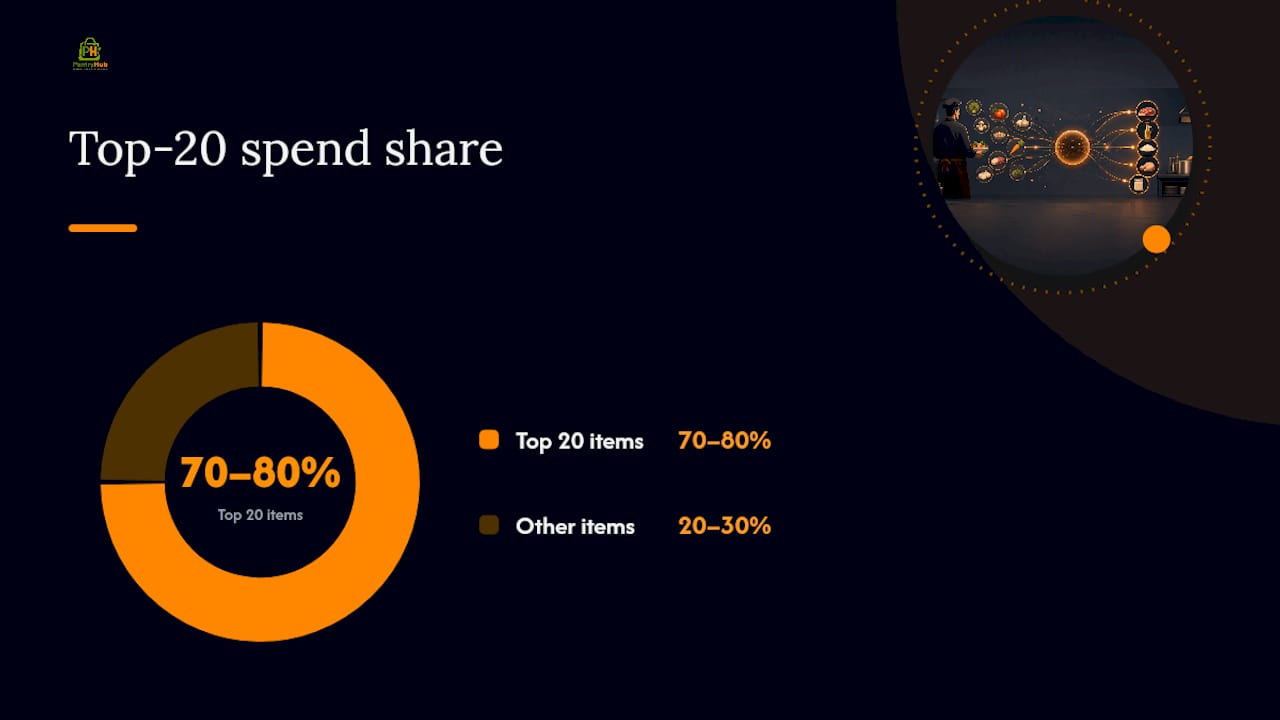
Pro Tip: Build recipes for your top 20 revenue items first. That's usually where 70 to 80 percent of your ingredient spend lives, and it gets your system producing useful data within days instead of weeks.
Recipe-driven systems convert each sale into a precise ingredient draw, which is what makes mapping menu items to ingredient quantities so much more reliable than tracking stock by category alone.
Units, Conversions and Accurate Costing
Unit-of-measure mismatches are the single biggest cause of usage data that nobody trusts. A supplier invoice in kilograms, a recipe written in grams, and a stock count logged in units create three different truths for the same ingredient, and reconciling them by hand invites errors every time.
Fix this at setup, not after the fact:
- Pick one base unit per ingredient (grams for solids, milliliters for liquids, individual units for discrete items) and enforce it everywhere
- Enter conversion factors once, so a case of 12 x 2kg bags of flour automatically resolves to 24,000 grams in your system
- Store trim and yield percentages alongside each recipe so raw purchase weight and usable cooked weight are never confused
Standardizing units and locking in conversion factors during setup is the single biggest reliability gain you can make in ingredient tracking, and it costs you an afternoon, not a system overhaul.
Here's a worked example. A supplier invoice lists a 5kg beef cheek at $42, delivered raw. After trimming silverskin and connective tissue, yield comes to 80 percent, or 4kg usable. Cost per usable kilogram becomes $10.50, not the $8.40 the invoice implies. If your recipe uses 200g of trimmed beef cheek per serve, true ingredient cost is $2.10 a plate, not the $1.68 you'd calculate from the raw purchase price.
When working manually or in spreadsheets, record and enforce the base unit at setup, converting every purchase to a single standard like kilograms, and store a conversion table alongside it. Skipping this step is the most common root cause of persistent reporting errors months down the line.
How Automated POS Tracking Works, and Where It Falls Short
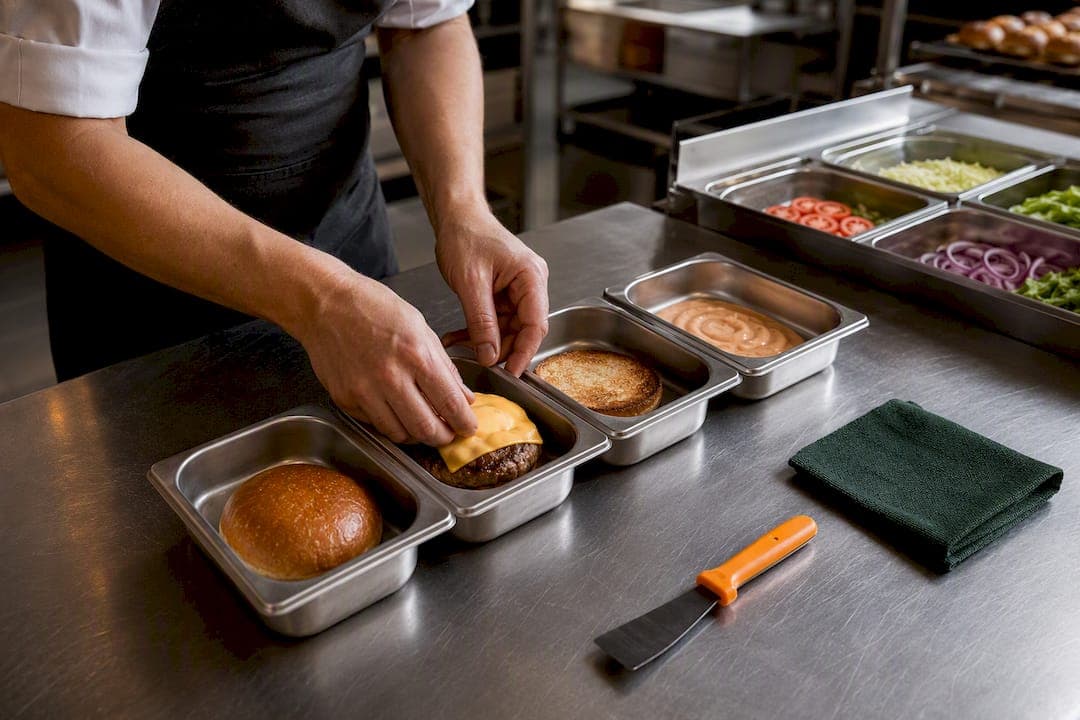
Connecting your POS to your recipe database means every sale automatically deducts the ingredients that recipe calls for, no manual entry required. Ring up a burger, and the system pulls the patty, bun, cheese, and sauce quantities from stock the moment the order closes.
This works well for one clear reason: it maps a POS event (an item sold) directly to a recipe (a defined ingredient list), and it does that consistently, every time, without a staff member remembering to log anything.
But automation has real gaps. Vendor and POS integrations convert sales into deductions, but they don't capture prep loss or shrinkage, things like trim waste, dropped product, or an extra ladle of sauce during service. Those require separate manual adjustment entries or they simply vanish into your AvT gap unexplained.
Watch for these common blind spots:
- Prep usage: ingredients consumed during batch prep before any sale occurs (stocks, sauces, marinades)
- Spoilage: product that expires or gets binned before it ever reaches a plate
- Theft or staff meals: consumption that never passes through the POS at all
- Voids and comped items: orders rung in then cancelled or discounted, which can double count or undercount deductions if not handled correctly
To verify your automation is actually working, run a small test batch: ring up five to ten sales of one menu item, then manually count what's left in stock. If the numbers line up, your recipe mapping is solid. If they don't, check your yield percentages and portion sizes before assuming the software is at fault.
Physical Counts and Reconciling Actual vs. Theoretical Usage
Software can calculate theoretical usage all day, but only a physical count tells you what actually happened in your kitchen. Skipping counts is the fastest way to let small leaks become large losses.
A workable count schedule:
- Daily: spot-check your three to five highest-cost, highest-risk items, proteins, alcohol pours, anything prone to over-portioning.
- Weekly: count core ingredients across your top-selling recipes, roughly 20 to 30 SKUs.
- Monthly: run a full stocktake across every ingredient in your system, no exceptions.
Focused counting schedules like this, paired with reason-coded adjustments for every discrepancy you find, are what make AvT reconciliation something you can actually act on instead of a spreadsheet nobody reads.
Run counts efficiently by assigning two-person teams (one counts, one records), using mobile capture instead of paper sheets, and requiring a reason code, spoilage, portioning error, miscount, theft suspected, for every variance over a set threshold.
| Count type | Frequency | Typical items covered | Time required |
|---|---|---|---|
| Spot check | Daily | 3-5 highest-cost SKUs | 10 minutes |
| Targeted count | Weekly | Core recipe ingredients (20-30 SKUs) | 45 minutes |
| Full stocktake | Monthly | Entire ingredient library | 2-4 hours |
Once counts are in, calculate your AvT gap per item, flag anything over 5 to 10 percent variance for investigation, and route the finding to the right fix: retrain staff on portioning, adjust a recipe's yield percentage, or tighten storage access.
Operational Routines, Par Levels and Preventing Waste
Accurate usage tracking only stays accurate if it's backed by routines that protect the data every single day. A brilliant system fed by inconsistent habits still produces garbage numbers.
Build this rhythm into your week:
- Daily: quick counts on high-risk items, plus a five-minute check of anything nearing expiration
- Weekly: review supplier prices against what's loaded in your system, since a stale cost figure quietly wrecks your COGS accuracy
- Monthly: revisit recipe costs in full, a discipline that keeps theoretical costs aligned with actual invoices and prevents small price creep from becoming a persistent AvT gap
Set par levels from measured usage trends, not gut feeling. If your data shows you burn through 8kg of a protein on an average Friday, your par and reorder trigger should reflect that peak, not your slowest Tuesday.
Enforce FIFO or FEFO (first in first out, or first expired out) at every storage point, and train staff to log why an item was written off, not just that it was. That documentation is what turns a write-off into useful data instead of a mystery.
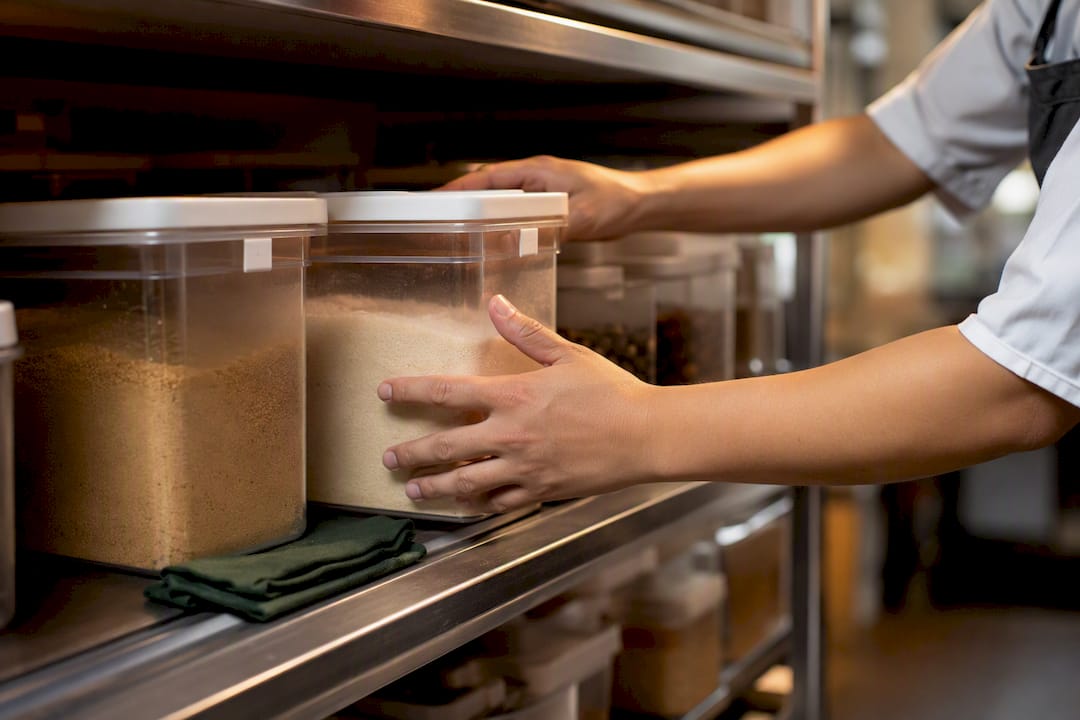
Pro Tip: Ingredients with the highest cost and fastest turnover deserve the tightest count frequency. A cheap, slow-moving dry good doesn't need the same scrutiny as fresh seafood.
What Actually Moves the Needle on Usage Tracking
Most operators treat ingredient tracking as a software problem. It isn't. The software just reflects the discipline, or lack of it, already happening in your kitchen. A perfectly configured system fed by rushed counts and guessed portion sizes will confidently report wrong numbers, and wrong numbers dressed up in a clean dashboard are more dangerous than no numbers at all.
The operators who get real value from usage tracking are the ones who treat the first few weeks as a pilot, not a launch. Ingredient records, recipe mapping, low-stock alerts, and AvT reporting inside Pantryhub are built to support exactly that kind of gradual, verified rollout rather than a flip-the-switch overhaul.
— Admin
Start Tracking Ingredient Usage With Pantryhub
Pantryhub replaces the spreadsheet-and-guesswork approach with one connected system built specifically for Australian kitchens, recipe mapping, unit conversions, POS-linked usage deduction, and AvT reporting, all in one place instead of stitched together from three tools.

The setup work described above, building your ingredient library, standardizing units, writing recipes with accurate yields, is exactly what Pantryhub's platform is built to handle without the manual spreadsheet juggling. Rather than trying to fix your whole menu at once, start a pilot: load five of your highest-cost items, connect them to your POS, and run six weeks of focused AvT checks to see where your real gaps sit.
From there, scaling to your full ingredient inventory and ordering system is a matter of adding items, not rebuilding your process. Plans start with a Starter tier, with additional tiers available as your reporting needs grow; current pricing details are listed on the Pantryhub pricing page. If you'd rather test the platform first, start with the free trial and see how your own usage numbers look after week one.
Further Reading on Stocktakes and Waste Control
For a deeper walkthrough of count procedures and reason-coded adjustments, see the kitchen stocktake process guide. To connect usage data with waste reduction tactics, read how to reduce food waste in restaurants. For forecasting once your usage data is reliable, CaterFlow AI pairs usage trends with predictive ordering, and Sydney City Rubbish Removal covers why sustainable disposal practices matter for the waste your counts uncover.
FAQ
What is the best app to track food inventory?
The best option is a recipe-driven platform that links menu items to ingredient quantities and syncs with your POS, since that eliminates manual recount work. Pantryhub is built specifically for this, with ingredient libraries, recipe mapping, and AvT reporting designed for restaurants, cafés, and bars.
Is there an app where I can enter ingredients and get recipes?
Recipe-and-inventory platforms like Pantryhub work the other direction: you enter your own recipes with exact ingredient quantities, and the system tracks usage automatically as those recipes sell. This is more useful for cost control than a general recipe-suggestion app, since it ties directly to your actual stock and supplier pricing.
What is the easiest way to keep track of inventory?
Map your recipes to ingredients once, connect that mapping to your POS for automatic deductions, then confirm accuracy with a simple count schedule: daily spot checks on high-cost items, weekly counts on core ingredients, and a full monthly stocktake.
How do I keep track of pantry items?
Assign every pantry item a base unit of measure, a par level based on actual usage, and a storage location, then follow FIFO or FEFO rotation so older stock always gets used first. Logging a reason code every time you write something off turns spoilage into useful data instead of a mystery loss.
How often should I compare actual usage to theoretical usage?
Run AvT comparisons weekly for your highest-cost ingredients and at least monthly across your full menu. Gaps over 5 to 10 percent usually point to portioning inconsistencies, spoilage, or a recipe yield percentage that needs adjusting.