
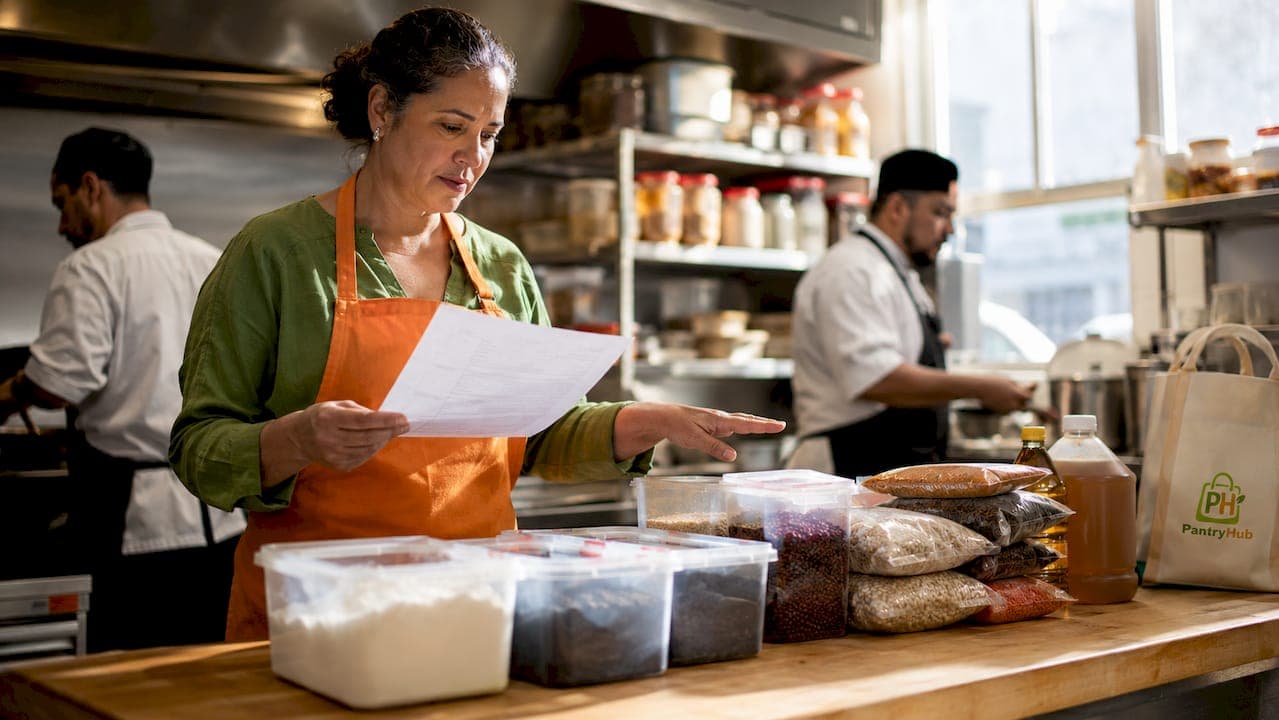
Signs your kitchen needs inventory software are not subtle. They show up as wasted labor hours, missing ingredients mid-service, and food costs that never quite match your purchasing records. Kitchen inventory management, formally called inventory control or stock management in hospitality operations, is the backbone of a profitable kitchen. When manual processes break down, the financial and operational damage compounds fast. Tools like Pantryhub, MarketMan, and purpose-built platforms for commercial kitchens exist precisely because spreadsheets and clipboards cannot scale with a real restaurant. Recognizing the indicators early is the difference between fixing a problem and absorbing it indefinitely.
1. Signs your kitchen needs inventory software start with manual counting hours
The clearest indicator that your kitchen has outgrown manual tracking is the number of hours your management team spends counting stock. If your team is spending the better part of a workday on inventory counts each week, that time is not being spent on food quality, staff development, or guest experience.
The numbers are stark. Manual weekly inventory across three restaurant locations consumed 47 labor hours per week, which dropped to 12 hours after mobile automation was introduced. That reduction is equivalent to approximately 1.2 full-time positions at $26 per hour, saving roughly $46,800 per year. That is not a marginal efficiency gain. It is a structural cost that most operators do not recognize because it hides inside manager salaries.
Manual counting also introduces compounding errors. Every time a number is written on a clipboard and later re-entered into a spreadsheet, there is an opportunity for transcription mistakes. Those mistakes distort your variance reports, skew your purchasing decisions, and make food cost analysis unreliable.
- Track how many hours per week your team spends on inventory counts, including prep, counting, and data entry
- Calculate that time at your manager's hourly rate to see the true dollar cost
- Compare that figure against the monthly cost of inventory software
Pro Tip: Run a two-week time audit before evaluating any software. Log every minute spent on stock-related tasks, including supplier calls, recount corrections, and spreadsheet updates. The total will almost always exceed your estimate.
2. Frequent stockouts during service
Running out of a key ingredient during a Friday dinner service is not just an operational inconvenience. It is a direct signal that your inventory process lacks real-time visibility. When a guest orders a dish and your team has to apologize because the kitchen ran out two hours ago, you lose the sale, the trust, and often the return visit.

Manual inventory often lacks real-time updates because counts happen once a week, or less. By the time a manager notices a low stock level, the shortage has already affected service. Spending hours on manual stock counts and experiencing frequent stockouts are recognized indicators that manual tracking has been outgrown and software adoption is needed. Software resolves this by providing immediate stock visibility and automated low-stock alerts.
The most effective platforms use automated reorder triggers. Automated par level calculations use 30-day rolling sales averages and day-of-week adjustments to optimize ordering and reduce stockouts. Alerts escalate if low stock is not addressed within hours, keeping your purchasing proactive rather than reactive.
- Real-time stock visibility eliminates the gap between actual levels and recorded levels
- Automated alerts notify managers before a shortage affects service
- Reorder triggers tied to sales data remove the guesswork from purchasing decisions
3. Rising food waste you cannot explain or track
Unexplained food cost variance is one of the most financially damaging kitchen inventory management signs, and it is almost always rooted in poor waste tracking. If your actual food cost consistently runs higher than your theoretical cost and you cannot pinpoint why, your kitchen has a waste visibility problem.
The failure point in manual systems is almost always at the line level. Cooks do not log waste during service because the process is too slow or the tools are not accessible. Skipping waste entry at line level causes unexplained shrinkage. Streamlined waste entry workflows that take under 10 seconds using reason codes maintain accurate variance and support better purchasing decisions. That 10-second threshold matters because anything slower gets skipped under service pressure.
The financial impact of untracked waste extends beyond the cost of the food itself. Inaccurate waste data leads to over-ordering, which ties up working capital and accelerates further spoilage. It also makes it impossible to identify which menu items or prep processes are generating the most loss.
- Integrated waste logging in mobile apps reduces mystery shrink by capturing data at the point of waste
- Reason codes categorize waste by type, such as spoilage, over-prep, or portioning errors, enabling targeted fixes
- Accurate waste data feeds directly into variance reports and purchasing forecasts
Pro Tip: If your kitchen cannot answer "where did that 8% food cost variance come from?" within 24 hours, your waste tracking is not working. That question should be answerable in minutes with the right software.
4. Your systems do not talk to each other
If your point-of-sale system, purchasing records, and inventory counts live in three separate places, your kitchen is generating data that nobody can act on. Manual re-entry of purchase orders into spreadsheets, then again into accounting software, is not just inefficient. It is a source of persistent errors that distort your financial picture.
Integrating inventory with accounting reduces costs and errors, provides real-time insights, and prevents both stockouts and excess stock tied up as working capital. The practical implication is that every hour your team spends reconciling data across disconnected systems is an hour spent correcting errors that software would have prevented entirely.
Here is how disconnected and integrated systems compare on the metrics that matter most to kitchen operations:
| Metric | Manual / disconnected systems | Integrated inventory software |
|---|---|---|
| Data entry | Re-keyed multiple times across tools | Entered once, synced automatically |
| Error rate | High due to manual transcription | Reduced through automated data flow |
| Stock visibility | Delayed, based on last count | Real-time, updated continuously |
| Purchasing accuracy | Based on estimates and memory | Based on actual usage and par levels |
| Variance reporting | Slow and often inaccurate | Fast and tied to live sales data |
The business case for integration is not theoretical. Manual tracking limitations drive errors, inefficiencies, and lost opportunities, while automation functions as a strategic lever that improves planning accuracy and supplier collaboration. For a culinary manager, that means fewer emergency orders, fewer invoice disputes, and more reliable food cost reporting.
5. Your menu or locations are growing
Growth is the most common trigger for recognizing when to use kitchen inventory software. A single-location café with a tight menu can manage stock manually with discipline. Add a second location, expand the menu by 30 items, or launch a catering arm, and the same manual process collapses under its own complexity.
Each new location multiplies the number of stock counts, supplier relationships, and variance calculations your team must manage. Without centralized tracking, managers at different sites operate with different data, different par levels, and different purchasing habits. The result is inconsistent food costs and no reliable way to compare performance across sites. Pantryhub's multi-location stock management capability addresses exactly this problem by centralizing inventory data across all sites in one platform.
Configuring an item master with correct units, supplier links, recipe usage, and storage locations is a prerequisite for effective inventory software use. High-value items are counted weekly through cycle counting, which reduces the burden of full counts while maintaining accuracy. This structure is only sustainable at scale when software manages the configuration and enforces consistency across locations.
| Growth trigger | Manual tracking impact | Software solution |
|---|---|---|
| Second location added | Duplicate counting effort, inconsistent data | Centralized dashboard with per-location visibility |
| Menu expansion | More items to count, higher error risk | Item master with recipe-level tracking |
| Catering operations | Separate stock pools, hard to reconcile | Unified inventory with event-based allocation |
| Seasonal demand shifts | Par levels become outdated quickly | Automated par adjustments based on rolling sales data |
6. Your food cost percentage keeps drifting
A food cost percentage that moves more than one or two points without a clear explanation is a direct indicator that your inventory data is unreliable. Chefs and managers often attribute drift to supplier price increases or portion inconsistency, but the root cause is frequently a data problem, not a kitchen problem.
Replacing manual counting and spreadsheet entry with immediate system entry improves variance calculations and reduces errors, increasing planning accuracy. A cautious transition approach, running old and new systems in parallel, showed only a 1.8% variance difference before full switchover. That figure confirms that the software's data was reliable enough to trust before the manual process was retired entirely.
When food cost variance is unexplained, purchasing decisions become guesswork. Managers over-order to avoid stockouts, which increases waste. They under-order to reduce spend, which causes stockouts. Inventory software breaks this cycle by tying purchasing directly to verified usage data rather than intuition.
7. Your team cannot answer basic stock questions quickly
The final and most telling sign is operational: if a manager cannot tell you the current stock level of your top five ingredients without walking to the storeroom or opening a spreadsheet, your kitchen lacks the visibility it needs to operate efficiently.
Real-time data is not a luxury for large restaurant groups. It is a baseline requirement for any kitchen that wants to make fast, accurate decisions during service. Real-time inventory visibility gives managers the ability to answer stock questions from anywhere, adjust purchasing on the fly, and respond to unexpected demand without scrambling. The benefits of inventory software extend well beyond counting accuracy. They include faster decision-making, better supplier communication, and a kitchen team that spends less time on administrative tasks and more time on food.
Key takeaways
Kitchens that rely on manual inventory processes consistently absorb hidden costs in labor, waste, and purchasing errors that inventory software directly eliminates.
| Point | Details |
|---|---|
| Manual counting hours | 47 hours per week dropped to 12 with automation, saving nearly $47,000 annually across three locations. |
| Stockout prevention | Automated par level alerts tied to rolling sales data stop shortages before they reach the service floor. |
| Waste visibility | Sub-10-second mobile waste logging eliminates mystery shrink and improves purchasing accuracy. |
| System integration | Connecting inventory with POS and accounting removes manual re-entry errors and provides real-time financial data. |
| Scaling complexity | Multi-location growth makes manual tracking unsustainable. Centralized software maintains consistency across all sites. |
What I have learned about knowing when to make the switch
The operators I have seen struggle the longest with this decision are not the ones who lack resources. They are the ones who have adapted so well to their manual workarounds that the workarounds feel normal. A manager who has been doing a four-hour weekly count for two years does not see four hours as a problem. It is just Tuesday.
The uncomfortable reality is that the signs your kitchen needs inventory software are almost always visible long before anyone acts on them. Stockouts get blamed on suppliers. Waste gets blamed on staff. Food cost drift gets blamed on market prices. The common thread is that none of these explanations require the operator to change anything, which is exactly why they persist.
My honest advice: do not wait for a crisis to force the decision. The kitchens that adopt inventory software proactively, before the pain becomes unbearable, are the ones that get the most value from it. They configure it properly, train their teams without pressure, and build reliable data from day one. The kitchens that wait until they are hemorrhaging food cost are implementing software under stress, which leads to poor setup and slow adoption.
One more thing worth saying: software does not fix a culture that does not value accurate data. The upfront configuration of item masters and recipe mappings is unglamorous work, but it is what separates kitchens that get real results from those that pay for software and keep doing things the old way.
— Admin
How Pantryhub helps kitchens take control of inventory
If you recognized more than two of the signs above in your own kitchen, the operational cost is already measurable. Pantryhub is built specifically for restaurants, cafés, bars, and commercial kitchens that need more than a spreadsheet but do not want an enterprise system that takes months to implement.

Pantryhub delivers real-time stock visibility, automated low-stock alerts, supplier integration, and waste tracking workflows in one platform. It connects your inventory to your ordering process so your team stops re-entering data and starts making decisions based on accurate numbers. Whether you run one location or several, Pantryhub gives you the visibility to reduce waste, prevent stockouts, and understand your true food cost. Explore hospitality inventory software built for the way your kitchen actually operates, and see how quickly the signs above can become problems you no longer have.
FAQ
What are the main signs a kitchen needs inventory software?
The primary signs include spending more than a few hours per week on manual stock counts, experiencing frequent stockouts during service, and being unable to explain food cost variance. These indicators confirm that manual tracking has reached its operational limit.
How much time can inventory software save on stock counts?
Mobile inventory automation reduced weekly counting time from 47 hours to 12 hours across three locations. That reduction translates to roughly $46,800 in annual labor savings at a $26 per hour manager rate.
Can inventory software help reduce food waste?
Yes. Integrated waste logging workflows that take under 10 seconds at the kitchen line level eliminate the unexplained shrinkage that drives food cost variance. Accurate waste data also improves purchasing decisions by revealing exactly where losses occur.
When is the right time to adopt kitchen inventory software?
The right time is before a crisis forces the decision. Kitchens that reduce food waste and improve accuracy proactively get better results from software than those implementing it under financial pressure.
Does inventory software work for multi-location restaurants?
Multi-location operations benefit most from centralized inventory software because it eliminates inconsistent data, duplicate counting effort, and incompatible par levels across sites. Automated par adjustments and a unified item master maintain consistency regardless of how many locations you operate.