
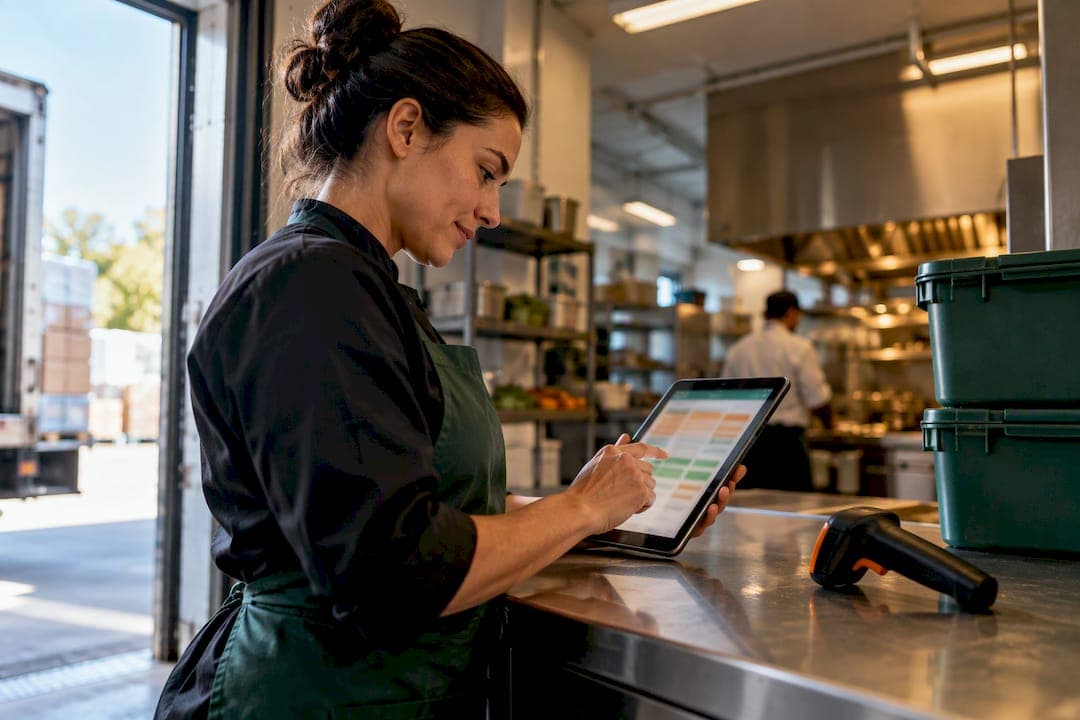
Restaurant supplier integration replaces manual order forms, faxes, and spreadsheet reconciliation with automated data flows between your systems and your vendors. The recommended approach is hybrid: use EDI or API connections for your large distributors, and pair that with file imports or scanned invoice capture for smaller suppliers who don't support automated ordering. Done right, it eliminates re-keying and gives you real-time visibility into what things actually cost.
TL;DR:
- Integrating with large distributors via EDI and pairing that with file import or scanned invoice capture for smaller vendors provides a flexible hybrid solution.
- Accurate SKU mapping, unit-of-measure alignment, and proper field matching are critical steps to prevent errors during setup and ongoing operation.
- Prioritizing integration for your highest-spend and most SKU-critical suppliers yields faster ROI and reduces errors more effectively.
- Starting with a pilot involving one location and two to three key vendors helps ensure a smooth transition and clear measurement of benefits.
- The main integration costs involve software subscriptions, setup, data cleanup, and staff training, with significant savings in labor and error reduction expected within 30 to 60 days.
Table of Contents
- Why Restaurant Supplier Integration Matters for Your Margins
- What Are the Integration Methods: EDI, API, Punch-Out, and More?
- Which Systems Need to Connect, and What Data Actually Flows?
- How Do You Implement Restaurant Supplier Integration Step by Step?
- What Does Supplier Integration Cost, and What ROI Should You Expect?
- Common Pitfalls and How to Fix Them
- A Real Example: How an Inventory Platform Handles Supplier Integration
- What Should Restaurant Operators Prioritize First?
- How PantryHub Supports Your Supplier Integration Rollout
- Sources
- FAQ
Why Restaurant Supplier Integration Matters for Your Margins
Every time someone on your team retypes a supplier invoice into a spreadsheet or POS system, there's a chance for error. A transposed digit on a case price. A missed delivery. A quantity that doesn't match what actually showed up at the back door. These aren't hypothetical problems. They're the quiet reason your theoretical food cost and your actual food cost never seem to agree.
Supplier integration closes that gap by connecting order platforms, inventory systems, and accounting software so data moves once and moves correctly.
The benefits compound fast:
- Eliminates manual re-keying, which cuts the single biggest source of invoice and order errors in a typical kitchen.
- Keeps recipe costing accurate because ingredient prices update automatically instead of relying on a manager remembering to check last week's invoice.
- Frees up staff hours that used to go into phone orders, paper filing, and chasing down invoice discrepancies.
- Improves supplier terms over time, since consistent, error-free ordering histories give you leverage when negotiating pricing or delivery schedules.
Pro Tip: Track how many hours per week your ordering manager spends on phone calls and manual entry before you integrate anything. That baseline number is the easiest way to prove ROI later.
None of this happens by accident. It requires treating your supplier data with the same rigor you'd apply to sales data. Harvard Business School's research on operational decision-making makes a broader point that applies directly here: business analytics turns raw operational data into decisions managers can act on, and that only works if the underlying data is accurate and current. A kitchen running on stale spreadsheets isn't just slow. It's making decisions on numbers that were already wrong the day they were entered.
Integrated systems that sync distributor catalogs also make the ordering process itself faster and more trackable, according to restaurant supplier research from Altametrics, which points to fewer missed orders and clearer visibility into what's arriving and when.
What Are the Integration Methods: EDI, API, Punch-Out, and More?
Not every supplier connects to your systems the same way, and that's fine. The goal isn't uniformity. It's picking the right method for each vendor relationship.
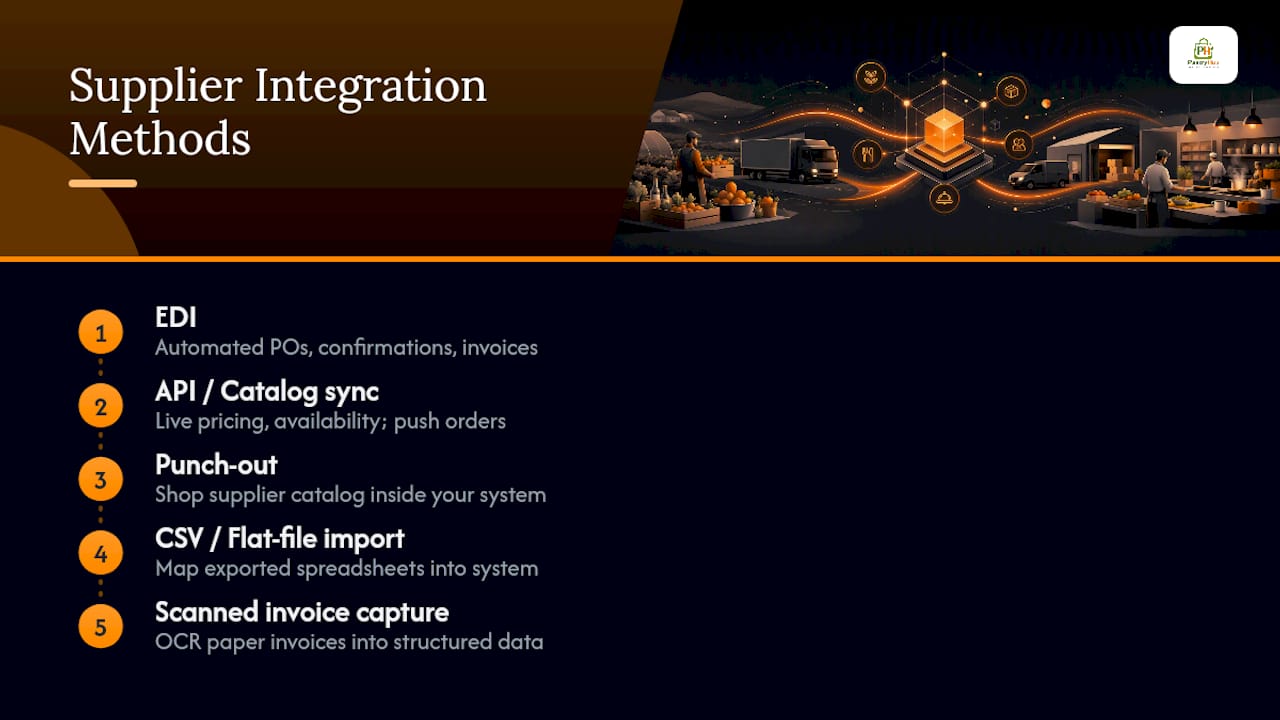
Electronic Data Interchange (EDI) is the backbone for large distributors. It's a standardized format that lets your ordering system and a supplier's system exchange purchase orders, order confirmations, and invoices without a human touching either end. EDI works well because big distributors have already built the infrastructure to support it. The catch: coverage isn't universal. Plenty of specialty producers, local farms, and small vendors simply don't have EDI capability, and building it for a single relationship rarely makes sense for either side.
APIs and catalog syncs cover the modern middle ground. Online ordering marketplaces and newer supplier platforms often expose an API that lets your inventory system pull live pricing and availability, then push orders back automatically. This is typically faster to set up than classic EDI and increasingly common among mid-size distributors.
Punch-out integrations let your team shop a supplier's catalog directly inside your own procurement or ordering interface, with the order flowing back into your system automatically. It's common in larger multi-location operations that want centralized purchasing control without losing the supplier-specific catalog experience.
CSV and flat-file imports are the practical fallback. If a supplier can export an order confirmation or invoice as a spreadsheet, you can often map that file into your inventory system with minimal manual entry.
Scanned invoice capture rounds out the picture for the smallest vendors: paper invoices get scanned and read through optical character recognition, turning paper into structured data without anyone typing line items by hand. Managed EDI services increasingly bundle this in, letting restaurants receive some invoices electronically while still capturing scanned invoices from smaller vendors inside the same workflow.
Pro Tip: Don't try to onboard every supplier at once. Start with the two or three vendors that represent your biggest spend, get that connection working cleanly, then add suppliers in batches of three to five. Trying to flip the switch on twenty vendors simultaneously is how integration projects stall.
Which Systems Need to Connect, and What Data Actually Flows?
Integration only pays off if the right systems are talking to each other and the right fields are mapping correctly. Vendor guides and restaurant tech resources consistently point to four connections as the ones that matter most.
- POS to inventory. Every sale should deplete inventory automatically based on the recipe behind that menu item. This is what makes real-time stock counts possible instead of relying on periodic manual counts.
- Inventory to supplier ordering. Purchase orders go out, supplier confirmations come back, and invoice line items land in your system matched against what was ordered. Unit-of-measure alignment matters enormously here. A supplier selling "cases" and your system tracking "kilograms" will silently corrupt your numbers if nobody maps the conversion.
- Inventory and accounting. Invoice data needs to flow into your general ledger with correct coding, which is where accounts payable reconciliation either becomes painless or becomes a monthly headache. EDI integration with restaurant accounting systems improves invoice accuracy and cash-flow visibility precisely because it removes the manual coding step where mistakes creep in.
- Online ordering and marketplaces to POS and inventory. Sales made through a delivery app or online ordering platform need to hit your inventory counts immediately, not at end-of-day reconciliation.
The specific fields that must map correctly across all of this: SKU, unit of measure, unit price, and invoice number. Get those four wrong and every other integration benefit collapses into a reconciliation problem.
How Do You Implement Restaurant Supplier Integration Step by Step?
Treat this like a rollout, not a light switch. A structured pilot beats a big-bang launch every time.
- Set clear goals and KPIs before you touch a system. Decide what you're measuring: order cycle time, invoice match rate, or food-cost variance between expected and actual.
- Audit your suppliers by integration capability. Sort them into three buckets: EDI/API-ready, CSV-capable, and paper-only. This tells you which method applies to each relationship.
- Pick a pilot scope. One location and two to three suppliers is enough to prove the model. Practitioner guidance on prioritization consistently points toward starting with your highest-spend, most SKU-critical vendors first, since that's where errors cost the most and where the savings show up fastest.
- Do the technical prep work. Build a canonical SKU table, standardize your units of measure, confirm pricing fields, and define your three-way match rules (purchase order, goods received, invoice) before you go live.
- Onboard suppliers formally. Share your SKU mapping with each vendor, confirm invoice formats, and agree on a test order before flipping to live ordering.
- Train staff and set a rollout schedule. Give your ordering and receiving team a clear window to learn the new workflow, then expand supplier by supplier rather than all at once.
Pro Tip: Run your pilot for a full billing cycle, not just a week. Invoice discrepancies and pricing changes often only show up once you've been through a complete order-to-invoice cycle with each supplier.
What Does Supplier Integration Cost, and What ROI Should You Expect?
Costs break into a few predictable categories: the software subscription itself, any setup or configuration fee, the labor involved in cleaning up your existing SKU and pricing data, and the time your team spends onboarding each supplier individually.
The ROI side comes from several levers stacking together:
- Labor saved on manual ordering and invoice entry, often the fastest visible win.
- Fewer invoice errors, which protects margin that was quietly leaking before anyone noticed.
- Better supplier terms, since clean ordering histories give you real negotiating data.
- Reduced waste, because accurate real-time stock counts mean fewer emergency orders and less over-ordering out of uncertainty.
Track four KPIs from day one: order cycle time, invoice match rate, the variance between expected and actual food cost, and hours spent per week on ordering tasks. A short 30 to 60 day pilot with two or three suppliers gives you enough data to calculate a real payback period before committing to a full rollout. That HBS Online framing of analytics as a driver of managerial decisions applies directly: the ROI case isn't theoretical once you have your own numbers in front of you.
Common Pitfalls and How to Fix Them
Most integration problems fall into a short list of repeat offenders.
- SKU and unit-of-measure mismatches cause the majority of mapping errors. Fix it by building a canonical SKU table before onboarding a single supplier, not after.
- Invoice reconciliation failures happen when nobody enforces three-way matching. Set automated matching rules for standard orders, then run periodic spot checks on the exceptions.
- Partial supplier coverage is normal, not a failure. Document which vendors remain manual, and keep an exceptions log so nothing falls through unnoticed.
- Staff adoption stalls without clear ownership. Assign one person as the integration point of contact, and train the receiving team specifically on how discrepancies get flagged.
Data integrity matters as much as automation itself here. An automated system fed bad SKU data just produces bad numbers faster.
A Real Example: How an Inventory Platform Handles Supplier Integration
PantryHub illustrates what a working integration workflow looks like in practice. The platform combines smart inventory tracking, low-stock alerts, supplier ordering, and cost reporting into one system, which means the pieces described above connect rather than sitting in separate tools.
A typical flow runs like this:
- A low-stock alert fires when a SKU drops below its par level.
- An automatic purchase order gets generated and sent to the mapped supplier.
- The incoming invoice matches against the PO and received goods.
- Recipe costs update automatically based on the confirmed invoice price.
Coverage still varies by supplier. Larger distributors integrate more completely; smaller or specialty vendors may still require manual entry or file upload, which is exactly why the hybrid model matters more than chasing full automation on day one.
What Should Restaurant Operators Prioritize First?
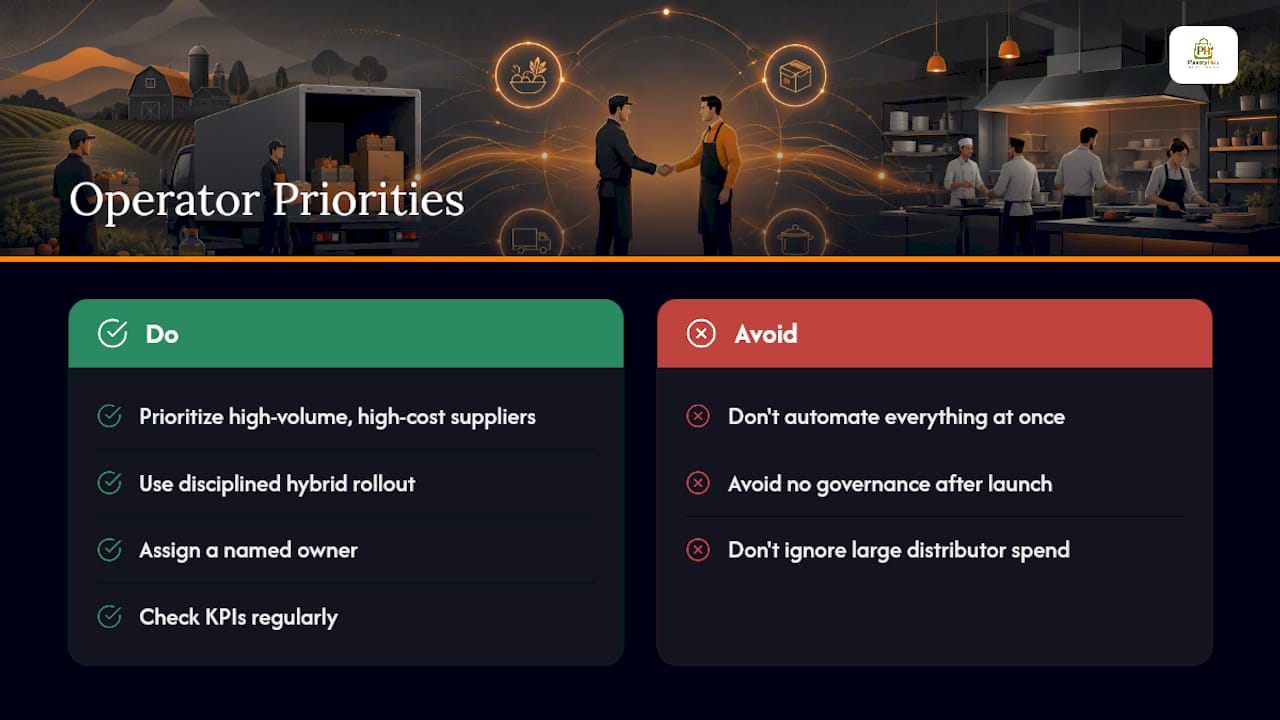
The mistake most operators make is trying to automate everything simultaneously. Prioritize your highest-volume, highest-cost suppliers first. Every dollar of error prevention matters more on a $40,000-a-month distributor than a $600-a-month specialty vendor.
Favor a disciplined hybrid rollout over a full-automation fantasy, and build governance around it: a named owner, a monthly reconciliation review, and KPIs you actually check. Integration projects don't fail on technology. They fail on nobody watching the numbers after launch.
— Admin
How PantryHub Supports Your Supplier Integration Rollout
PantryHub is built for exactly the workflow this article describes: real-time stock tracking, automated low-stock alerts, supplier ordering, and multi-location visibility in one system, priced in Australian dollars with local support instead of a US-built platform retrofitted for Australian venues.

If you're running a single café or managing purchasing across several venues, the hospitality inventory software built into PantryHub handles the SKU mapping, unit-of-measure alignment, and supplier ordering flows covered above without requiring a separate integration team. Plans start at the Starter tier for $39 AUD per month, scaling up through Regular and Pro as your ordering volume and location count grow. If you want to see how the automated purchase order and invoice matching workflow runs in your own kitchen, start a free trial and connect your first two or three suppliers this week.
Sources
- The importance of business analytics (HBS Online)
- Restaurant EDI: What Is It, and Why Is It So Important for Operators to Have? (Ottimate)
FAQ
Where do most restaurants get their supplies?
Most restaurants source from a mix of large foodservice distributors for staples and bulk goods, plus smaller local or specialty suppliers for produce, proteins, and niche ingredients. That mix is exactly why a hybrid integration approach, EDI for the big distributors and file or scanned capture for smaller vendors, tends to fit real-world purchasing patterns better than a single-method system.
What is supplier integration?
Supplier integration connects your ordering, inventory, and accounting systems directly with your suppliers' systems, so purchase orders, confirmations, and invoices move automatically instead of being typed in by hand. It typically uses EDI or APIs for larger vendors and file imports or scanned invoice capture for smaller ones, as platforms like PantryHub demonstrate in practice.
What are the steps of the supplier selection process?
A typical supplier selection process includes identifying your needs, researching potential vendors, requesting quotes or proposals, evaluating pricing and reliability, checking references, negotiating terms, and finalizing the contract. For integration purposes, add one more filter early: whether the supplier can support EDI, API, or file-based ordering, since that affects how smoothly they'll fit into your existing systems.
What are the main types of supplier relationships?
Supplier relationships generally range from transactional (one-off, price-driven purchases) to strategic partnerships (long-term, collaborative arrangements with shared planning). Between those extremes sit preferred suppliers, approved vendor lists, and single-source arrangements for critical ingredients. Integration works best with suppliers where the relationship is stable enough to justify building a technical connection.
How much does supplier integration software cost?
Costs vary by platform and by how many locations and features you need. PantryHub's plans run from $39 AUD per month for Starter up to $99 AUD per month for Pro, with a free trial available to test the supplier ordering and inventory workflow before committing.