

Pub cellar stock management is the process of organizing, tracking, and controlling beverage inventory to protect margins and reduce waste in pub cellar operations. The industry term for this discipline is cellar management, and it covers everything from physical layout and rotation protocols to integrated inventory tracking and variance reporting. Pubs that treat the cellar as a managed asset rather than a storage room consistently outperform those that rely on memory and manual counts. This guide covers the core practices that separate profitable cellar operations from costly, chaotic ones.
What is pub cellar stock management and why does it matter?
Cellar management directly affects both your bottom line and your guests' experience. Inventory mismanagement impacts not only finances but also customer satisfaction, because running out of a popular product mid-service is as damaging as over-ordering slow sellers that tie up cash. The cellar is where profitability is won or lost before a single pint reaches the bar.
A well-run cellar keeps stock levels matched to actual sales velocity. That means categorizing products into core lines, event-specific stock, and seasonal items so you always know what to reorder and when. Without that structure, over-ordering and under-ordering become recurring problems rather than occasional ones.
How should you set up your cellar layout for maximum efficiency?
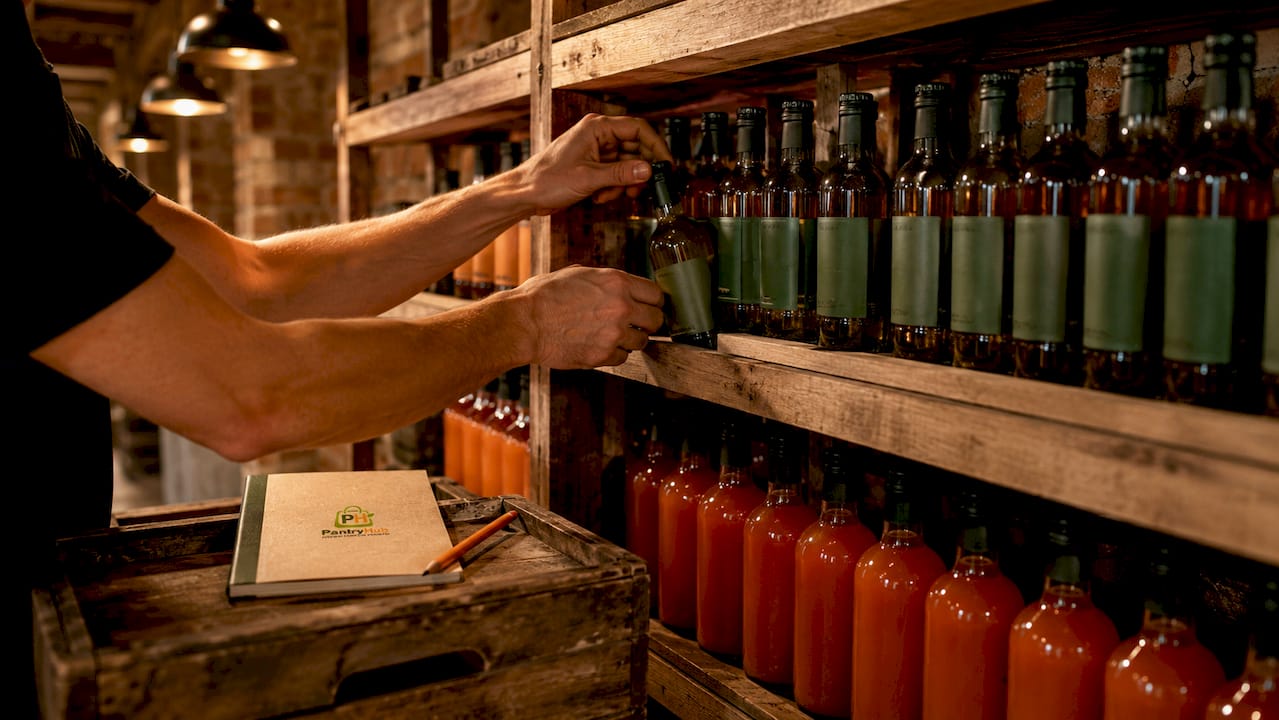
Physical organization is the foundation of every other cellar management practice. A poorly arranged cellar slows deliveries, causes counting errors, and increases the risk of serving from the wrong keg. Effective cellar zones include active draught kegs, buffer stock, cask stillage, packaged goods, and a clearly separated dead stock area.
Each zone serves a specific operational purpose:
- Active draught kegs: Connected kegs currently serving the bar. Position these closest to the gas manifold and beer lines for quick access.
- Buffer stock: Full kegs waiting to rotate into active service. Store these in the same temperature zone, organized by product and date received.
- Cask stillage: Cask ales need to rest horizontally on stillage frames before venting and tapping. Allocate a fixed area with enough clearance for safe handling.
- Packaged goods: Bottles, cans, and bag-in-box products. Shelve these by category and apply FIFO (first in, first out) rotation so older stock moves first.
- Dead stock and empties: A dedicated dead stock zone prevents accidental tapping and removes confusion from your live count. Never mix empties with full stock.
- Cleaning supplies and tools: Store line-cleaning chemicals, brushes, and spare fittings in a fixed, labeled location away from food and beverage products.
Delivery staging space is often overlooked. You need a clear, flat area near the cellar entrance where incoming stock can be checked against the delivery note before it moves to its zone. Receiving stock directly onto shelves without checking it first is how short deliveries go unnoticed for weeks.
Pro Tip: Label every shelf position with the product name and par level. When a shelf is empty, staff know immediately what to reorder without counting the rest of the cellar.
How does inventory tracking integrate with your sales data?
Accurate inventory tracking requires connecting what leaves the cellar to what the EPOS system records as sold. Disconnected systems cause reconciliation delays of up to 90 minutes and produce inaccurate stock levels that lead to bad ordering decisions. That delay compounds across every shift until your stock records bear little resemblance to physical reality.
Integrated cellar management works through three data streams:
- Inbound deliveries: Every delivery is logged against the purchase order. Quantities, unit sizes, and product codes must match exactly before stock is accepted into the system.
- Sales data: Your EPOS system records every pour and sale. When linked to your inventory platform, each sale automatically reduces the stock count in real time.
- Physical counts: Regular manual counts verify that the system figure matches what is actually on the shelf. Variances between the two flag theft, spillage, or recording errors immediately.
Linking bookings, events, stock, and customer notes into a single operational view gives every shift manager a live snapshot of what is available and what needs attention. Without that connection, managers make ordering decisions based on guesswork rather than data.
Pro Tip: Pick one unit of measure for each product and never deviate. Mixing measurement units during stock counts is one of the most common causes of reconciliation errors. If you count kegs in liters, count them in liters every time.
How to conduct a pub cellar stocktake step by step
A stocktake is a physical count of all stock in the cellar, reconciled against system records and sales data. Most pubs run a full stocktake weekly or fortnightly, with spot checks on high-value or fast-moving lines between full counts. Frequency matters less than consistency. A monthly stocktake done correctly beats a weekly one done carelessly.
Follow this process for a reliable count:
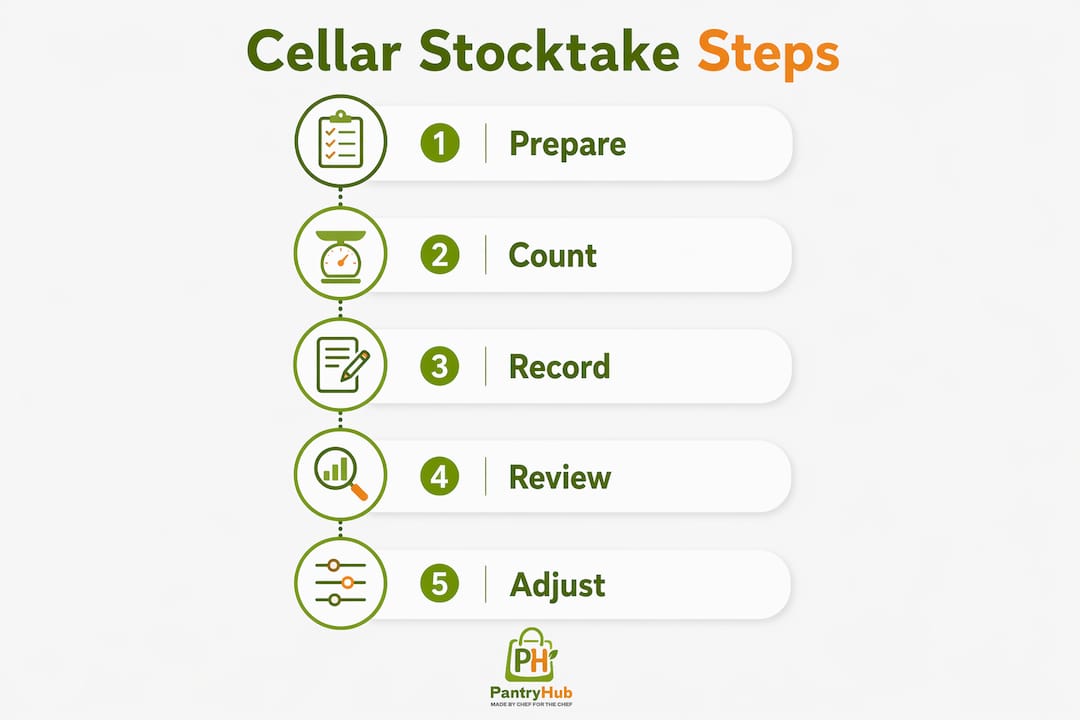
- Prepare the cellar before counting. Rotate all stock to its correct zone. Remove empties from the live stock area. Confirm that all deliveries from the previous 24 hours are logged in the system before you begin.
- Label and organize by product. Group products by category: draught, packaged beer, spirits, wine, soft drinks. Count one category at a time to avoid skipping items.
- Count in consistent units. Record kegs as kegs, bottles as bottles, and cases as cases. Never convert units mid-count. Partial kegs should be estimated as a fraction (0.5, 0.25) and noted separately.
- Record counts immediately. Write results directly onto a count sheet or into your inventory app as you go. Relying on memory and entering figures later introduces errors.
- Reconcile with sales data. Compare your physical count against the opening stock plus deliveries minus recorded sales. The difference is your variance. Investigate any variance above your acceptable threshold before the next trading period.
- Document and act. Record the variance, its likely cause, and any corrective action taken. A pattern of unexplained variances on the same product points to a specific problem: a faulty line, a training gap, or a theft issue.
The bar stocktake guide from Pantryhub covers this process in detail for Australian venues, including how to handle split deliveries and partial kegs during reconciliation.
How do you manage waste and losses in the cellar?
Waste is the gap between what you buy and what you sell at full price. Every pub has some waste. The goal is to measure it, understand it, and reduce it to an acceptable level. Ullage losses from spillage, line cleaning, and over-pouring are a significant contributor to beer wastage, and each pint lost directly reduces your margin.
The main sources of cellar waste are:
- Spillage and over-pouring: Train staff on correct pour technique and use drip trays consistently. Track spillage records by shift to identify patterns.
- Line contamination: Dirty beer lines produce off-tasting product that gets discarded. Daily checks and regular line cleaning prevent costly product loss and protect quality.
- Temperature failure: Cellar temperature between 11°C and 13°C is the standard for preserving beer quality. A temperature spike overnight can ruin a full keg before it reaches the bar.
- Gas pressure errors: Incorrect CO2 or mixed gas pressure causes excessive fobbing, which wastes product and frustrates bar staff. Check pressure settings whenever a new keg is connected.
- Over-ordering: Stock that sits too long deteriorates or passes its best-before date. Match order quantities to actual sales velocity, not to supplier minimums.
Use your variance data to pinpoint where losses are occurring. If your system shows 50 liters sold but your keg usage suggests 60 liters consumed, the 10-liter gap is your investigation target.
Pro Tip: Keep dead stock physically separated and clearly labeled "do not use." Mixing live and dead stock is a major operational failure that increases errors and can result in serving product that should have been returned.
What technology tools support cellar stock management?
Digital tools have replaced spreadsheets as the standard for serious cellar operations. Choosing software that integrates deliveries, sales, and waste tracking reduces human error and gives managers the data they need to make fast, accurate decisions. Automation handles the counting math; your team focuses on service.
The table below compares feature categories across different types of cellar management technology:
| Feature category | Basic digital tools | Integrated platforms |
|---|---|---|
| Stock count recording | Manual entry via app | Barcode scan or auto-deduction from EPOS |
| Variance detection | Manual comparison | Automated alerts on threshold breach |
| Ordering | Separate process | Triggered by low-stock alerts |
| Reporting | Basic export | Real-time dashboards and trend analysis |
| Multi-location support | Single site | Centralized view across all venues |
Integrated platforms that connect your EPOS, supplier ordering, and cellar counts give you a single source of truth for every shift. Mobile stock management tools extend that capability to the cellar floor, so staff can log deliveries and counts without returning to a back-office terminal.
Key Takeaways
Effective pub cellar stock management requires organized physical zones, integrated data systems, and consistent stocktaking routines to protect margins and reduce waste.
| Point | Details |
|---|---|
| Zone your cellar clearly | Separate active kegs, buffer stock, cask ale, packaged goods, and dead stock to prevent errors. |
| Integrate EPOS with inventory | Connected systems flag variances instantly and eliminate 90-minute reconciliation delays. |
| Stocktake consistently | Use fixed units, count by category, and reconcile against sales data every time. |
| Control waste at the source | Monitor temperature, gas pressure, line cleanliness, and spillage records by shift. |
| Use integrated software | Platforms that combine ordering, sales, and stock tracking reduce errors and speed decisions. |
The cellar discipline most pubs underestimate
Most pub managers I talk to focus their energy on the bar floor and treat the cellar as a secondary concern. That is the wrong priority. The cellar is where your cost of goods is determined before a single transaction happens. A bar team that pours perfectly cannot recover the margin lost to a poorly managed cellar.
The single biggest mistake I see is running the cellar on institutional memory rather than documented systems. One experienced cellar manager leaves, and suddenly nobody knows the par levels, the rotation schedule, or which kegs are connected to which lines. That knowledge needs to live in a system, not in someone's head.
Staff training is the other underrated factor. Most cellar errors, from wrong gas pressure to mixed-up stock zones, come from staff who were never properly shown the correct process. A 30-minute cellar induction for every new team member, with a written checklist to follow, prevents the majority of recurring issues I see in pub operations.
The technology adoption curve in this industry is real but manageable. Pubs that move from spreadsheets to integrated pub inventory tracking platforms consistently report faster stocktakes, fewer ordering errors, and better visibility into waste. The barrier is usually habit, not cost or complexity. Start with one integrated system, train your team properly, and the results follow.
— Admin
How Pantryhub helps you manage cellar stock with confidence
Running a tight cellar operation means having the right data at the right time, and Pantryhub delivers exactly that for Australian pubs and bars.

Pantryhub connects your supplier ordering, stock counts, and sales data into one platform so variances surface immediately rather than at the end of a long reconciliation session. Low-stock alerts tell you when a product needs reordering before you run out mid-service. The mobile-first design means your team can log deliveries and run counts from the cellar floor without leaving the work area. Whether you manage one venue or several, Pantryhub gives you real-time visibility across your entire operation. See how hospitality inventory software from Pantryhub can tighten your cellar controls and protect your margins.
FAQ
What is pub cellar stock management?
Pub cellar stock management is the practice of organizing, tracking, and controlling beverage inventory in a pub cellar to minimize waste and maximize profitability. It covers physical layout, stock rotation, stocktaking, and integration with sales data.
How often should a pub do a cellar stocktake?
Most pubs run a full stocktake weekly or fortnightly, with spot checks on high-value lines between full counts. Consistency in method matters more than frequency.
What temperature should a pub cellar be kept at?
Cellar temperature should be maintained between 11°C and 13°C to preserve beer quality and reduce waste. Temperature checks should be part of a daily cellar routine.
How does EPOS integration improve cellar management?
Connecting your EPOS system to your cellar inventory allows every sale to automatically reduce your stock count in real time. This eliminates manual reconciliation delays and flags variances as they occur rather than days later.
What causes the most waste in a pub cellar?
The main sources of cellar waste are spillage, line contamination, temperature failures, incorrect gas pressure, and over-ordering. Tracking variance data by product and shift helps identify which source is driving the most loss.