

Seasonal menu stock management is the practice of aligning ingredient procurement, storage, and rotation with the natural availability cycles of produce and proteins to maintain freshness and control costs. Restaurant and café managers who manage seasonal menu stock well operate with a clear advantage: lower food waste, tighter margins, and menus that actually reflect what's in season. The industry standard calls for balancing 70% fixed core items with 30% seasonal rotations, giving kitchens stability without sacrificing variety. Getting this balance right requires planning, data, and the right systems working together.
What factors determine effective seasonal inventory planning?
Seasonal inventory management starts with understanding agricultural cycles, not just your menu calendar. Produce availability shifts by region and year, so managers who rely on a fixed annual schedule without checking current supplier lead times will get caught short. Building relationships with multiple suppliers gives you pricing leverage and a backup when a primary source runs dry.
Historical sales data is the most underused planning tool in most kitchens. Using 12–24 months of invoice data to model price volatility and peak availability prevents the hidden margin erosion that kills profitability on seasonal dishes. A dish priced in july based on summer berry costs will bleed money if you reprice it in october without checking what those same berries cost at that time last year.

Lead time is the factor most managers underestimate. Starting menu development 4–6 weeks before launch gives your team enough runway for recipe testing, cost analysis, and staff training. Rushing this window compresses every downstream task and increases the chance of ordering errors.
Key planning inputs every manager should track:
- Regional produce calendars tied to your actual suppliers, not generic national guides
- Supplier lead times for specialty or imported seasonal items, updated each quarter
- Historical invoice data covering at least two full seasonal cycles
- Menu profitability models that factor in price volatility for each seasonal ingredient
- Staff training timelines aligned to the menu launch date, not added as an afterthought
Pro Tip: Build a simple spreadsheet that maps each seasonal ingredient to its peak availability window, your primary supplier, a backup supplier, and last year's average cost. Update it quarterly. This single document will save hours of scrambling before every menu change.
How can restaurants reduce waste during seasonal menu transitions?
The transition window between menus is where food waste risk peaks. Failing to plan for leftover seasonal stock right after a menu launch is the most common and costly mistake kitchen managers make. Ingredients ordered for the outgoing menu sit in the walk-in while the new menu demands different stock entirely.
Cross-utilization is the most practical defense against transition waste. Using seasonal ingredients across appetizers, mains, and desserts maximizes the return on every specialized purchase and reduces the volume of leftover stock at changeover. A summer stone fruit that anchors a dessert can also appear in a salad dressing or a glazed protein dish, cutting your exposure significantly.
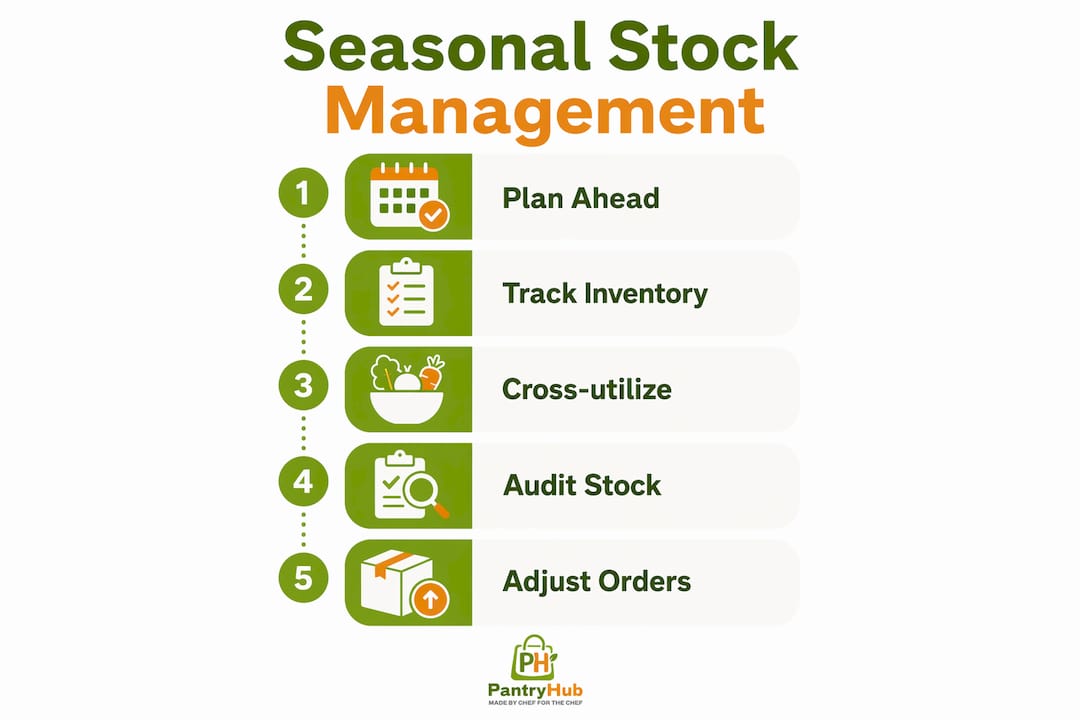
The 7–10 days before a new menu launches are critical. Run a proactive drawdown of expiring ingredients through staff meals, daily specials, or preservation methods like pickling and dehydrating. These approaches recover value from stock that would otherwise be discarded.
A practical transition sequence for managers:
- Audit current stock against the outgoing menu 10 days before launch and flag any items with less than two weeks of shelf life remaining.
- Cross-reference with the incoming menu to identify ingredients that carry over and those that do not.
- Schedule staff meals and specials using non-carry-over ingredients for the final week of the old menu.
- Apply preservation methods (pickling, dehydrating, freezing) to high-value items that cannot be sold in time.
- Run a 48-hour parallel menu period on launch day to catch sequencing errors and allow both menus to coexist briefly while the kitchen adjusts.
A 48-hour parallel availability window during rollout catches POS sequencing and costing errors before they affect live revenue. This is especially valuable on the first automated rollout; subsequent transitions can compress the overlap as the team builds confidence.
Pro Tip: Assign one team member to own the transition stock audit. When everyone is responsible, no one is. A single point of accountability for drawdown planning prevents ingredients from quietly expiring in the back of the fridge.
What tools support seasonal menu stock management?
Technology closes the gap between what managers plan and what actually happens in the kitchen. The core problem in most operations is disconnected data: the POS system shows one thing, the purchase orders reflect another, and the walk-in tells a third story. A centralized "single source of truth" for menu specifications, including SKUs, allergen information, and prep notes, synchronizes all three and eliminates the manual reconciliation that causes ordering errors.
Ingredient-level tracking is the feature that separates effective seasonal stock control from guesswork. Manual methods struggle to keep pace with the demand fluctuations that come with seasonal menus. Automated tracking at the ingredient level gives managers real-time visibility into what is being consumed, what is sitting idle, and when to reorder.
Key technology features that support seasonal inventory management:
- Ingredient-level stock tracking that updates in real time as dishes are prepared and sold
- Low-stock alerts tied to par levels set for each seasonal ingredient
- Purchase order automation that generates supplier orders based on current stock and forecasted demand
- POS integration that syncs menu changes across the system without manual re-entry
- Historical usage analytics that surface consumption patterns across previous seasonal cycles
- Multi-location visibility for groups managing stock across more than one site
| Feature | Operational benefit |
|---|---|
| Ingredient-level tracking | Catches waste and overuse before they compound |
| Low-stock alerts | Prevents stockouts on high-demand seasonal items |
| Purchase order automation | Reduces manual ordering errors and saves time |
| POS sync | Keeps menu data consistent across front and back of house |
| Usage analytics | Improves forecasting accuracy for the next seasonal cycle |
Pantryhub is built specifically for this workflow. Its platform connects stock tracking, supplier ordering, and reporting in one place, giving managers the visibility they need to run seasonal menus without the spreadsheet chaos. Managers running multiple locations can check multi-location stock levels from a single dashboard, which removes the guesswork from consolidated ordering.
What common challenges arise with seasonal stock and how do you fix them?
Disconnected systems cause the majority of seasonal ordering errors. When the POS, the inventory system, and the supplier portal do not share data, managers make decisions based on incomplete information. The fix is integration, not more manual checking.
Inaccurate demand forecasting is the second most common problem. Managers who set par levels based on gut feel rather than historical data consistently over-order at the start of a season and under-order at peak. Reviewing at least two years of sales data before setting seasonal par levels corrects this pattern.
Ignoring the margin impact of seasonal price volatility is where most profitability problems begin. A dish that earns strong margins in september can become a loss leader by november if ingredient costs rise and the menu price stays fixed. Pre-launch profitability modeling using supplier invoice history is the only reliable way to catch this before it hits the bottom line.
Common challenges and their fixes:
- Misaligned supplier data: Standardize SKUs and product codes across your ordering system and supplier catalogs before the season starts.
- Over-ordering at launch: Set conservative par levels for the first two weeks, then adjust upward based on actual sales velocity.
- Staff confusion about new items: Train the team at least one week before launch and give them tasting opportunities so they can describe dishes confidently.
- Storage capacity mismatches: Map your cold and dry storage capacity against the incoming seasonal ingredient list before placing the first order.
- Waste from poor rotation: Apply FIFO (first in, first out) discipline rigorously during transition periods, and use a kitchen inventory checklist to keep rotation visible and accountable.
Early and frequent communication with staff about seasonal menu changes directly increases sales and reduces operational confusion. Staff who understand a dish sell it. Staff who learned about it the morning of launch do not.
Key Takeaways
Effective seasonal menu stock management requires early planning, ingredient-level tracking, and a clear transition strategy to minimize waste and protect margins.
| Point | Details |
|---|---|
| Plan 4–6 weeks ahead | Start recipe testing, cost analysis, and supplier outreach well before launch. |
| Use historical invoice data | Review 12–24 months of supplier data to model price volatility and set accurate par levels. |
| Cross-utilize seasonal ingredients | Build dishes across multiple menu sections using the same seasonal items to reduce leftover stock. |
| Run a parallel menu window | Allow 48 hours of overlap at rollout to catch POS and costing errors before they affect revenue. |
| Centralize your data | A single source of truth for SKUs, allergens, and prep notes prevents ordering errors and operational friction. |
What I've learned from seasonal menu cycles that most guides skip
Most articles on seasonal menu planning focus on the glamorous part: sourcing beautiful produce, writing creative dishes, and refreshing the menu aesthetic. The unglamorous part is where the real work happens, and it is where most operations lose money.
The biggest lesson I've taken from watching kitchens manage seasonal transitions is that the problem is almost never the menu itself. It is the gap between when the decision to change the menu is made and when the operational systems catch up. Managers announce a new menu, the kitchen starts cooking it, and the inventory system is still tracking the old one. That gap costs real money every time.
Centralized data is not a technology luxury. It is the operational baseline that makes everything else possible. When your stock levels, purchase orders, and POS all reflect the same reality, you can make confident decisions. When they do not, you are managing by assumption.
Staff buy-in is the other variable that gets underweighted. A team that understands why the menu is changing, what the new dishes taste like, and how to talk about them with customers is a genuine competitive asset. A team that finds out about the new menu from the printed copy on the pass is a liability. The investment in a proper pre-launch briefing and tasting pays back immediately in table-side confidence and upsell performance.
The managers who handle seasonal transitions best are the ones who treat the transition itself as a project with a timeline, an owner, and a checklist. Not a vibe. Not a rough plan. A documented process that gets tighter with every cycle.
— Admin
How Pantryhub supports seasonal menu stock control
Running seasonal menus well requires more than good intentions. It requires systems that keep your stock data accurate, your supplier orders timely, and your team informed without adding hours of manual work to every transition.

Pantryhub's hospitality inventory software gives restaurant and café managers ingredient-level tracking, automated purchase orders, low-stock alerts, and POS integration in one platform. Whether you are managing a single café through a summer menu change or coordinating a seasonal rollout across multiple locations, Pantryhub keeps your stock data current and your ordering accurate. Managers who want to see whether their kitchen shows the signs of needing better inventory control can start with 7 signs your kitchen needs inventory software before committing to a full platform review.
FAQ
What does seasonal menu stock management mean?
Seasonal menu stock management is the process of planning, procuring, tracking, and rotating ingredients that align with seasonal availability to maintain freshness and control food costs. It includes demand forecasting, supplier coordination, and transition planning between menu cycles.
How far in advance should I plan a seasonal menu?
Start development 4–6 weeks before launch. This timeline covers recipe testing, cost analysis, supplier lead times, and staff training without compressing any critical step.
How do I reduce waste when switching seasonal menus?
Run a stock audit 10 days before launch, cross-utilize outgoing ingredients across multiple dishes and staff meals, apply preservation methods to high-value items, and run a 48-hour parallel menu window to smooth the transition.
What is the biggest mistake managers make with seasonal stock?
The most common mistake is over-ordering during the transition window right after a new menu launches, leaving large volumes of outgoing ingredients with no outlet. Planning a proactive drawdown in the final week of the old menu prevents this.
What technology features matter most for seasonal inventory control?
Ingredient-level tracking, low-stock alerts, purchase order automation, and POS integration are the four features that most directly reduce waste and ordering errors during seasonal menu cycles.