
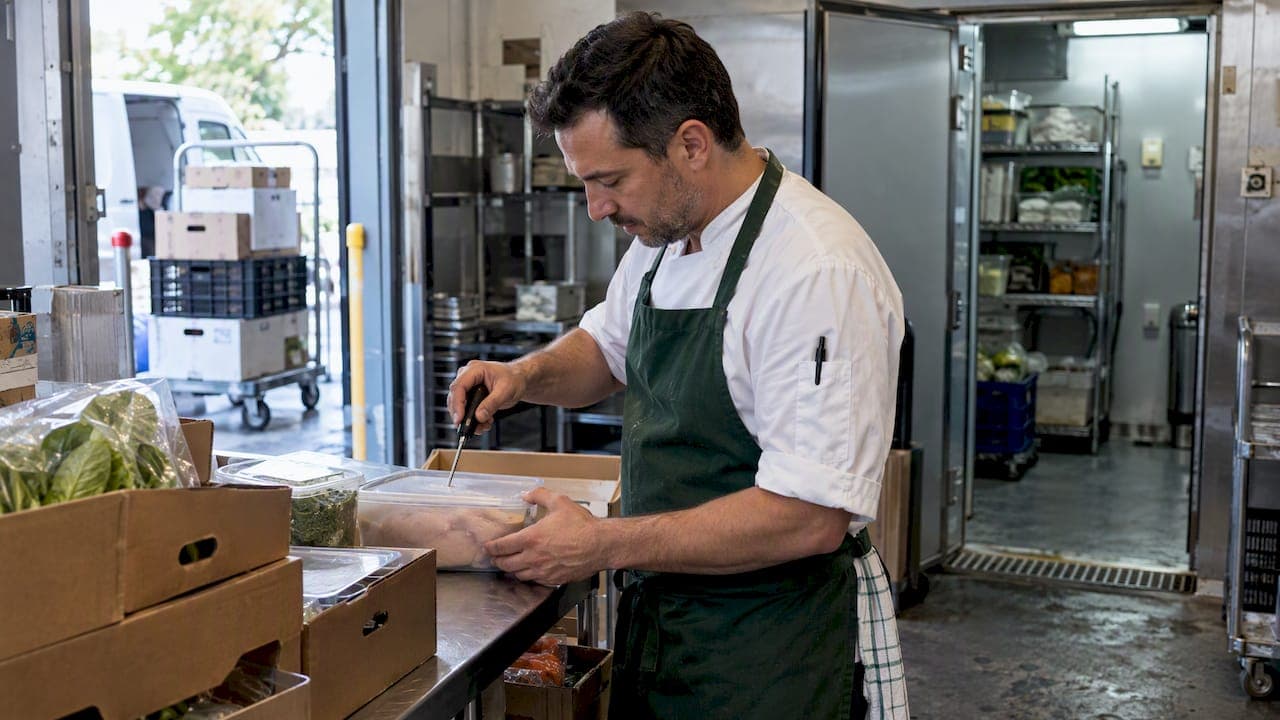
The fastest way to cut waste and stockouts in a ghost kitchen is to pair disciplined receiving and FIFO routines with real-time stock visibility and demand-aware ordering. Get those three things right and most of the chaos that plagues multi-brand kitchens disappears. There are inventory platforms operators use to put this system in place. The checklist and templates below show exactly how to set it up.
TL;DR:
- Proper tagging of SKUs by brand and use is essential to track profitability accurately in multi-brand ghost kitchens.
- Implementing routine receiving checks, FIFO storage, and daily cycle counts on high-turnover SKUs reduces waste and improves stock accuracy.
- Automating real-time stock levels and expiry alerts supports demand-aware reordering, but quality inspections require manual judgment.
- Maintaining a small buffer stock and backup suppliers helps mitigate supply chain disruptions and prevent stockouts during emergencies.
- Consistent staff training on inventory procedures and accountability significantly decreases errors and food waste in fast-paced ghost kitchen environments.
Table of Contents
- Key inventory challenges unique to ghost and cloud kitchens
- Practical controls and workflows that reduce waste and stockouts
- Tools and technology: what to automate and what to keep manual
- Inventory processes and templates to cut food waste
- 7-step actionable setup checklist for a ghost-kitchen inventory system
- Best practices for emergency stock management and dealing with supply chain disruptions
- Training staff on inventory handling and accountability procedures
- Cost control and budgeting strategies related to inventory management in ghost kitchens
- Common fixes that move the needle fastest
- PantryHub: trial, pricing, and how it helps
- FAQ
- Sources
Key inventory challenges unique to ghost and cloud kitchens
Running two, five, or ten virtual brands out of one kitchen multiplies every inventory problem a normal restaurant has. The same chicken thigh might feed three different menus under three different brand names, and if you're not tagging it by cost centre, you have no idea which brand is actually profitable.
Storage space doesn't grow with your brand count. Most ghost kitchens operate in compact, shared facilities, so when orders spike during a lunch or dinner rush, walk-in shelves and dry stores fill up fast, and overflow stock gets shoved wherever it fits. That's how items get missed during counts and left to spoil in a corner.
Receiving is where a lot of this goes wrong first; choosing the right couriers with proper cold-chain handling can prevent spoilage at this stage, as detailed in Australia's ultimate guide to couriers for your business. A missed temperature check or a rushed quality inspection at the door can let compromised stock into service, creating both waste and food-safety exposure.
- Multi-brand SKU overlap makes cost tracking and true margin visibility difficult without clear tagging.
- Limited storage density forces trade-offs between buying in bulk and buying what actually fits.
- Peak-period turnover strains manual counting systems that work fine at low volume.
- Receiving and cold-chain failures are a leading cause of spoilage, according to industry food-waste research.
Practical controls and workflows that reduce waste and stockouts
Most waste and stockout problems trace back to weak routines, not bad luck. Build these four systems and you fix the majority of it.
- Receiving SOP: check every delivery against the purchase order, inspect for quality, log temperatures at the dock, and quarantine anything that fails the check rather than shelving it anyway. This mirrors the standard laid out in SITXINV006, the national unit covering stock receiving and rotation.
- Labeling and FIFO/FEFO: label every item with its received date and expiry, store older stock in front, and zone your storage so each brand's ingredients have a consistent home.
- Cycle counts: count your ten highest-turnover SKUs daily, mid-velocity items two or three times a week, and slow movers weekly. Set pars higher for peak-period staples and lower for anything with inconsistent demand.
- Staff accountability: assign one person per shift as the inventory owner, and have them sign off on counts and discrepancies so problems get traced back to a cause, not shrugged off.
Pro Tip: Run your receiving log and your cycle count on the same clipboard or app screen. When the two live in different places, discrepancies slip through.
Tools and technology: what to automate and what to keep manual
Software earns its place when it removes repetitive counting and manual math, not when it tries to replace a chef's judgment on quality.
- Automate: real-time stock levels, expiry alerts, low-stock triggers, and auto-generated supplier orders.
- Keep manual: quality inspection at receipt, temperature checks, and any decision involving a borderline product.
- Integration priorities: connect your point-of-sale and supplier catalogs so sales data updates stock counts automatically, support mobile counting for staff on the floor, and tag every SKU by brand and cost centre so multi-brand reporting is accurate from day one.
Some inventory platforms handle the automatable half of that list: smart stock tracking, low-stock alerts, supplier ordering, and mobile apps for counts on the move, which fits how many ghost kitchens operate, with staff moving between stations rather than sitting at a desk.
Over 60% of food waste in quick-service kitchens traces back to ordering too much stock, which is exactly the failure point real-time visibility and demand-aware reordering are built to close.
Forecasting tools are useful, but they have limits. No system predicts a supplier shortage or a sudden weather-driven rush, which is why software works best paired with an operator who knows the kitchen's rhythms. For a deeper look at what separates basic tracking from a fuller platform, see this comparison of inventory systems.
Inventory processes and templates to cut food waste
Waste reduction starts with knowing where waste actually happens. Most kitchens lose stock in a handful of predictable places: over-ordering, prep errors, and spoilage from poor storage or temperature control.
- Record waste by category (spoilage, prep error, over-production) at the pass or in back-of-house, not as one vague total.
- Track a small set of KPIs weekly: waste percentage by category, stockout frequency, and order accuracy.
- Run a cold-chain checklist daily: walk-in temperature, door seals, and thermometer calibration.
- Feed waste data back into your par levels. If a SKU keeps showing up in the "over-ordered" column, cut the par.
| Waste category | What to record | Action trigger |
|---|---|---|
| Spoilage | Item, quantity, storage location | Recurs twice in a week: review cold-chain checklist |
| Prep error | Item, quantity, shift | Recurs across shifts: retrain or adjust portioning |
| Over-production | Item, quantity, brand | Three occurrences: lower the par |
Operators using digital inventory tracking paired with FIFO labeling report less spoilage and a lighter record-keeping burden during temperature audits. For step-by-step rotation guidance, see this FEFO expiry tracking method.
7-step actionable setup checklist for a ghost-kitchen inventory system
- Map every SKU and tag it by brand, use, and cost centre so multi-brand reporting is accurate from the start.
- Set par levels for each item and flag your highest-turnover SKUs for daily counts.
- Configure low-stock alerts so reordering happens before you hit zero, not after.
- Build a receiving SOP that includes temperature logs and a quarantine step for anything that fails inspection.
- Start cycle counts with a mobile app on your ten busiest SKUs, then expand to the rest of the pantry over two to three weeks.
- Assign an inventory owner per shift and have them review counts against the system before signing off.
- Review waste data monthly and adjust pars, order sizes, and supplier quantities based on what the numbers show.
This sequence gets the highest-impact fixes in place first, receiving discipline and high-turn SKU visibility, before asking staff to manage the long tail of slow-moving items.
Best practices for emergency stock management and dealing with supply chain disruptions
Supply chains break without warning: a supplier runs out, a delivery truck is late, or a weather event closes a road. The kitchens that recover fastest are the ones that planned for it before it happened.
Keep a short list of substitute ingredients for your highest-volume menu items, agreed with your head chef in advance, so a missing SKU doesn't mean pulling a dish from every brand's menu. Maintain a small buffer stock on your most critical, non-perishable items rather than running every SKU at a razor-thin par. That buffer costs a little in holding space but saves a lot in lost orders.

Build a backup supplier relationship for your top five ingredients by volume, even if you rarely use it. A second phone number can be the difference between a stockout and a same-day substitution. When a shortage does hit, update your pars and ordering quantities immediately rather than waiting for the next scheduled review. A disruption that lasts a week should change your ordering behavior for that week, not get absorbed into business as usual and forgotten.
Finally, communicate shortages to staff and, where relevant, update online ordering platforms the same day. A dish that's quietly out of stock creates more customer frustration than one that's clearly marked unavailable.
Training staff on inventory handling and accountability procedures
Inventory systems fail more often from inconsistent handling than from bad software. Staff need to know not just what to do, but why it matters, because a rushed count or a skipped temperature check rarely feels like a big deal in the moment.
Start with the basics: how to read a label, what FIFO means in practice, and how to log a temperature reading correctly. The national SITXINV006 unit, which covers receiving, storing, and rotating stock, is a useful reference point for structuring this training even outside a formal qualification, since it spells out the specific checks and records expected at each step.
Assign clear ownership. One person per shift should be responsible for counts and discrepancies, with their name attached to the log. This isn't about blame, it's about making sure problems get traced to a cause rather than disappearing into a shared spreadsheet nobody owns.
Run short refreshers, not long sessions. A five-minute walkthrough at the start of a shift about a specific issue, a mislabeled item, a missed temperature check, sticks better than an annual training day. Pair this with spot audits: pick three random SKUs during a shift and check that the count matches the system. Consistent small checks build the habit that daily operations depend on. Mistakes in receiving and storage are two of the most common root causes identified in industry waste research, and most of them trace back to a training gap, not a system failure.

Cost control and budgeting strategies related to inventory management in ghost kitchens
Inventory and food cost are the same conversation in a ghost kitchen, just viewed from different angles. Every dollar of waste or over-ordering shows up directly in your food cost percentage, and in a multi-brand kitchen, it's easy for one brand's inefficiency to quietly drag down the whole operation's margin.
Start by tracking food cost per brand, not just per kitchen. Without that split, a high-margin brand can mask a low-margin one, and you lose the ability to make informed decisions about which concepts deserve more menu development or marketing spend.
Set a waste budget as a percentage of purchases, not just a total dollar figure, so it scales with volume. When a category exceeds that budget two weeks running, that's your trigger to review pars, supplier pricing, or portioning for that item.
Review supplier pricing quarterly rather than assuming your rates stay competitive. Prices shift, and a supplier that was the best option six months ago may not be now. Pair that review with your par-setting process: if a SKU's price jumps, it's worth checking whether you can reduce order frequency or switch pack sizes without hurting availability.
Budget for buffer stock as a deliberate cost, not a leak. A small holding cost on critical items is cheaper than the lost revenue from a stockout during a rush.
Common fixes that move the needle fastest
The biggest wins in ghost kitchen inventory rarely come from a new platform alone. They come from fixing the receiving process and tightening cycle counts on the ten items that actually move. Operators who switch from weekly full counts to daily counts on high-turn SKUs usually see tighter stock accuracy within a couple of weeks, and a cleaner receiving SOP catches the small errors that quietly become big losses.
— Admin
PantryHub: trial, pricing, and how it helps
If the checklist above sounds right but setting it up manually feels like a lot, PantryHub was built for exactly this. Real-time stock visibility, mobile counts, supplier ordering, and expiry alerts all live in one platform, built specifically for hospitality operators managing one kitchen or several brands under one roof.

Plans start with Starter at $39 AUD per month, with Regular at $69 and Pro at $99 for operators who need deeper reporting and multi-location controls. You can also start with the free trial to see how it fits your kitchen before committing. Operators in Perth looking for local support can check PantryHub's Perth page for in-person demonstrations.
FAQ
Why are people against ghost kitchens?
Criticism of ghost kitchens usually centers on concerns about food safety transparency, labor conditions, and the lack of a physical storefront customers can walk into with questions. These concerns are operational and regulatory rather than inherent to the model, and strong receiving, storage, and record-keeping practices, the same ones covered in SITXINV006, directly address the food-safety side.
How much does it cost for a ghost kitchen?
Startup and running costs for a ghost kitchen vary widely depending on location, equipment, and whether you're launching one brand or several, and no single figure applies across the board. Inventory software is a smaller, predictable cost: PantryHub's plans range from $39 to $99 AUD per month, depending on features and venue count.
What is a ghost kitchen concept?
A ghost kitchen concept is a food brand that exists only for delivery or pickup, with no dine-in space, often operating alongside other brands out of a shared commercial kitchen. The model lets operators test multiple menu ideas or cuisines from one physical location while managing shared inventory across them.
How much can you make from a ghost kitchen?
Earnings from a ghost kitchen depend on factors like menu pricing, order volume, delivery platform fees, and how tightly food costs are controlled, so there's no universal figure to point to. Tightening inventory practices, accurate pars, disciplined receiving, and waste tracking, is one of the more direct ways to protect margin regardless of revenue scale.
How often should a ghost kitchen do a full stock count?
High-turnover items should be counted daily, mid-velocity items a few times a week, and slow-moving SKUs weekly, rather than relying on one infrequent full count. This cadence, outlined in the setup checklist above, catches discrepancies while they're still small and easy to trace.
Sources
- R&CA fact sheet: Venue managers — optimised inventory management
- SITXINV006 Receive, store and maintain stock — National Training Register
- EFWCRC Industry summary report — food waste hotspots in QSRs (May 2026)