

Dead stock is inventory that sits unsold in your kitchen or storeroom long enough to tie up cash and risk spoilage. It's defined operationally as anything with no sales in 90 or more days, or with weeks cover above 52 weeks. The immediate harm is simple: it locks up cash that should be funding tomorrow's orders, and every extra week on the shelf adds waste and carrying cost.
The one thing to do right now: during your next full stocktake, flag every SKU that meets an ageing rule.
- No sales recorded in 90+ days
- Weeks of cover above 52 weeks
- A sales trend that's been declining for eight or more straight weeks
Key Takeaways
Dead stock forms when poor forecasting, bulk buying, and manual tracking let inventory sit past 90 days or above 52 weeks cover, and recovering it works best through a prioritized sequence of promotions, bundling, and resale before liquidation.
| Point | Details |
|---|---|
| Flag ageing SKUs fast | Use the 90-day, 52-week-cover, or 8-week-decline rule during every stocktake. |
| Calculate carrying cost | Multiply shelf value by your carrying-cost rate and days aged to see the real monthly hit. |
| Clear by recovery order | Try chef specials and bundling first, save liquidation and donation for last. |
| Prevent with par levels and FIFO | Smaller test orders and enforced rotation stop new dead stock from forming. |
| Track KPIs weekly | Watch sell-through, weeks cover, and turnover instead of waiting for a quarterly surprise. |
| Use connected software | Pantryhub's ageing alerts and supplier integration catch slow movers before they become write-offs. |
Table of Contents
- What Counts as Dead Stock in a Restaurant or Bar?
- How Much Is Dead Stock Really Costing You?
- How Do You Calculate the Cost of Dead Stock?
- Why Does Dead Stock Keep Building Up?
- How Do You Stop Dead Stock From Forming?
- What's the Best Way to Clear Existing Dead Stock?
- Which Software Features Actually Prevent Dead Stock?
- What Should You Do in the Next 30 and 90 Days?
- What Actually Drives Dead Stock in Most Kitchens?
- How Pantryhub Helps You Stay Ahead of Dead Stock
- Sources
What Counts as Dead Stock in a Restaurant or Bar?
Not every slow item is dead stock, and treating them the same wastes effort. Three tiers matter here, and each calls for a different response.
Slow-moving stock still sells, just below your target pace. Dead stock has stopped selling entirely and shows little chance of recovery. Obsolete stock is dead stock tied to something gone for good, a discontinued menu item, a delisted spirit, equipment for a dish you dropped last quarter. Canopy's combined rule flags a SKU as dead when it hits any one of three conditions: no sale in 90+ days, weeks cover over 52, or eight-plus consecutive weeks of declining velocity. Using all three together cuts down false positives, since a single slow week doesn't mean an item is finished.
Here's how it plays out on the floor:
- Perishable ingredient: a specialty cheese ordered for a dish that got cut from the menu, now aging past its use-by date in the walk-in.
- Seasonal garnish: fresh cranberries bought for a winter cocktail, forgotten once the season card changed.
- Unopened liquor variety: a niche amaro that one guest asked about once, now collecting dust behind the bar.
- Equipment: a sous vide unit bought for a tasting menu that never launched.
For accounting purposes, once an item is confirmed unsellable, write it off rather than let it inflate your on-paper inventory value. Carrying it on the books longer than it's worth distorts your food cost percentage and hides the real problem.
How Much Is Dead Stock Really Costing You?
Every dollar of dead stock keeps costing you money long after you stopped expecting to sell it. Carrying cost is the combined weight of storage space, the capital you can't redeploy, spoilage risk, insurance, and the labor to handle and recount it every stocktake.
Industry estimates put annual carrying cost at 20% to 30% of inventory value, meaning $10,000 in dead stock can cost you $2,000 to $3,000 a year just sitting there.
Break that down monthly and it's roughly $167 to $250 a month on that same $10,000, money spent for zero return. The components stack up fast:
- Storage: shelf, fridge, or freezer space that could hold inventory you'll actually sell.
- Capital cost: cash frozen in unsold product instead of funding next week's order.
- Spoilage: perishables that degrade toward a total loss the longer they sit.
- Insurance and handling: every count, recount, and reshelve adds labor cost.
Beyond the dollar figure, dead stock distorts forecasting. Old items skew your sales-mix data, making it harder to see what's actually moving, and they eat into flexibility when you need storage space for a fast-selling special.
How Do You Calculate the Cost of Dead Stock?
A simple formula turns "we have some old stock" into a number you can act on:
Shelf value × carrying-cost percentage × (days aging ÷ 365) = monthly carrying cost
Say you're holding $600 worth of a specialty cheese that's been sitting for 45 days, and you use a 25% carrying-cost rate. That's $600 × 0.25 × (45 ÷ 365), or roughly $18.50 in cost so far, climbing every extra day it stays unsold. Run the same math on a $900 case of an unopened liquor variety aged 120 days and you're looking at close to $74 in accumulated carrying cost.
| Metric | What it tells you | Watch for |
|---|---|---|
| Sell-through rate | Percentage of stock sold within a set period | Below target signals a slow mover |
| Weeks of cover | How many weeks current stock will last at recent sales pace | Above 52 weeks flags dead stock |
| Inventory turnover | How often stock is fully sold and replaced per year | A falling trend means SKUs are aging |
Pro Tip: Run this calculation on your five oldest SKUs every stocktake, not just the ones that look obviously stale. The slow creep is usually worse than the obvious offender.
Why Does Dead Stock Keep Building Up?
Dead stock rarely comes from one bad decision. It's usually a pattern, and poor forecasting sits at the root of most cases.
- The bulk-buy trap: a supplier discount on a case of 24 looks great until you calculate total cost of ownership, the storage, spoilage risk, and tied-up capital that often erase the savings.
- Menu complexity: too many SKUs supporting too few dishes means slow ingredients cannibalize shelf space that faster movers need.
- Manual tracking: spreadsheets and paper counts miss the early warning signs that an item's velocity is slipping.
- Poor communication: kitchen and bar teams ordering without visibility into what's already in the storeroom.
- Rotation failures: newer stock placed in front of older stock, so the oldest items never get pulled first.
- Seasonality and supplier changes: a discontinued product line or a swapped distributor can strand stock that was moving fine a month earlier.
Every one of these traces back to the same gap: nobody had a clear, current picture of what was on the shelf and how fast it was moving.
How Do You Stop Dead Stock From Forming?
Fixing dead stock works best as a sequence, not a scramble. Tackle it in this order.
Do this week:
- Run a full stocktake and flag every SKU meeting the ageing criteria.
- Pause reorders on anything flagged until you've decided its fate.
- Set an ageing alert threshold (90 days no sale, or 52+ weeks cover) so the next slow mover doesn't sneak past you.
Do this month: 4. Enforce FIFO (first in, first out) on every shelf, fridge, and back-bar location. 5. Set par levels for your top 20% of SKUs by spend, the ones doing the most damage if they sit. 6. Trial smaller order batches on anything with unpredictable demand, even if the per-unit cost rises slightly. 7. Run an ABC analysis, ranking SKUs by dollar impact so your attention goes where the money actually is.
Do this quarter: 8. Connect sales data directly to purchasing decisions so reorders reflect what's actually moving. 9. Review turnover, sell-through, and weeks-cover KPIs weekly, not just at month-end. 10. Assign clear ownership: one person signs off on any order above a set dollar threshold, and SOPs cover what happens when a SKU gets flagged.
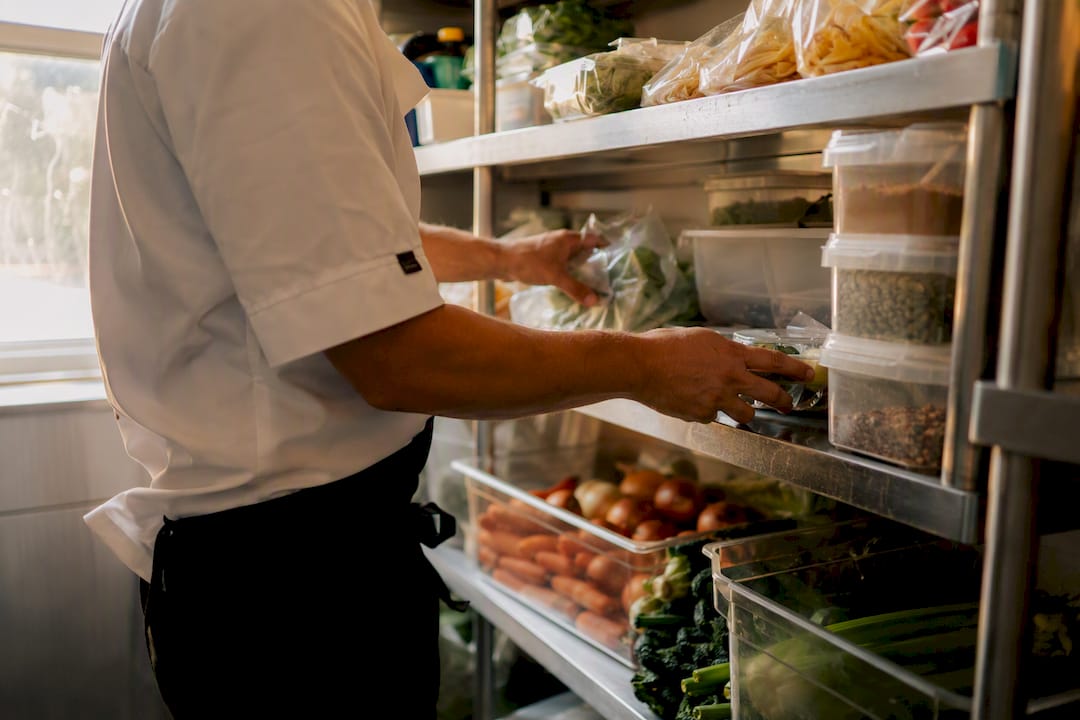
Pro Tip: Smaller, more frequent orders almost always beat bulk discounts for anything with inconsistent demand. The cash you free up by not overbuying usually outweighs the per-unit savings.
What's the Best Way to Clear Existing Dead Stock?
Once you've flagged the aging SKUs, the goal shifts from prevention to recovery. A practical sequence runs from highest-value tactics to last resorts, and the order matters because each step down trades recovery percentage for speed.
- Chef specials and targeted promotions built around the item usually preserve the most value and carry the least brand risk, since guests see a creative dish rather than a clearance sale.
- Bundling with a best-seller moves inventory without the deep discounting that trains regulars to wait for markdowns.
- B2B marketplaces and peer-to-peer resale platforms let you offload unopened stock to other operators, useful for liquor and packaged goods you can't repurpose on your own menu.
- Supplier returns and credits work when your distributor allows it, worth a phone call before you write anything off.
- Liquidation and donation are last resorts, but donating usable surplus through a food rescue or sustainability program beats a dumpster, both for your books and your community standing.
Which Software Features Actually Prevent Dead Stock?
Manual tracking catches dead stock after it's already dead. Software that connects sales to purchasing catches it while it's still slow moving, which is the difference between a write-off and a rescue.
The capabilities that matter:
- Real-time visibility across every location, so nobody's guessing what's in the walk-in.
- Ageing alerts that flag a SKU the moment it crosses your 90-day or 52-week threshold.
- Purchase order workflows that stop a reorder from going out on something already flagged.
- Recipe-level usage tracking that ties ingredient depletion to actual dishes sold, exposing slow movers fast.
- Multi-site sync for groups running more than one venue, so stock doesn't pile up in one location while another runs short.
Connected inventory systems reduce waste compared with manual tracking, largely because they surface problems while there's still time to act. PantryHub was built with exactly this gap in mind, giving operators the ageing alerts and supplier integration that manual spreadsheets simply can't match at scale.
Pro Tip: If you're spending more than an hour a week manually reconciling stock counts, that's usually the signal it's time to look at software instead of another spreadsheet template.
Software pays for itself fastest in kitchens with multiple locations or high SKU counts, where manual tracking breaks down first. A single small café with a tight menu may get by longer on disciplined manual counts.
What Should You Do in the Next 30 and 90 Days?
Next 30 days:
- Complete a full stocktake and flag every SKU meeting ageing criteria.
- Run your highest-recovery clearance tactic on the top five flagged items.
- Assign one owner for dead-stock decisions going forward.
Next 90 days: 4. Deploy par levels across your top SKUs by spend. 5. Shift to smaller test orders for anything with unpredictable demand. 6. Turn on automated ageing alerts and start weekly KPI reviews. 7. Book supplier conversations about return policies and set clearance deadlines for anything still unsold.
What Actually Drives Dead Stock in Most Kitchens?
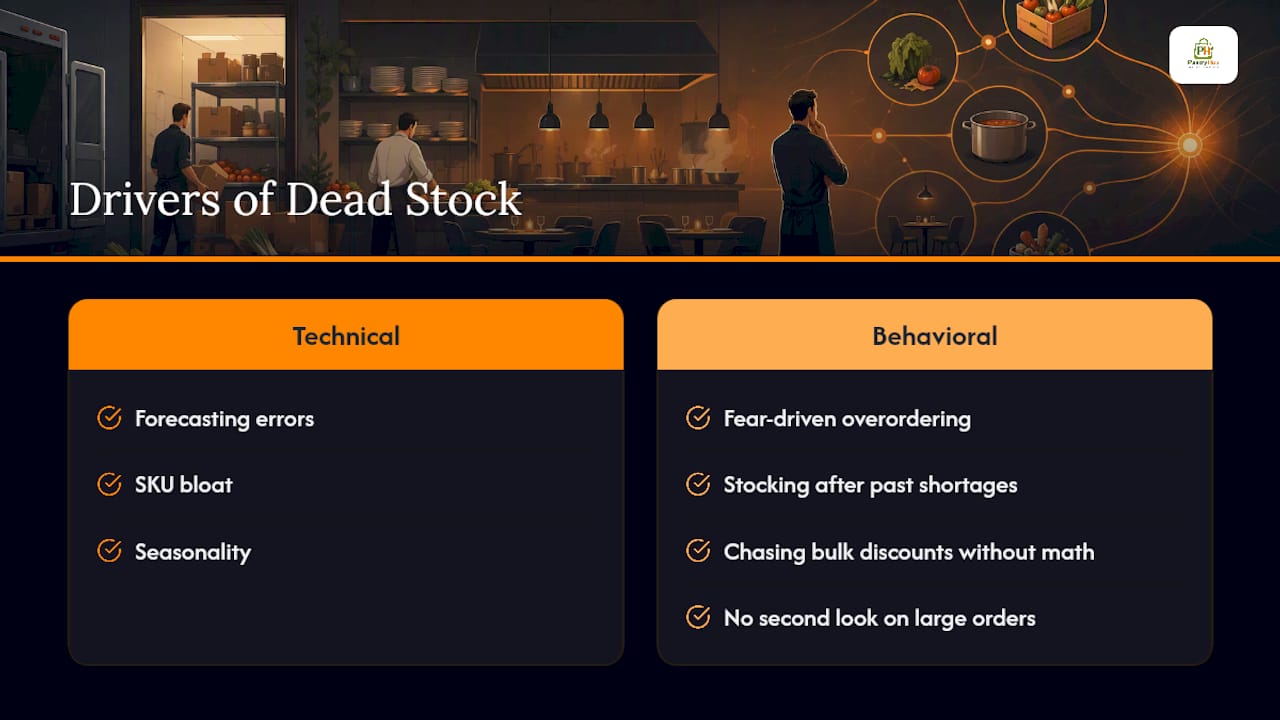
The technical causes get discussed constantly, forecasting errors, SKU bloat, seasonality. What gets talked about far less is the culture behind the buying decision. Fear-driven overordering, stocking up because a shortage hurt once before, and chasing bulk discounts without running the real math are behavioral habits, not spreadsheet problems.
Fixing that starts with leadership treating every large order as a decision that needs a second look, not a reflex. Inventory control works best as a habit revisited weekly, not a fire drill run once a quarter.
— Admin
How Pantryhub Helps You Stay Ahead of Dead Stock
Pantryhub gives you the one thing manual tracking can't: a live view of your stock before it turns into a write-off. Every prevention tactic in this guide, ageing alerts, par levels, FIFO discipline, smaller test orders, maps directly onto features built into the platform.

Real-time tracking flags a slow-moving SKU the moment it crosses your ageing threshold, not after a stocktake three weeks later. Supplier integration means reorders stop automatically on flagged items instead of quietly compounding the problem, and multi-location sync keeps every venue in a group working off the same numbers. If you're running a bar program, the bar inventory software tracks pour cost and liquor case aging specifically, so slow-moving bottles get caught early. For a broader kitchen operation, the hospitality inventory platform covers stock tracking, ordering, and reporting in one place. Start a free trial and run your next stocktake with real visibility instead of a spreadsheet guess.
Sources
- What Is Dead Stock? (Shopify)
- Dead Stock Clearance: 8 Strategies to Recover Cash from Unsold Inventory
- What Causes Dead Stock & How to Get Rid of It | Brightpearl