

A stock count sheet is a printed or digital document used during physical inventory audits to record the actual quantity of each item on hand and compare it against system records to identify variances. For restaurant and café managers, this tool is the foundation of accurate inventory counting and waste control. Without it, discrepancies from spoilage, theft, or ordering errors go undetected until they hit your bottom line. A well-designed sheet captures SKU, product name, location, expected quantity, counted quantity, variance, and notes, giving your team a clear, repeatable process every count cycle.
What is a stock count sheet and why does it matter?
A stock count sheet is a structured document used during physical inventory audits to record actual on-hand quantities compared against system records to identify variances. The industry term for this process is a physical inventory count, and the sheet is the paper or digital record that makes it auditable. For restaurant and café managers, the importance of stock count sheets goes beyond compliance. They reveal where stock is disappearing, whether through waste, theft, over-portioning, or supplier shortfalls.
Hospitality operations run on tight margins. A single week of untracked variance across proteins, dairy, and dry goods can represent a significant cost. The count sheet gives you the evidence to act, not just the suspicion. Managers who count regularly catch problems early, before they compound into losses that show up only at month-end.

The sheet also creates accountability. When staff know that every item gets counted and compared to a system record, behavior changes. Over-portioning drops. Waste gets reported rather than hidden. The count sheet is as much a management signal as it is a data collection tool.
What are the essential components of a stock count sheet?
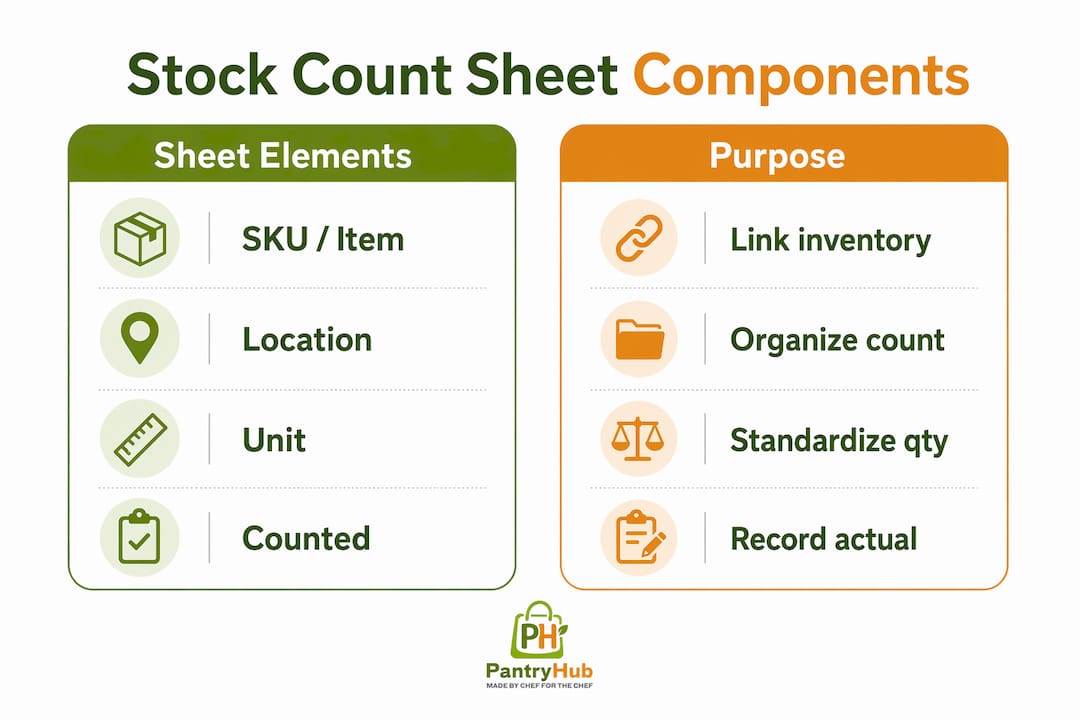
A well-built count sheet contains the minimum fields needed to record, compare, and investigate inventory accurately. The core columns are:
- SKU or item code: A unique identifier that links the physical item to your inventory system. This prevents confusion between similar products, such as two sizes of olive oil.
- Product name: The full name as it appears in your ordering system, not a nickname. Consistency here prevents mismatches when entering data.
- Location: The specific storage area, such as dry store shelf 2 or walk-in cooler section A. Organizing by physical location rather than alphabetically lets counters move through the space in one continuous walk-through without backtracking.
- Unit of measure: Kilograms, liters, cases, or individual units. Locking this field prevents staff from mixing units during a count, which is one of the most common data errors.
- Expected quantity: The quantity your system shows before counting. This column is useful for post-count comparison but should be hidden during the actual count.
- Counted quantity: The actual number recorded by the counter.
- Variance: The difference between expected and counted quantities, calculated automatically in a digital sheet.
- Notes: Space to flag damaged stock, items near expiry, or anything that explains a discrepancy.
Pro Tip: Add a "Counted by" column and require staff to initial each row. This creates a clear audit trail and encourages accuracy because counters know their work is traceable.
A common mistake is sorting the sheet alphabetically. That forces your counter to jump between the walk-in cooler and the dry store repeatedly. Sort by physical location instead, and your count time drops noticeably. Data validation such as locking units of measure fields and protecting formula columns prevents accidental overwrites and unit mismatches, which are the two most frequent sources of counting errors in busy kitchens.
| Column | Purpose |
|---|---|
| SKU / Item code | Links item to inventory system |
| Location | Organizes count by physical storage path |
| Unit of measure | Prevents unit mismatch errors |
| Variance | Flags discrepancies for investigation |
| Notes | Captures damage, expiry, or anomalies |
How do full physical counts differ from cycle counts?
Full physical counts cover 100% of SKUs and typically require paused operations. Cycle counts cover subsets of inventory on rotating schedules, detecting errors faster and reducing disruption. Both methods use a stock count sheet, but the frequency, scope, and operational impact differ significantly.
A full count gives you a complete snapshot of your inventory at one moment. Most restaurants run a full count monthly or at period end. The downside is that it usually means counting before or after service, which adds hours to your team's shift. For a high-volume café with 300 or more SKUs, a full count can take three to four hours even with a trained team.
Cycle counting solves the disruption problem by breaking the inventory into segments counted on a rolling schedule. A practical approach for hospitality is to classify items by value and velocity. Class A items, your highest-cost proteins and premium spirits, get counted weekly. Class B items, mid-range ingredients, get counted fortnightly. Class C items, dry goods and cleaning supplies, get counted monthly. This way, your most financially significant stock gets the most scrutiny.
- Classify your SKUs into A, B, and C categories based on cost and usage frequency.
- Build a counting calendar that assigns each category to a specific day or shift.
- Assign counters who are familiar with the storage area being counted that day.
- Record counts on a dedicated cycle count sheet that shows only the items scheduled for that session.
- Investigate variances before adjusting system records. A variance is a symptom. Adjusting the number without finding the cause fixes nothing.
Pro Tip: Never adjust your inventory system to match a count result until you have investigated the variance. A discrepancy might mean a delivery was not received, stock was moved to a different location, or a training issue exists. Adjusting first destroys the evidence.
What are best practices for creating and using stock count sheets?
The most effective stock count sheets are the simplest ones. Over-complicating a sheet with too many columns slows counts and increases human error, especially during busy kitchen shifts. Limit columns to what your team actually needs to record and investigate.
Hiding the expected quantity column during counting is one of the most underused techniques in hospitality. When counters can see what the system expects, they unconsciously record that number instead of what is actually on the shelf. Hiding expected quantities eliminates this subconscious bias and produces more accurate results. Reveal the expected column only after counting is complete, so the variance calculation is honest.
Numbering every page of your count sheet prevents data loss during busy shifts. If a page goes missing, the gap in page numbers tells you immediately. This simple habit protects the integrity of your count and makes it easy to identify which section needs to be recounted.
Numbering pages in count sheets prevents data loss during busy shifts by quickly identifying missing sections. This matters more than most managers realize. A missing page means a section of your inventory is unrecorded, and that gap will show up as a phantom variance in your system.
Pro Tip: Run your count sheet alongside an expiry date column during your weekly cycle count. Items flagged as near-expiry can be moved to the front of storage or incorporated into specials before they become waste.
Post-count variance analysis is the step most managers skip. Investigating root causes such as theft, training issues, or storage errors rather than simply adjusting system numbers is what separates managers who improve over time from those who repeat the same losses. A variance in your chicken breast line might mean a portioning issue. A variance in your spirits might mean a pouring problem or something more serious. The count sheet gives you the data. The investigation gives you the fix. Connecting variance patterns to food waste reduction strategies turns your count sheet from a record-keeping tool into a profit protection tool.
How can digital tools enhance your stock count process?
Digital tools extend what a paper count sheet can do, but they do not replace the discipline of a well-structured count. Barcode scanners, inventory apps, and protected spreadsheet templates all reduce the manual effort and error rate of counting. The key is choosing tools that fit your kitchen's workflow rather than adding complexity.
A free three-tab Google Sheets template covering Master Inventory, Stock In, and Stock Out can be set up in under 20 minutes and gives small cafés a functional digital count system without any software cost. For restaurants with more complex needs, digital stocktake tools built for hospitality offer barcode scanning, automatic variance calculation, and real-time updates to your inventory system.
A well-structured inventory system that includes expiry date tracking and reorder alerts can reduce waste by up to 68% in small retail settings. That figure reflects what happens when you move from reactive counting to proactive tracking. Reorder alerts prevent over-ordering. Expiry tracking prevents spoilage. Together, they turn your stock count sheet into a live management tool rather than a monthly reconciliation exercise.
| Tool type | Best for | Key benefit |
|---|---|---|
| Protected spreadsheet | Small cafés, single location | Low cost, easy setup |
| Barcode scanner app | Mid-size restaurants | Faster counting, fewer entry errors |
| Integrated inventory platform | Multi-location groups | Real-time visibility, automatic reorder alerts |
Barcode scanners and protected formula sheets help reduce errors and make hospitality inventory processes faster. The protection piece matters as much as the scanning. A formula column that staff can accidentally overwrite is a liability. Lock your variance and total columns so the math stays clean regardless of who is entering data.
Key Takeaways
A stock count sheet is the single most practical tool a restaurant or café manager has for catching inventory discrepancies before they become profit losses.
| Point | Details |
|---|---|
| Core document structure | Include SKU, location, unit of measure, counted quantity, variance, and notes as minimum fields. |
| Location-based sorting | Organize rows by physical storage path, not alphabetically, to reduce counting time. |
| Hide expected quantities | Conceal expected numbers during counting to prevent bias errors and get honest results. |
| Choose the right count type | Use full counts for period-end snapshots and cycle counts for ongoing high-value item monitoring. |
| Investigate before adjusting | Always find the root cause of a variance before changing system records to avoid masking real problems. |
The detail most managers overlook
After years of watching hospitality operations run their counts, the pattern I see most often is this: managers invest time in designing a count sheet, train staff to use it, and then skip the investigation step entirely. The count gets done. The numbers get entered. The system gets adjusted. And the same variance appears again next month.
The count sheet is not the end of the process. It is the beginning of a conversation about what is actually happening in your kitchen. A recurring variance in your dairy section might mean your walk-in cooler temperature is inconsistent and product is spoiling before it gets used. A variance in your premium cuts might mean portion sizes have drifted. Neither of those problems gets fixed by adjusting a number in your system.
The managers I have seen run the tightest operations treat every variance as a question, not a correction. They ask why before they ask how much. That shift in mindset, from reconciliation to investigation, is what makes a stock count sheet genuinely valuable rather than just a compliance exercise. Pair that discipline with a simple, location-sorted sheet and a consistent cycle count schedule, and your inventory accuracy will improve within two to three count cycles. The waste reduction follows automatically.
— Admin
Pantryhub makes stock counts faster and more accurate
Running a count sheet manually works, but it has a ceiling. Data entry errors, lost pages, and delayed variance analysis all slow down the feedback loop between your count and your ordering decisions.

Pantryhub is built specifically for restaurants, cafés, bars, and commercial kitchens. The platform automates variance detection, sends low-stock alerts before you run out, and connects your count data directly to supplier ordering. Your team counts, the system calculates, and you get a clear picture of where stock is going. For managers running multiple locations, Pantryhub gives you visibility across every site from one place. See how hospitality inventory software from Pantryhub can replace your manual count sheets with a faster, more reliable process.
FAQ
What is a stock count sheet used for?
A stock count sheet records the actual quantity of each inventory item during a physical count and compares it against system records to identify variances caused by waste, theft, or ordering errors.
How do I create a stock count sheet for a restaurant?
List every SKU organized by physical storage location, include columns for unit of measure, counted quantity, and variance, and hide expected quantities until after counting is complete to avoid bias errors.
What is the difference between a full count and a cycle count?
A full count covers all SKUs at once and typically requires paused operations, while a cycle count covers a rotating subset of items on a regular schedule, reducing disruption and catching errors faster.
How often should a restaurant count its inventory?
High-value items such as proteins and spirits should be counted weekly using cycle counts, while a full physical count of all SKUs is typically run monthly or at each accounting period end.
Why does post-count variance analysis matter?
Adjusting system records without investigating the cause of a variance masks the real problem. Root causes such as theft, training gaps, or storage errors must be identified and fixed to improve accuracy over time.