

The fastest way to train your kitchen team on new software is to combine mobile-optimized digital learning with supervised hands-on practice during slow service periods. This approach, known in hospitality operations as structured digital onboarding, cuts adoption time, reduces costly errors, and builds lasting proficiency. Managers who skip the digital foundation phase and go straight to live kitchen practice see higher error rates and more staff resistance. The method works because it separates knowledge-building from skill-building, giving each the space it needs to stick.
What does your kitchen need before software training starts?
The right environment determines whether kitchen team software training succeeds or stalls before it begins. Three things need to be in place before your first training session: the right hardware, the right software format, and the right timing.
Hardware and device setup
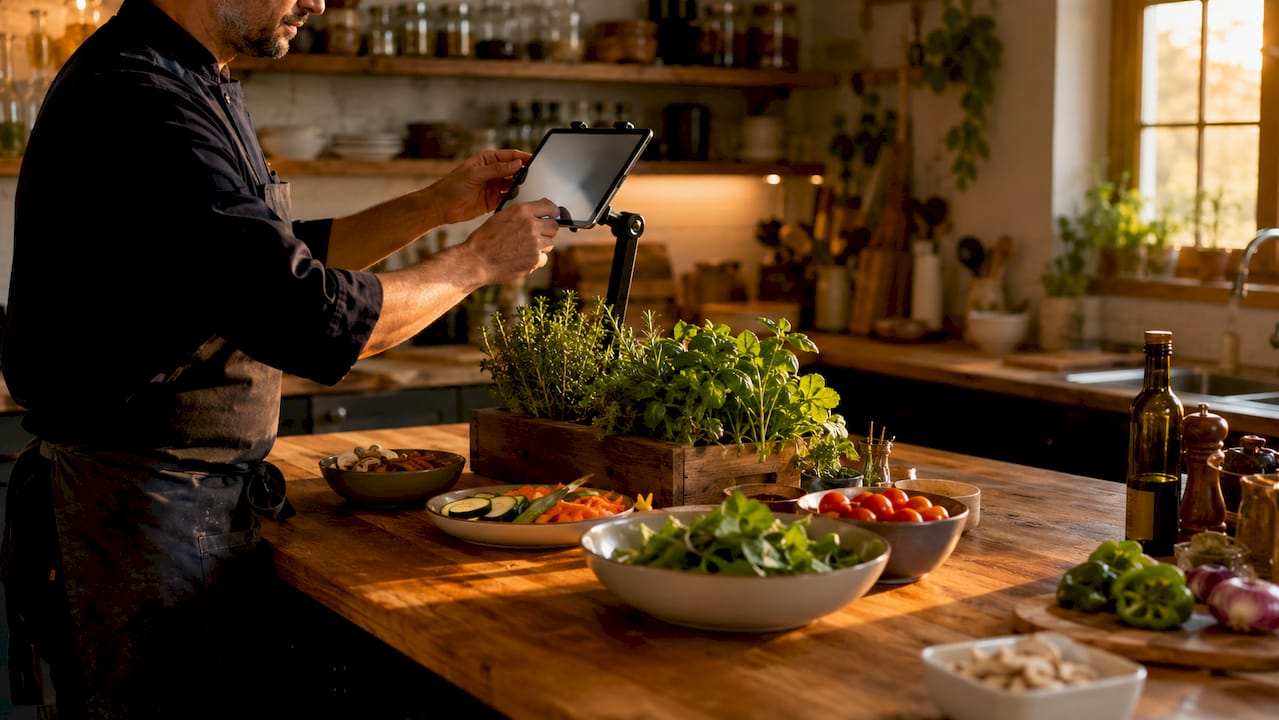
Place tablets at key stations, including the prep area, pass, and expediting position. A kitchen display system (KDS) mounted at eye level reduces the need for staff to look away from their work. Devices used for quizzes or reference materials should stay charged and accessible throughout the shift, not locked in an office.
Choosing the right software format
Mobile-optimized web apps that require no installation dramatically improve staff adoption rates compared to forcing native app downloads. When staff have to visit an app store, create an account, and wait for a download, many simply do not complete the process. A browser-based tool removes that friction entirely. This single decision can be the difference between 60% adoption and full team participation.
Pro Tip: Before your rollout date, test the software on every device your team will use, including older Android phones and shared kitchen tablets. Fix access issues before training day, not during it.
Timing your rollout correctly
Schedule initial training during slower periods, such as a Tuesday lunch shift, rather than a Friday dinner service. Your team cannot absorb new workflows while managing a full ticket board. Slower shifts give staff the mental space to ask questions, make mistakes, and recover without affecting food quality or service speed.
| Software type | Best for | Key training consideration |
|---|---|---|
| Kitchen display systems | Order routing and timing | Requires 1 week for muscle memory |
| Inventory management apps | Stock tracking and ordering | Needs role-based access setup |
| Scheduling platforms | Shift management | Low complexity, fast adoption |
| Recipe and menu software | Prep consistency | Benefits from on-floor reference screens |
How to structure a step-by-step kitchen software training program
The most effective training progressions follow a digital-first, hands-on-second sequence. Staff complete short digital certifications before they ever touch the live system in a working kitchen. This means hands-on time focuses entirely on application, not explanation, which speeds up proficiency significantly.
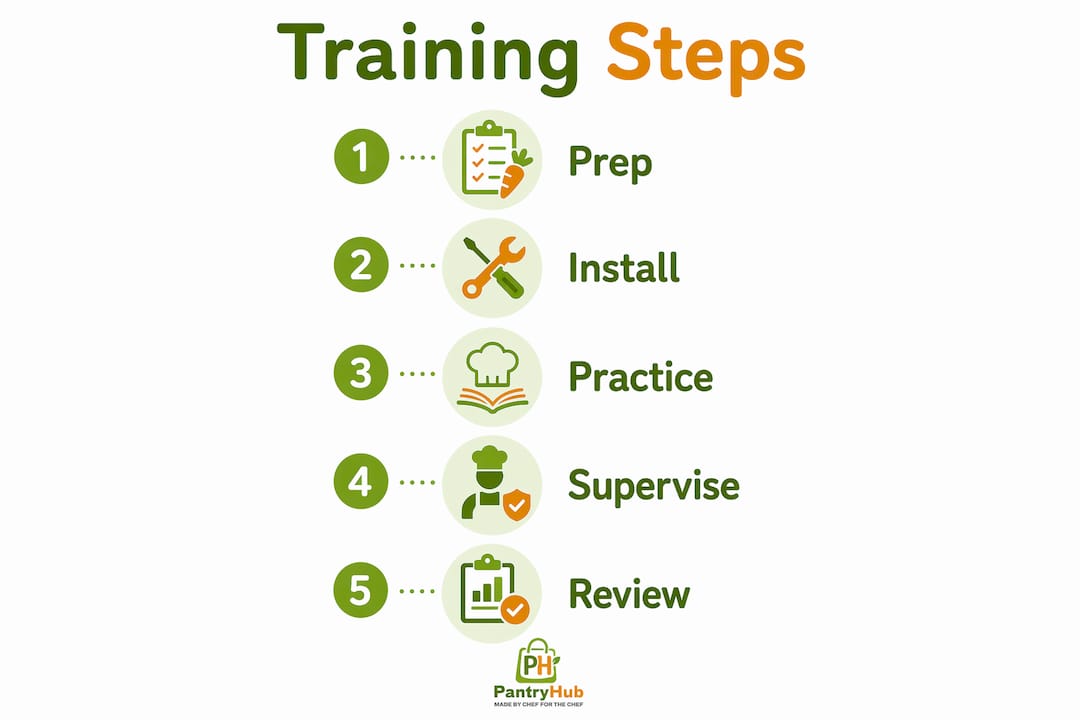
Here is a proven five-step sequence for rolling out new kitchen management software:
-
Assign digital certification modules. Before any kitchen access, require staff to complete short online modules covering the software's core functions. These can be completed on a phone during a break or before a shift. Keep each module under 15 minutes.
-
Run knowledge checks with relevant quizzes. Use AI-generated quizzes built from your actual menu content and workflows. A quiz that asks about your specific prep steps is far more useful than a generic product tutorial. Structured digital onboarding of this type, when done well, has been linked to 95% internal promotion rates and an average manager tenure of 3.5 years at multi-location concepts.
-
Introduce the live system during a slow shift. Once staff pass their digital certification, bring them onto the floor with the software running. A manager or senior team member should be present at the station, not watching from across the kitchen.
-
Provide instant-access reference materials on the floor. Tablets or screens displaying recipes and workflows reduce errors and speed up service. Do not expect staff to memorize complex workflows during a busy shift. A laminated QR code linking to a reference guide works just as well as a dedicated screen.
-
Certify before promoting to unsupervised use. Staff should demonstrate competency in the software before working independently. This creates accountability and gives you a clear record of who is trained and who needs more support.
Pro Tip: Record a two-minute walkthrough video of your most common software task, such as placing a stock order or bumping a KDS ticket. Post it in your team chat so staff can rewatch it anytime without asking a manager.
| Training approach | Time to proficiency | Error rate during transition |
|---|---|---|
| Live kitchen only, no digital prep | 2–3 weeks | High |
| Digital modules only, no hands-on | 1–2 weeks | Moderate |
| Digital certification then supervised practice | 3–5 days | Low |
What mistakes do managers make when training kitchen staff on software?
Most training failures come from predictable, avoidable decisions. Knowing them in advance puts you ahead of the majority of operators who learn these lessons the hard way.
-
Forcing app downloads. As noted above, removing app store friction increases team software uptake and engagement. If your chosen platform requires a native app, build in extra time and IT support for the setup process.
-
Training during peak service. Rolling out new software on a Saturday night is one of the most common and damaging mistakes in kitchen operations. Staff under pressure revert to old habits and associate the new system with stress.
-
Assuming one training session is enough. Knowledge fades, especially in high-turnover environments. A single onboarding session does not account for new hires, role changes, or software updates.
-
Ignoring turnover in your training plan. High kitchen staff turnover means your training program needs to run continuously, not just at launch. Build a repeatable onboarding process that a new hire can complete in their first week without requiring a manager to run it from scratch.
-
Skipping manager training. If your managers are not fluent in the software, they cannot support their teams. Train managers first, at least one week before rolling out to the broader team.
"The biggest training mistake I see is treating software rollout as a project with a start and end date. It's an ongoing operational function, not a one-time event."
How does ongoing training build long-term kitchen software proficiency?
Training embedded in culture and ongoing certifications drives higher internal promotion rates and longer manager tenure in multi-location restaurant concepts. That outcome is not accidental. It comes from treating software proficiency as a career skill, not a compliance checkbox.
Here is how to build that culture in your kitchen:
-
Integrate training into daily pre-shift briefings. Spend two minutes each shift reviewing one software feature or workflow. Over a month, that adds up to a full refresher without any dedicated training time.
-
Run quarterly recertifications. Require all staff to repass their software certification every quarter. This catches knowledge drift before it affects operations and gives you a natural moment to introduce updates or new features.
-
Use peer mentorship. Designate a "software lead" at each station, a team member who becomes the go-to resource for questions. Tie this role to a small pay bump or a pathway to a senior position. Staff take the role seriously when it means something.
-
Track progress with manager dashboards. Mobile-responsive tools let managers monitor quiz completions and spot knowledge gaps in real time, directly from the floor. You do not need to wait for a weekly report to know who needs support.
-
Add gamification where it fits. Leaderboards showing quiz scores or completion rates create friendly competition. Multi-location operators have used this approach to drive consistent training participation across sites without mandating it from above.
Pro Tip: Connect software proficiency to your promotion criteria. When staff know that mastering the inventory system is a step toward a senior role, adoption becomes self-motivated rather than manager-driven.
For a deeper look at how team management software fits into your broader kitchen operations, the Pantryhub blog covers the operational context in detail.
Key takeaways
Effective kitchen software training requires a digital-first certification phase, supervised hands-on practice during slow shifts, and continuous learning embedded into daily operations.
| Point | Details |
|---|---|
| Go digital before going live | Require staff to complete online certification modules before touching the live system in the kitchen. |
| Time your rollout carefully | Schedule initial training during slow shifts, such as Tuesday lunch, to protect food quality and reduce stress. |
| Skip the app store when possible | Mobile web apps with no installation requirement consistently outperform native apps for staff adoption. |
| Make training a daily habit | Two-minute pre-shift reviews and quarterly recertifications prevent knowledge drift in high-turnover kitchens. |
| Track gaps with manager tools | Mobile dashboards let managers identify who needs support in real time, not after the fact. |
What I've learned from watching kitchen software rollouts go wrong
Most managers I talk to treat software training as a setup task. They schedule a session, run it once, and move on. Then three months later, half the team is using the system incorrectly and the other half has stopped using it altogether.
The operators who get this right think about it differently. They treat software proficiency the same way they treat knife skills or food safety: as something that requires regular practice, clear standards, and accountability. The digital onboarding approach is not a shortcut. It is a foundation.
What surprises most managers is how much resistance comes from the middle of the team, not the newest hires. Long-tenured staff who have their own workarounds are often the hardest to bring onto a new system. The fix is not more training sessions. It is involving those staff members early, asking for their input on the workflow, and giving them a visible role in the rollout. When experienced staff feel ownership over the process, they become your strongest advocates instead of your loudest skeptics.
The other lesson: most kitchen staff pick up basic KDS workflows in under one hour, but muscle memory takes about one full week. Plan for 2–3 slower services during the transition. Do not measure success by day one. Measure it by week two.
— Admin
How Pantryhub supports your kitchen team through every stage of training
Running a kitchen means managing inventory, orders, and people at the same time. Pantryhub is built to make that easier, not harder.

Pantryhub's hospitality inventory software gives your team a single platform for stock tracking, supplier ordering, and real-time reporting, all accessible from a mobile browser with no app download required. That means your staff can learn the system on day one without IT support or setup delays. Managers get a clear view of who is using the system and where gaps exist. Whether you run one café or a group of restaurants, Pantryhub gives you the visibility and control to run a tighter, more consistent kitchen operation. Explore the kitchen inventory app to see how it fits your team's workflow.
FAQ
How long does it take to train kitchen staff on new software?
Basic workflows take under one hour to learn, but full muscle memory and confident independent use typically takes about one week. Plan for 2–3 slower services during the transition period.
What is the best format for kitchen team software training?
The most effective format combines short digital certification modules completed before kitchen access with supervised hands-on practice during slow shifts. This digital-first sequence reduces errors and speeds up proficiency compared to live-only training.
Should kitchen staff download an app for training?
No. Mobile-optimized web apps that require no installation produce significantly higher adoption rates. Removing the app store step eliminates a major barrier for staff who are reluctant to install new software on personal devices.
How do I prevent knowledge drift after the initial training?
Embed short software reviews into daily pre-shift briefings and run quarterly recertifications for all staff. Training embedded in routine maintains proficiency even in kitchens with high staff turnover.
When is the worst time to roll out new kitchen software?
Never roll out new software during peak service hours. A Friday dinner service or Saturday brunch is the worst possible moment. Schedule your first live sessions during a Tuesday lunch or another low-demand period to give staff room to adapt without affecting guests.