

If you're looking for hopshq.com alternatives, the shortlist comes down to five platform categories: inventory-first platforms, POS-first suites, procurement-focused platforms, finance-led back-office systems, and enterprise consolidators. For most mid-market U.S. operators, the best place to start is an inventory-first platform — and Pantryhub is the operator-built option worth trialing first.
Here's the quick shortlist by category:
- Inventory-first platforms (e.g., Pantryhub): best for restaurants, cafés, and bars that need real-time stock control, low-stock alerts, and supplier ordering without enterprise complexity
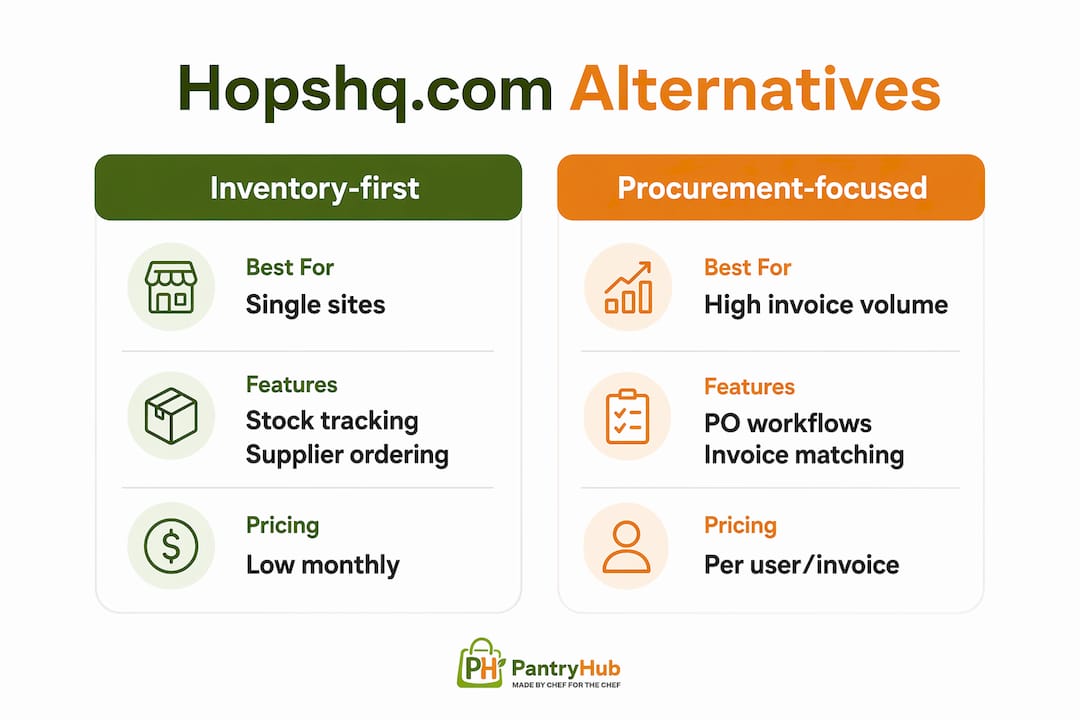
- Procurement-focused platforms (e.g., MarketMan, MarginEdge): best for operations where purchase order workflows and invoice matching are the primary pain point
- ️ POS-first suites (e.g., Toast): best for operators who want inventory and back-office wrapped inside their point-of-sale system
- Finance-led back-office systems (e.g., Restaurant365, Compeat): best for multi-site groups that prioritize GP reporting, payroll, and accounting consolidation
- Enterprise consolidators (e.g., Fourth): best for large groups needing labor scheduling, HR, and operations under one roof
Start with Pantryhub if your priority is inventory accuracy and supplier ordering. The platform meets PCI DSS security standards expected of modern SaaS hospitality tools, and a free trial gets you live in days, not weeks.
Table of Contents
- How do these hopshq.com alternatives actually compare?
- What each platform category does and when to pick it
- How do you evaluate hopshq.com alternatives properly?
- What does implementation actually look like?
- What outcomes do operators actually see after switching?
- Which alternative should you trial first, and how?
- Key Takeaways
- What operators actually gain and lose when they switch back-office platforms
- Pantryhub: the inventory-first option built for operators like you
- Useful sources and vendor docs to review before your evaluation
How do these hopshq.com alternatives actually compare?
The table below maps each platform category against the dimensions that matter most in a real evaluation. Use it to match your operation's priorities before you book a single demo.

| Category | Best for | Core features | Pricing model signals | Integration ecosystem | Implementation complexity |
|---|---|---|---|---|---|
| Inventory-first platforms | Single-site to multi-site restaurants, cafés, bars | Stock tracking, par levels, low-stock alerts, supplier ordering, waste tracking | Subscription tiers by site or user; transparent entry pricing | POS, accounting, supplier catalogues | Low: days to weeks |
| Procurement platforms | Operations with high invoice volume and complex PO workflows | Purchase orders, invoice matching, supplier management, spend analytics | Per-site or per-user monthly fee; some charge per invoice | Accounting (QuickBooks, Xero), POS, EDI suppliers | Medium: 2–4 weeks |
| POS-first suites | Operators who want one vendor for front-of-house and back-office | POS, basic inventory, labor scheduling, reporting | Bundled hardware + software; per-terminal fees | Native POS integrations; limited third-party back-office | Medium: 2–6 weeks |
| Finance-led back-office | Multi-site groups needing consolidated GP, payroll, and accounting | AP automation, GL, payroll, food cost reporting, budgeting | Per-location monthly fee; enterprise tiers | Accounting platforms, payroll providers, POS | High: 4–12 weeks |
| Enterprise consolidators | Large groups (10+ sites) needing labor, HR, and ops in one system | Labor scheduling, HR, inventory, procurement, analytics | Enterprise contract; custom pricing | Broad POS and HR integrations; EDI | High: 3–6 months |
Pricing signals and contract red flags to watch
Before you sign anything, check these common patterns across similar sites to hopshq.com:
- Per-user fees that scale unexpectedly as your team grows
- Annual lock-in contracts with no month-to-month option for the first year
- Implementation fees quoted separately from the subscription (sometimes equal to 3–6 months of software cost)
- Data export restrictions buried in terms of service
Pricing pages change frequently. Always verify current rates directly with the vendor and ask for a written quote that includes all fees, not just the headline subscription number. Integrations and pricing transparency are consistently the two factors that determine whether operators actually adopt a platform after go-live.
What each platform category does and when to pick it
Inventory-first platforms
Best for: Single-site restaurants, cafés, bars, and multi-location groups where stock accuracy and supplier ordering are the daily operational priority.
Core features: Real-time stock tracking, par-level management, low-stock alerts, supplier catalogue integration, waste logging, recipe costing, and food cost reporting.
Typical pricing: Transparent subscription tiers, usually starting at a low monthly rate per site. No hardware dependency.
Integrations: POS systems, accounting software (QuickBooks, Xero), and direct supplier connections.
Implementation: Low complexity. Most operators are live within a few days to two weeks.
- ✅ Pick this when: Your biggest daily pain is stock variance, over-ordering, or manual spreadsheet counts
- ✅ Pick this when: You want your kitchen team using a mobile app on shift, not a desktop portal
- ❌ Skip this when: Your primary need is payroll, HR, or consolidated multi-entity accounting
Pantryhub snapshot: Pantryhub is built by operators for operators, covering inventory tracking, supplier ordering, low-stock alerts, team management, and reporting across one or multiple locations. It's designed for restaurants, cafés, bars, and commercial kitchens that want real control of their pantry without enterprise-level complexity or cost. Pricing starts at A$39/month, and a free trial is available with no long-term commitment required.
Procurement-focused platforms
Best for: Operations processing high invoice volumes where the bottleneck is purchase order approvals and invoice reconciliation, not stock counts.
Core features: PO creation and approval workflows, three-way invoice matching, supplier management, spend analytics, and credit note tracking.
Typical pricing: Per-site or per-user monthly fees; some platforms charge per invoice processed, which can add up fast for high-volume kitchens.
Integrations: Strong accounting integrations (QuickBooks, Xero, Sage); POS integrations vary by vendor.
Implementation: Medium complexity, typically 2–4 weeks depending on supplier onboarding.
- ✅ Pick this when: AP processing and invoice disputes consume significant management time each week
- ❌ Skip this when: You need deep inventory counting and recipe costing — most procurement platforms treat inventory as secondary
POS-first suites
Best for: Operators who want a single vendor relationship covering front-of-house and basic back-office, and who are already committed to a specific POS ecosystem.
Core features: Point-of-sale, basic inventory, labor scheduling, tip management, and sales reporting.
Typical pricing: Bundled hardware and software; per-terminal monthly fees that increase with add-ons.
Integrations: Native within the POS ecosystem; third-party back-office integrations are often limited or require middleware.
Implementation: Medium complexity (2–6 weeks), but heavily dependent on hardware installation and staff training.
- ✅ Pick this when: You're starting fresh and want one vendor to call for support
- ❌ Skip this when: You need granular recipe costing, multi-supplier ordering, or GP reporting by site — POS-first inventory tools rarely go deep enough
Finance-led back-office systems
Best for: Multi-site restaurant groups that need consolidated accounts payable, general ledger, payroll, and food cost reporting in one system.
Core features: AP automation, GL, payroll, budgeting, food cost variance reporting, and period-end close workflows.
Typical pricing: Per-location monthly fees with enterprise tiers; implementation costs are significant.
Integrations: Strong accounting platform integrations; POS integrations exist but vary in depth.
Implementation: High complexity, typically 4–12 weeks with dedicated implementation support required.
- ✅ Pick this when: You're running 5+ sites and your CFO needs consolidated financials, not just kitchen reports
- ❌ Skip this when: You're a single-site or small group operator — the cost and complexity will outweigh the benefit
Enterprise consolidators
Best for: Large hospitality groups (10+ sites) that need labor scheduling, HR, procurement, and operations managed under one platform.
Core features: Labor scheduling, HR and compliance, inventory, procurement, analytics, and workforce management.
Typical pricing: Enterprise contracts with custom pricing; rarely published openly.
Integrations: Broad POS and HR integrations; EDI supplier connections for large-volume purchasing.
Implementation: High complexity, 3–6 months with a dedicated project team.
- ✅ Pick this when: Labor cost and workforce compliance are as important as food cost
- ❌ Skip this when: You're under 10 sites — the overhead of an enterprise platform will slow you down, not speed you up
How do you evaluate hopshq.com alternatives properly?
The best evaluation starts with a clear checklist organized by priority. Must-have features are non-negotiable for day-one operations; nice-to-have features can wait for phase two.
Must-have questions to ask every vendor
Inventory and procurement:
- How does the system handle stock variance between theoretical and actual usage?
- Can we run a stock count on mobile without an internet connection?
- Does the platform support multiple units of measure per ingredient (e.g., cases vs. each)?
Invoice processing:
- Does the system match invoices to purchase orders automatically, or is matching manual?
- How are credit notes and price discrepancies handled?
Labor and scheduling:
- Does labor scheduling integrate with your POS for sales-per-labor-hour reporting?
- What payroll integrations are supported natively?
Financial reporting:
- Can the system produce GP by site, by period, and by menu category?
- How does the platform handle multi-entity consolidation?
Integrations:
- Which POS systems integrate natively, and which require a third-party connector?
- Does the platform support accounting software (QuickBooks, Xero) with two-way sync?
- What supplier EDI or catalogue integrations are available for U.S. distributors?
Data and security:
- Who owns the data, and can you export it in full at any time?
- What are the API access terms and rate limits?
- Does the platform comply with PCI DSS and relevant data security standards?
Support and SLAs:
- What are the support hours and response time guarantees?
- Is there a dedicated onboarding manager, or is setup self-serve?
Red flags to watch for
- Long-term annual contracts with no exit clause or data portability guarantee
- Per-user fees that aren't disclosed upfront
- APIs that are read-only or require a paid add-on to access
- No offline or mobile access for stock counts and ordering
- Vague SLA language ("best efforts" instead of defined response times)
Pro Tip: Ask every vendor for a proof-of-concept trial using your own data before signing. A 7–14 day scoped pilot with your actual POS transaction history and supplier catalogue will surface integration gaps that a polished demo never will. Get the trial terms in writing, including data deletion on exit.
For a practical vendor evaluation framework that covers demo validation and selection criteria, independent hospitality-tech resources can supplement your own checklist.
What does implementation actually look like?
Migration effort depends on three things: how much historical data you need to preserve, how complex your recipe and costing structures are, and how many POS and supplier integrations you need to reconnect. A simple inventory-only migration can be live in days; a full enterprise consolidation with payroll and multi-entity accounting takes months.
Typical implementation timelines by category
| Category | Typical timeline | Primary complexity driver |
|---|---|---|
| Inventory-first platforms | Days to 2 weeks | Supplier catalogue mapping, POS sync |
| Procurement platforms | 2–4 weeks | Supplier onboarding, invoice workflow setup |
| POS-first suites | 2–6 weeks | Hardware installation, staff training |
| Finance-led back-office | 4–12 weeks | Chart of accounts, payroll setup, AP migration |
| Enterprise consolidators | 3–6 months | Labor rules, HR data, multi-entity structure |
Practical migration steps
- Export your data from the current platform: stock items, recipes, supplier contacts, historical invoices, and POS transaction history (minimum 4 weeks).
- Normalize units of measure across your ingredient list before importing. Inconsistent naming between your POS, supplier catalogue, and legacy spreadsheets is the single biggest time sink in any migration.
- Map POS items to recipes in the new system before go-live, not after.
- Onboard suppliers to the new ordering workflow and confirm catalogue pricing matches your current agreements.
- Train staff on mobile counting and ordering workflows before the first live stock take.
- Run a parallel period (at least one week) where both systems are active so you can validate stock variance figures.
A reliable pilot dataset includes four weeks of POS transactions from two representative sites, your current supplier catalogue, and a sample of recent invoices. That dataset lets any vendor demonstrate GP reconciliation and invoice matching without requiring a full data migration upfront.
Support model questions to ask
- Is there a dedicated onboarding manager assigned to your account, or is setup handled through documentation and chat?
- What is the SLA for critical issues (e.g., system down during service)?
- Are managed data migration services included, or quoted separately?
- What does post-go-live support look like after the first 30 days?
Statistic callout: A scoped 7–14 day pilot that tests inventory accuracy, invoice processing, and POS sync typically surfaces integration gaps faster than full demos do — giving you real data to make a go/no-go decision before any long-term commitment.
What outcomes do operators actually see after switching?
Operators who successfully migrate back-office platforms typically report three categories of measurable improvement: reduced food waste from tighter stock visibility, faster invoice processing from automated matching, and clearer GP reporting by site that replaces end-of-period spreadsheet reconciliation.
The outcomes that reliably signal a successful migration are different from the ones that look good in a demo. Watch for these real indicators:
- Stock variance narrows within the first 4 weeks of live use, meaning theoretical and actual usage align more closely
- Invoice processing time drops because AP staff spend less time manually matching and chasing discrepancies
- GP by site becomes a weekly metric, not a monthly one, because the data is available in real time rather than after period close
- Ordering errors decrease because par levels and low-stock alerts replace manual reorder decisions
Cosmetic wins from a demo, by contrast, include impressive dashboards that require manual data entry to populate, integrations that work in the demo environment but need custom configuration in production, and AI-driven features that add complexity without reducing the manual steps your team actually takes each shift.
Pantryhub client outcomes: Pantryhub's operator-built platform is designed to deliver stock visibility and supplier ordering improvements from day one of a free trial. Operators using Pantryhub's inventory and reporting tools report clearer food cost visibility and faster supplier ordering as the primary early wins.
Statistic callout: Operators who prioritize workflow continuity over feature count during evaluation — specifically testing inventory accuracy, PO workflows, and POS sync in a live pilot — are far more likely to report successful adoption at 90 days than those who select based on demo features alone.
Which alternative should you trial first, and how?
For most mid-market U.S. operators, the right starting point is an inventory-first platform. It addresses the most common daily pain points (stock variance, over-ordering, manual counts) with the lowest implementation risk and the fastest time to value.
A 1–2 week pilot template you can run this week
Objectives: Validate inventory accuracy, test supplier ordering workflow, and confirm POS sync produces correct theoretical cost data.
- Day 1–2: Export 4 weeks of POS transaction data from two representative sites and your current supplier catalogue. Load into the trial environment.
- Day 3: Map your top 20 recipes to ingredients in the new system. Note any unit-of-measure mismatches.
- Day 4–5: Run a live stock count using the mobile app. Compare results to your current system.
- Day 6–7: Place a test purchase order with one supplier through the platform. Confirm the workflow matches your current approval process.
- Day 8–10: Review the GP and food cost report for the trial period. Does the variance figure match what you'd expect from your POS data?
- Day 11–14: Decision gate: if stock variance, PO workflow, and POS sync all perform to standard, proceed to full onboarding. If not, document the gaps and take them back to the vendor before committing.
What to include in your pilot contract
- Full data access and export rights during and after the trial
- Clear exit terms: data deletion timeline and format on request
- Defined success criteria agreed with the vendor before the pilot starts
- No automatic conversion to a paid plan without explicit sign-off
Key Takeaways
The single most important decision in evaluating hopshq.com alternatives is choosing the right platform category for your operation's primary pain point before comparing individual vendors.
| Point | Details |
|---|---|
| Match category to pain point | Inventory-first platforms suit most mid-market operators; finance-led systems suit multi-site groups needing consolidated GP. |
| Run a scoped pilot first | A 7–14 day pilot using your own POS data and supplier catalogue surfaces integration gaps faster than any demo. |
| Ask about data ownership | Confirm full export rights and API access before signing; these predict long-term fit better than feature lists. |
| Watch for contract red flags | Annual lock-in, hidden per-user fees, and read-only APIs are the most common reasons operators regret a platform switch. |
| Pantryhub as the inventory-first option | Pantryhub is an operator-built inventory and ordering platform with transparent pricing and a free trial available for U.S. operators. |
What operators actually gain and lose when they switch back-office platforms
Switching platforms is not primarily a technology decision. It's an operational change that affects every person who touches inventory, ordering, or invoicing in your business.
The honest trade-off is this: you gain process standardization and data visibility, but you absorb a real adoption cost that rarely shows up in a vendor's implementation timeline. Staff who have built workarounds in the old system don't automatically abandon them when the new one goes live. Counting workflows change. PO approval steps move. Cash-up processes look different. These aren't edge cases — they're the daily friction that determines whether a platform sticks or gets quietly abandoned after 90 days.
The integration debt question is equally underrated. Every POS connection, accounting sync, and supplier EDI link that worked in your old setup needs to be rebuilt and validated in the new one. Operators who underestimate this phase often find themselves running two systems in parallel for longer than planned, which doubles the workload instead of reducing it.
What actually works is a narrow, scoped pilot that tests the three workflows your team uses every single shift: stock counting, purchase ordering, and invoice approval. If those three work cleanly in a real environment with your real data, the rest of the migration is manageable. If they don't, no amount of impressive reporting dashboards will save the rollout.
The platforms that earn long-term adoption share one trait: they reduce the number of manual steps between a kitchen event (a delivery, a count, a waste entry) and a financial outcome (a GP figure, a cost variance). Operators who evaluate on that criterion, rather than on feature count or AI branding, consistently make better platform decisions.
Pantryhub: the inventory-first option built for operators like you
Pantryhub is an inventory-first, operator-built platform that gives U.S. hospitality operators real-time stock control, supplier ordering, and food cost reporting without the complexity or cost of an enterprise back-office system. If your daily pain is stock variance, manual ordering, or unclear food costs, Pantryhub is the most direct path to fixing it.

Here's how to get started:
- Start a free trial at pantryhub.com.au — no long-term contract required
- Prepare for your trial: export your current stock list, top 20 recipes, and supplier contacts before you begin
- Expected timeline: most operators are live and running their first stock count within 48 hours
- Book a demo if you'd prefer a guided walkthrough of inventory tracking, supplier ordering, and GP reporting before you start
Pantryhub's transparent pricing starts at A$39/month, with plans that scale to multi-location groups. No hidden per-user fees, no implementation surprises.
Useful sources and vendor docs to review before your evaluation
Before you book demos or request quotes, review these sources to verify current pricing, integration lists, and proof-of-concept terms directly with each vendor:
- Hops on Google Play: Review the current module list (inventory, finance, recipe costing, POS sync) to confirm which features you'd be replacing and which you'd be adding.
- Hops on the Apple App Store: Check mobile feature availability, including stock takes, invoice authorization, and mobile ordering — useful for comparing mobile workflows across alternatives.
- Pantryhub product page: Verify inventory, supplier integration, and reporting features; confirm trial terms and onboarding support availability.
- Pantryhub pricing page: Confirm current plan tiers, entry pricing, and what's included at each level before comparing to other vendors.
- Pantryhub alternatives guide: Useful for transferable evaluation questions and pilot design templates applicable across platform categories.
- Pantryhub inventory software guide: Covers pilot dataset requirements and integration checklists useful for any vendor evaluation.
- StayStrategy vendor evaluation framework: Independent third-party perspective on demo validation and vendor selection criteria for hospitality tech buyers.
For each source, verify: pricing clarity (are all fees listed?), API and integration documentation, proof-of-concept or trial terms, and SLA commitments. Vendor websites update frequently — always confirm details directly before signing.