

Manual inventory is a trap most operators don't realize they're in until it's too late. Clipboards, spreadsheets, weekly counts done by tired staff at closing time. The role of a mobile inventory app in kitchen operations has shifted from "nice to have" to a genuine operational advantage, and restaurants running on paper are paying for it in waste, labor hours, and compliance risk. This article breaks down exactly how these apps function in real kitchens, what they actually fix, and how to adopt one without disrupting your team.
Table of Contents
- Key takeaways
- How mobile inventory apps work inside kitchen workflows
- How apps cut waste and improve kitchen efficiency
- Compliance and traceability inside the app
- Choosing the right kitchen inventory app
- Steps to implement mobile inventory in your kitchen
- My honest take on where these tools succeed and fail
- See how Pantryhub handles this for real kitchens
- FAQ
Key takeaways
| Point | Details |
|---|---|
| Replace paper with real-time data | Mobile apps give you live stock visibility, replacing clipboards that go stale the moment they're filled out. |
| Waste logging needs reason codes | Logging waste without categorizing the cause tells you nothing useful about where the problem lives. |
| Phased rollout drives adoption | Starting with high-cost items builds staff confidence before expanding to full kitchen coverage. |
| AI moves you from counting to predicting | Modern inventory apps forecast demand and automate reorders, not just track what's on the shelf. |
| Compliance is built in, not bolted on | Apps that embed traceability into daily receiving and prep workflows remove the compliance burden from your team. |
How mobile inventory apps work inside kitchen workflows
The practical role of a mobile inventory app in the kitchen starts with replacing the most failure-prone part of your current process: manual data entry. A staff member with a phone or tablet can scan barcodes at receiving, update counts during prep, and flag low stock before service without stepping away from their station for long.
Here's what that workflow actually looks like in a functioning kitchen:
- Receiving: Staff scan incoming deliveries against purchase orders. Quantities, lot numbers, and supplier details are captured automatically and pushed to a shared cloud database.
- Prep counts: Before service, the app prompts staff to confirm on-hand levels for high-turnover items. Takes two minutes instead of twenty.
- Waste logging: Any discarded ingredient gets logged with a reason code, spoilage, over-prep, wrong spec, or send-back, creating a data trail your paper system never could.
- Reorder triggers: When stock dips below a set threshold, the app flags the item or triggers a supplier order automatically. Mobile inventory modules typically cover ingredient tracking, supplier orders, waste logging, and auto-reorder in one interface.
Real-time updates mean every manager across every shift sees the same numbers. No more end-of-day surprises when a line cook used the last of your salmon three hours ago and nobody updated the sheet.
Pro Tip: Set your low-stock alerts at a buffer above your true minimum. If you need two cases to get through Saturday dinner, set the alert to trigger at three cases. That one-case buffer absorbs delivery delays without killing service.
The integration side matters too. Apps that connect directly to your suppliers let you push purchase orders without picking up the phone. That saves time, reduces order errors, and gives you a paper trail for every transaction.
How apps cut waste and improve kitchen efficiency
Food waste in commercial kitchens isn't one problem. It's five or six problems wearing the same coat. Overordering proteins, poor FIFO rotation, over-prepping mise en place, sending dishes back from the pass. A mobile inventory app addresses each one differently, which is why the benefits of inventory apps compound over time rather than delivering a single one-time win.
Here's where the real gains show up:
- Waste pattern identification. When staff log every discarded item with a reason code, you start seeing patterns within weeks. If spoilage on fresh herbs spikes every Thursday, that's a Tuesday ordering problem, not a storage problem.
- AI-powered demand forecasting. AI-driven inventory software goes beyond counting to forecasting demand and optimizing reorder quantities based on historical usage, not gut instinct. That cuts overordering before it becomes waste.
- Variance alerts. Real-time variance alerts catch discrepancies between expected and actual stock early, before a small daily loss becomes a significant weekly one. You can investigate a five-unit variance today instead of discovering a fifty-unit hole at month-end.
- Labor savings. A count that took 90 minutes with clipboards takes 20 minutes with a mobile app. That's not a small difference when you're paying staff overtime to do it.
- Prep accuracy. When your app shows exactly what's on hand and what's been prepped, your kitchen team stops guessing and stops over-prepping as a hedge against running out mid-service.
The smart kitchen technology market is growing fast, and AI integration is a core driver of waste reduction improvements across commercial kitchens of all sizes.
Pro Tip: Don't just activate waste logging. Build a weekly five-minute review of waste reason codes into your manager's prep checklist. The data is only valuable if someone reads it.
Compliance and traceability inside the app
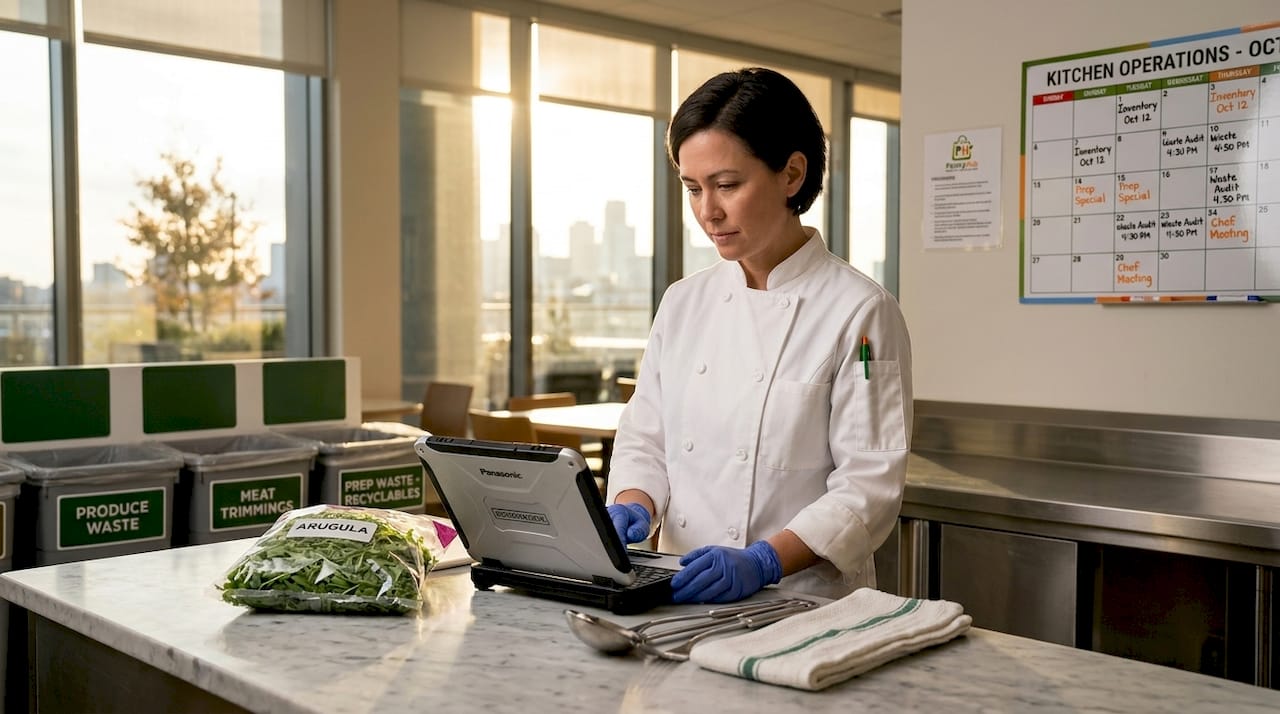
Regulatory requirements are tightening. FDA FSMA 204 traceability rules demand lot-level record keeping for high-risk foods, and operators who aren't ready will face real consequences. The good news is that mobile kitchen management tools built for this challenge embed compliance into the daily workflow rather than adding a separate layer of paperwork.
The comparison below shows what traditional compliance documentation looks like versus an app-based approach:
| Task | Manual method | Mobile app method |
|---|---|---|
| Receiving logs | Paper forms, filed manually | Captured at scan, stored automatically |
| Lot-level traceability | Handwritten lot numbers, often missing | Barcode scan links lot to order record |
| Audit documentation | Pulled from binders on request | Generated from dashboard in minutes |
| Compliance gap monitoring | Discovered during inspection | Real-time dashboard flags gaps daily |
| Training required | High, varies by staff | Minimal, consistent across locations |
TrackAssure by Ladle automates lot-level data capture during prep and receiving in hours rather than days, demonstrating how fast adoption can happen when the tool is designed around frontline workflows. For multi-location operators, embedding lot-level traceability into daily receiving and prep as a natural byproduct of normal work minimizes disruption while keeping you audit-ready.
The critical design principle here is that compliance data should be a byproduct of work your staff is already doing. If your app requires extra steps specifically for compliance, your team will skip them when things get busy. The best kitchen inventory solutions make the compliant path the path of least resistance.
Choosing the right kitchen inventory app
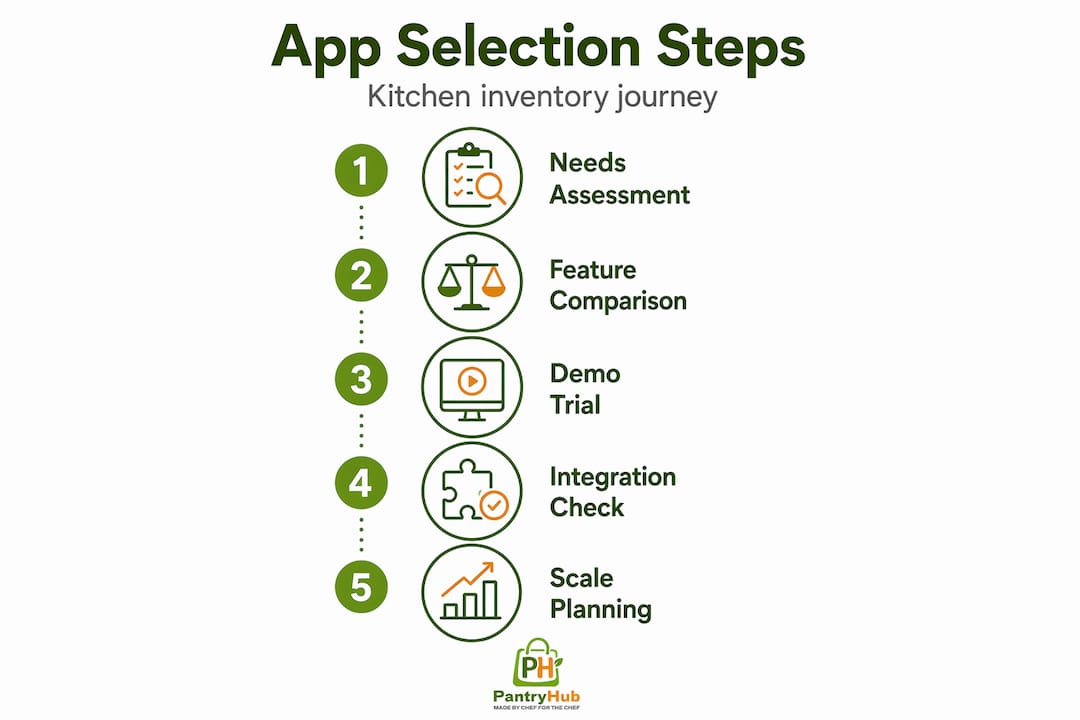
Not every inventory tracking app fits every kitchen. A single-site café has different needs than a twelve-location restaurant group. Before you commit to a platform, match it to your actual operational complexity.
The table below outlines the key features worth evaluating:
| Feature | Why it matters | Questions to ask |
|---|---|---|
| Integration with POS and suppliers | Prevents double-entry and manual order errors | Does it connect to your current POS system? |
| AI forecasting | Reduces overordering and improves prep planning | Does it learn from your specific usage history? |
| Multi-location support | Critical for groups managing stock across sites | Can you view all locations from one dashboard? |
| Ease of use | Low-friction UI drives consistent staff adoption | How long does training take for a new team member? |
| Waste logging with reason codes | Identifies operational root causes, not just totals | Can you customize reason code categories? |
| Compliance and traceability | Prepares you for FSMA 204 and audit requests | Does it capture lot-level data automatically? |
Beyond features, look at the best inventory systems available for your market and ask vendors for a real working demo, not just a sales walkthrough. Watch how data is entered during receiving. If that step feels clunky, your staff will find workarounds.
Scalability matters more than most operators realize at purchase time. A solution that works for your current single location should also support you if you open a second or third site without requiring a full platform migration.
Steps to implement mobile inventory in your kitchen
Getting the app is the easy part. Getting your team to actually use it consistently is where most implementations stall. A phased approach solves that.
- Start with your highest-cost items. Phased training starting with proteins and high-value ingredients builds staff confidence in the tool before you roll it out to every shelf in the walk-in.
- Integrate into existing routines. Tie the app to actions already happening: receiving deliveries, opening prep, closing checks. Don't ask staff to add a new task. Ask them to do an existing task differently.
- Set up waste logging protocols on day one. Define your reason code categories before launch, not after. Spoilage, over-prep, wrong spec, customer return. Build them into the system so staff have a consistent vocabulary.
- Review variance alerts weekly. Assign one manager to own variance review. They check the report, investigate anything above a set threshold, and bring findings to the weekly ops meeting.
- Expand gradually. After four to six weeks on high-cost items, extend coverage to dry goods, dairy, and beverage stock. By this point, your team trusts the system and the expansion feels natural.
Pro Tip: Run a brief side-by-side count during your first two weeks. Compare your app totals to a manual spot-check on the same items. When the numbers match, your team stops doubting the tool.
My honest take on where these tools succeed and fail
I've worked with a lot of operators who were disappointed by their inventory app three months after launch, and the reason is almost never the software. The app did exactly what it was designed to do. The kitchen team never fully adopted it.
What I've learned is that enforcing reason codes for waste logging is the single most underrated practice in mobile kitchen management. Most operators activate waste logging, pat themselves on the back, and never look at why the waste happened. Six months later, the same issues are still bleeding money, and they blame the app.
The other thing I'd push back on is the instinct to go live on everything at once. I've seen kitchens where managers insisted on full coverage from day one, and within a month the team was logging garbage counts just to clear the prompts. The phased approach isn't timidity. It's how you build a data set you can actually trust.
The compliance angle is where I think the biggest shift is coming. As traceability requirements get stricter, the operators who baked lot-level data capture into their daily workflows early will have a significant advantage over those scrambling to retrofit compliance onto their operations at the last minute. The mobile inventory app for chefs isn't just a kitchen efficiency tool anymore. It's a compliance infrastructure.
— Admin
See how Pantryhub handles this for real kitchens
If anything in this article describes a problem you're dealing with right now, waste you can't explain, counts that don't match, compliance records that live in binders nobody updates, Pantryhub was built to fix exactly that.

Pantryhub is a hospitality inventory platform built by chefs, for chefs. It gives you real-time stock visibility, AI-powered forecasting, automated low-stock alerts, waste logging with customizable reason codes, and full supplier integration from a single mobile app. Whether you run one café or a group of restaurants, you get the same dashboard, the same data quality, and the same compliance-ready record keeping across every location. You can explore the full kitchen inventory app built for iPhone and Android, or check out PantryHub's pricing to find a plan that fits your operation. No spreadsheets. No clipboards. Just a kitchen that runs on real numbers.
FAQ
What is the role of a mobile inventory app in a kitchen?
A mobile inventory app replaces manual stock counting with real-time tracking, waste logging, and automated reordering, giving kitchen operators accurate data to reduce waste and control costs.
How does a mobile inventory app reduce food waste?
It captures waste events with reason codes, identifies patterns over time, and uses AI forecasting to prevent overordering. This combination addresses waste at its source rather than just measuring it after the fact.
Can mobile kitchen management apps help with compliance?
Yes. Apps designed for FSMA 204 compliance capture lot-level traceability data during normal receiving and prep workflows, generating audit-ready documentation automatically without extra steps from your team.
How long does it take to train staff on an inventory tracking app?
Most platforms are designed for minimal training. Starting with a phased rollout on high-cost items, most kitchens reach consistent adoption within four to six weeks.
What features should I look for in a kitchen inventory solution?
Prioritize POS and supplier integration, AI-based demand forecasting, multi-location support, customizable waste reason codes, and built-in traceability. Ease of use is non-negotiable because a powerful app your team ignores delivers nothing.